Page 47 of 97 PN: 106417-05
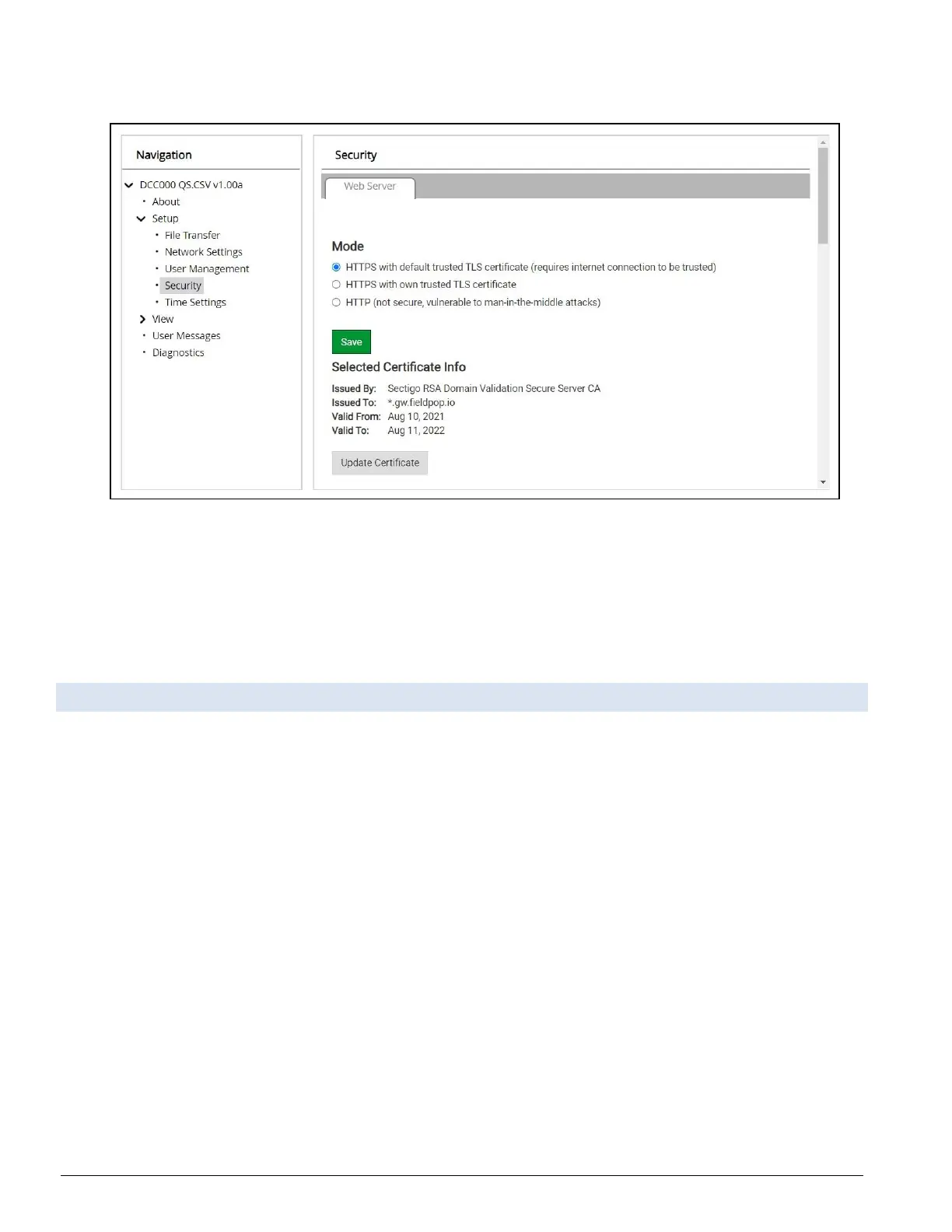
• Click Security in the Navigation panel.
Figure 9-2: Security Selection Page
• Click the Mode desired.
◦ If HTTPS with own trusted TLS certificate is selected, follow instructions in Section
5.3
HTTPS with Own Trusted TLS Certificate
• Click the Save button.
9.3 Edit the Certificate Loaded onto the FieldServer
NOTICE: A loaded certificate will only be available if the security mode was previously setup as
HTTPS with own trusted TLS certificate.
• Click Security in the Navigation panel.
• Click the Edit Certificate button to open the certificate and key fields.
• Edit the loaded certificate or key text as needed.
• Click Save.



 To Next Page