Page 9 of 97 PN: 106417-05
2.2 ProtoNode Setup
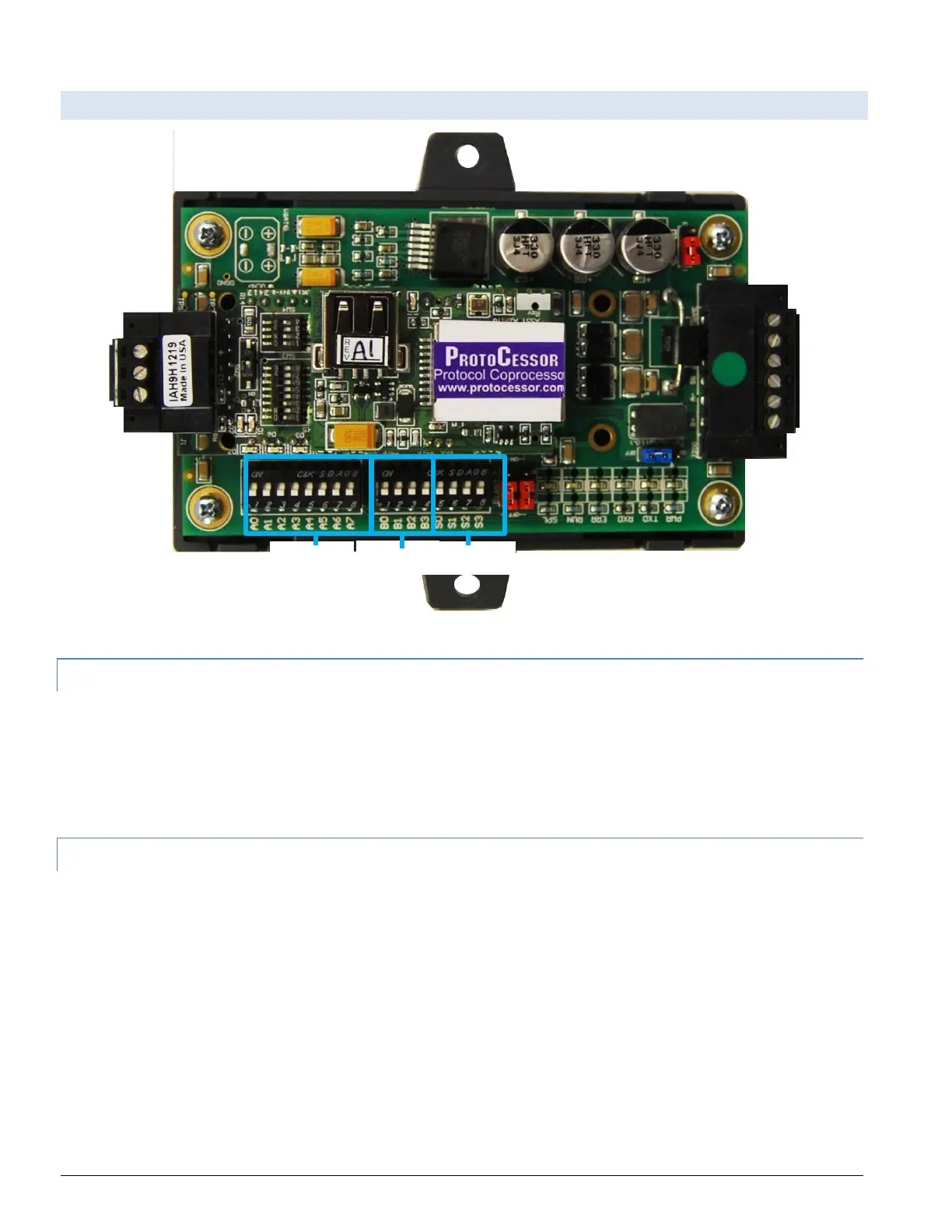
Figure 2-1: ProtoNode showing DIP switch “Banks” on bottom
2.2.1 Select EMS Protocol
Set Dipswitches to match Protocol of EMS. Remove ProtoNode cover and check protocol dip switch
settings:
• The “S0 – S2” bank of DIP switches on the ProtoNode LER LonWorks are disabled.
2.2.2 Enable Auto-Discovery
Table 2-5 describes “S3” DIP Switch setting for the Enabling Auto-Discovering of known devices attached
to the ProtoNode RER or LER.
• Power down ProtoNode.
• Ensure all boilers are powered and connected to the ProtoNode.
• Set “S3” DIP switch to “On” position and power the ProtoNode to Auto-Discover Boilers. It will take
3 minutes to discover all Modbus RTU devices attached to the ProtoNode.
• Once the ProtoNode has discovered all of the Modbus RTU devices, set the S3 DIP switch to the
OFF position to save the recently built configuration.



 To Next Page