Page 36 of 97 PN: 106417-05
6.6 Commissioning LonWorks ProtoNode
Commissioning may only be performed by the LonWorks administrator. To commission the ProtoNode
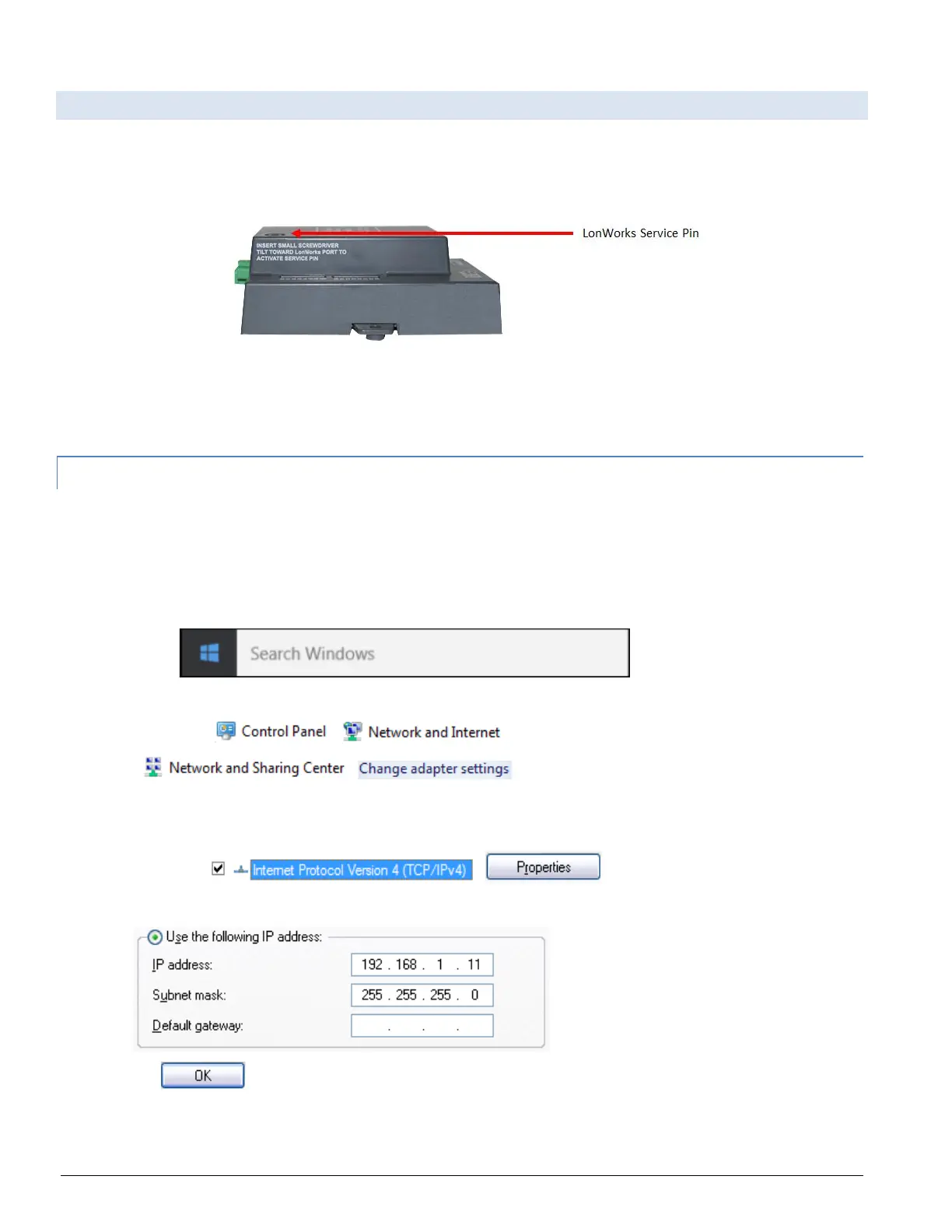
LER LonWorks port, insert a small screwdriver in the commissioning hole on the face of the LER’s
enclosure to access the Service Pin. See the illustration on the ProtoNode LER as to which way to toggle
the screwdriver during commissioning.
Figure 6-5: LonWorks Service Pin Location
• If an XIF file is required, see steps Section 4.1.1 to generate XIF
6.6.1 Instructions to Upload XIF File From the ProtoNode LER Using FS GUI Web Server
• Connect a standard cat5 Ethernet cable between the PC and ProtoNode
• The Default IP Address of the ProtoNode is 192.168.1.24, Subnet Mask is 255.255.255.0. If the PC
and the ProtoNode are on different IP Networks, assign a static IP Address to the PC on the
192.168.1.xxx network
• For Windows 10:
Go to
Type “control panel”
Then click >
> >
Right-click on Local Area Connection > Properties
Highlight >
• Select: Use the following IP address
• Click twice



 To Next Page