Page 26 of 97 PN: 106417-05
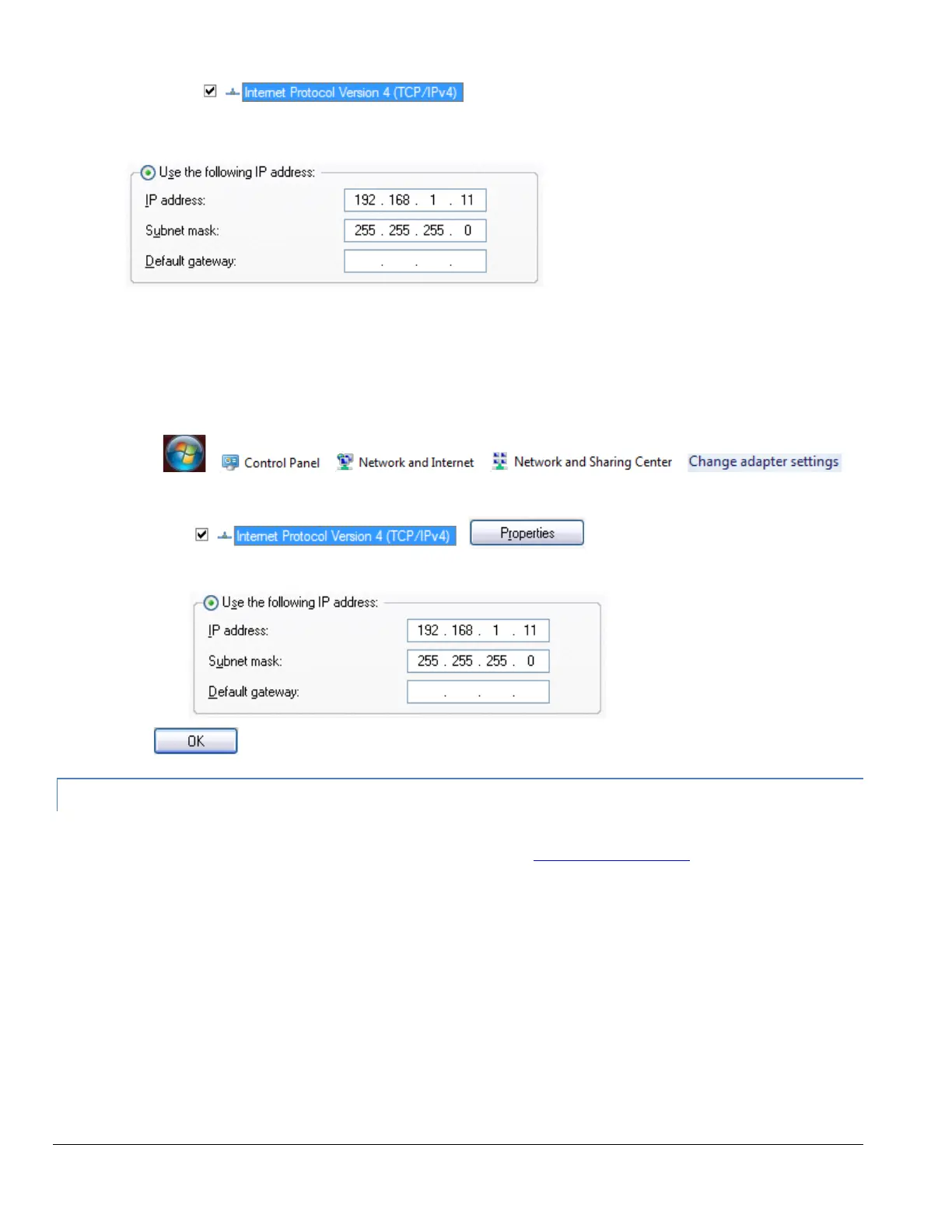
• Highlight and then click the Properties button.
• Select and enter a static IP Address on the same subnet. For example,
• Click the Okay button to close the Internet Protocol window and the Close button to exit the Ethernet
Properties window.
For Windows 7:
• Go to > > > >
• Right-click on Local Area Connection > Properties
• Highlight >
• Select: Use the following IP address
• Click twice
4.2.2 Changing the IP Address of the ProtoNode with FieldServer Toolbox
• Ensure that FieldServer Toolbox is loaded onto the local PC. Otherwise, download the
FieldServer-Toolbox.zip via the Sierra Monitor website’s Software Downloads.
• Extract the executable file and complete the installation.
• Double click on the FS Toolbox Utility and click Discover Now on the splash page.
• Find the desired gateway and click the Configure Device button (gear icon) to the right of the
gateway information.



 To Next Page