FIMER_PVS-175-TL A.1 Version_Product manual_EN_RevC-
F
142
6. Operations on External DC switches (if present)
NOTE – D In case of absence of External DC disconnect device skip this step.
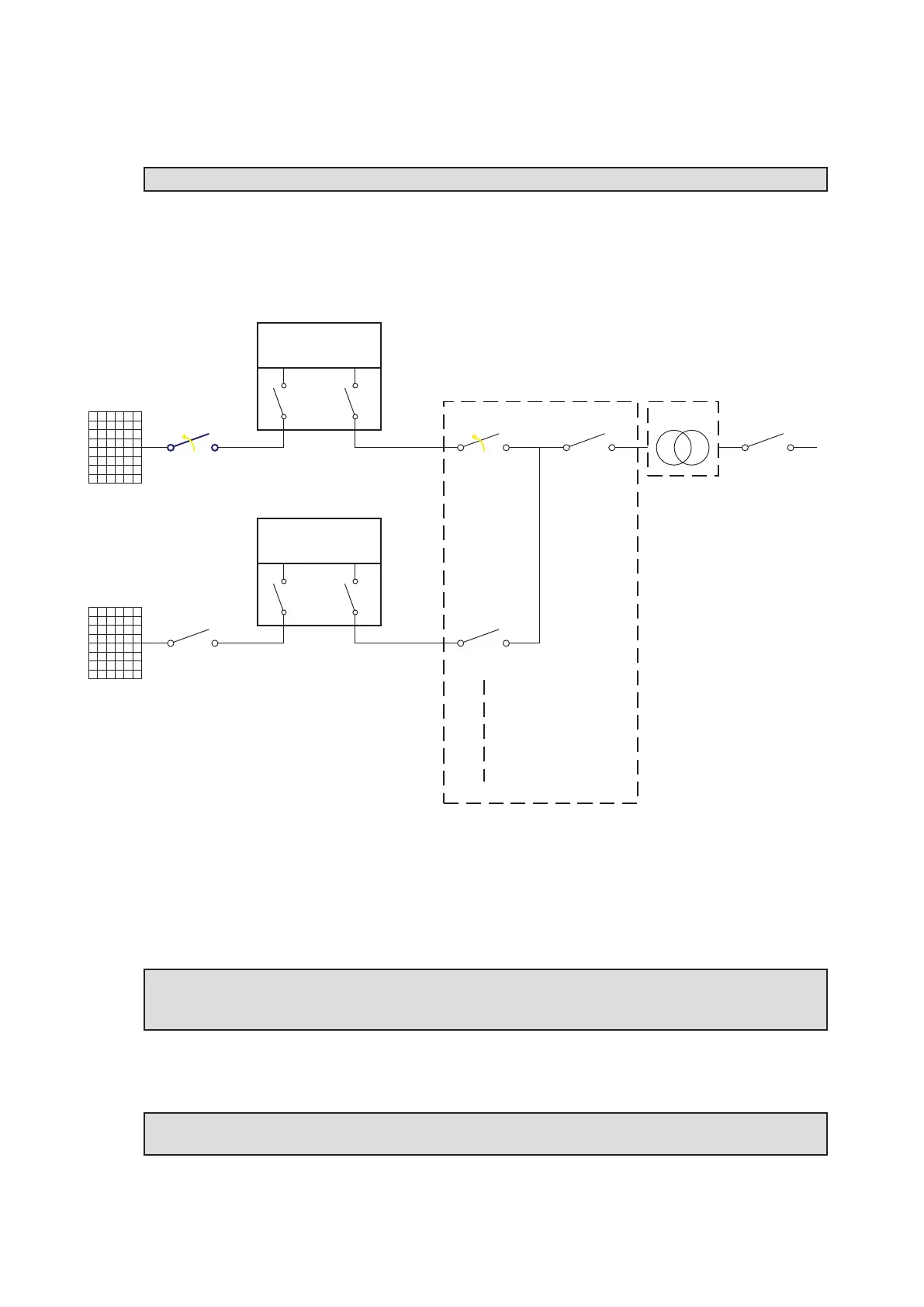
The diagram below represents a possible arrangement of the PV plant. Depending on the design
choices made by the developer of the plant some of the devices could not be present. Identify the
external DC switch(es) in the plant with the support of the plant manager.
PV Strings
External DC
Switch
Internal DC
Switches
Internal AC
Switch
INVERTER UNIT
(Unit under service)
PWRMOD
WBOX
OPEN+LOTO
PV Strings
External DC
Switch
Internal DC
Switches
Internal AC
Switch
INVERTER UNIT
PWRMOD
WBOX
External LV
AC Switch
External Main LV
AC Switch
External LV
AC Switch
LV Distriubution
Panel
MW Switch
LV/MW
Transformer
OPEN+LOTO
• Open the external DC disconnect switch (blue in previous picture) outside the inverter (IEC 60364-
7-712.536.2.2)
•
Affix designated lock preventing operation onto any external DC disconnect device, affixing
designated tags (LOTO procedure).
NOTE – D Identification of the external switch may require the cooperation of the plant
manager and it must be included in the switching plan defined during the preparation of the
work.
• Check on the status LEDs (08) the shutdown command has been carried out (Missing DC voltage
status): All LEDs OFF.
NOTE – D The time needed for the complete shut-down of the LEDs depends by the input
voltage of the inverter. The complete shut-down of the LEDs may require some minutes.



 To Next Page