FIMER_PVS-175-TL A.1 Version_Product manual_EN_RevC-
F
75
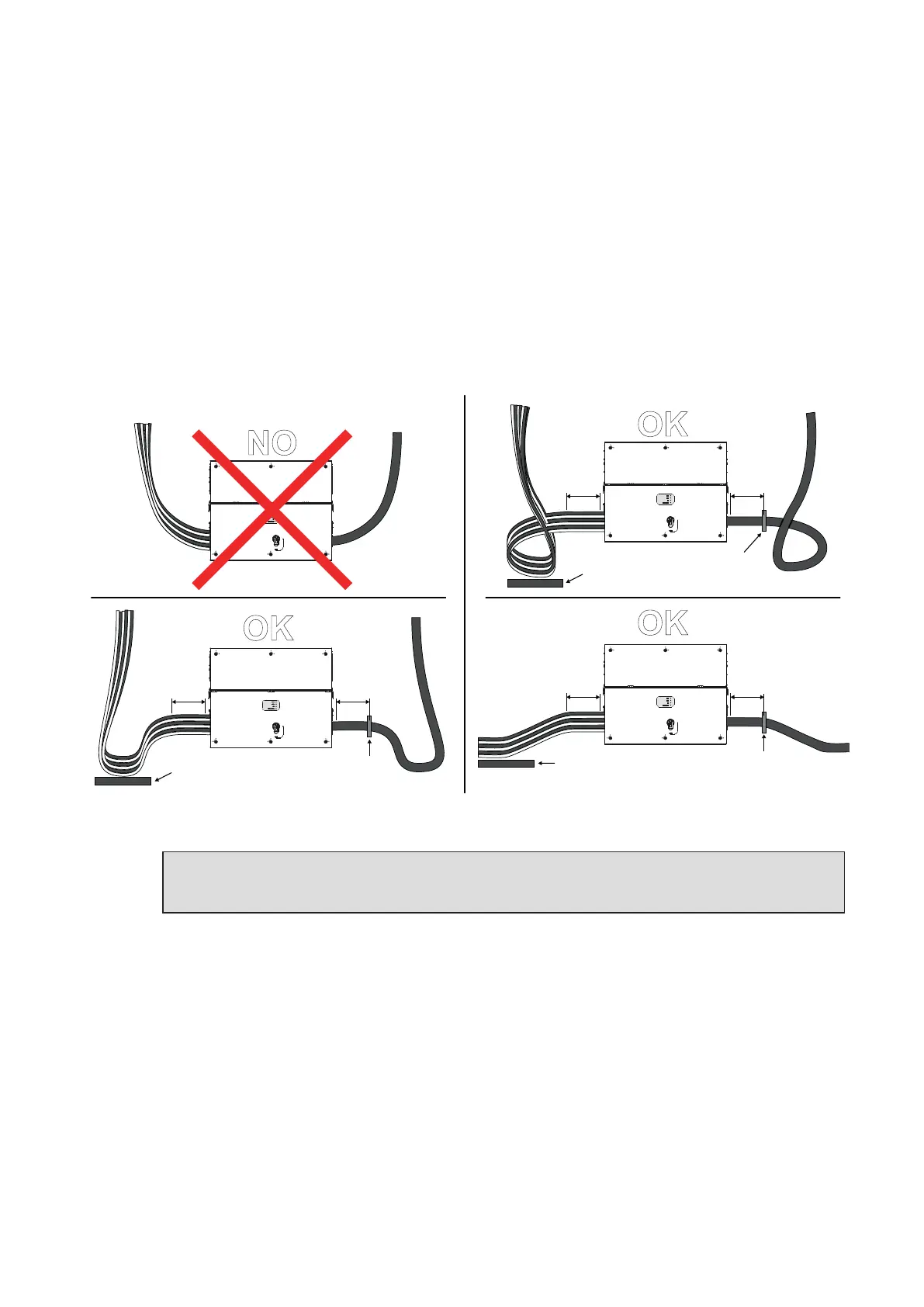
Routing the cables to the inverter
Cables should be routed in a manner which prevents water dripping to the AC panel cable glands (11)
(12), DC input quick fit connectors (18) or to signal cable glands (13).
Especially when coming from the top, the cables must be routed in a way to create a loop: in this way
the water that flows on the cables will be drained.
The AC and DC conductors must be anchored or supported in order to prevent loading and mechanical
stress on the cable glands and quick fit connectors causing potential damage on the AC or DC plates.
Examples of improper and proper cable routing are shown in the figures:
PVS-175
PVS-175
PVS-175
PVS-175
OK
OK
OK
NO
20-30 cm
Min. of
straight
cable
20-30 cm
Min. of
straight
cable
20-30 cm
Min. of
straight
cable
20-30 cm
Min. of
straight
cable
20-30 cm
Min. of
straight
cable
20-30 cm
Min. of
straight
cable
Insert strain
relief here
Support the cables
(e.g. with a cable tray)
Support the cables
(e.g. with a cable tray)
Support the cables
(e.g. with a cable tray)
Insert strain
relief here
Insert strain
relief here
ATTENTION – A In case of the AC cable glands (11) was accidentally removed during the
cable routing phase, it will needed to assure the correct tightness of the lock nut of the cable
gland to the inverter chassis with a tightening torque of 8.0 Nm (for each cable gland).



 To Next Page