FIMER_PVS-175-TL A.1 Version_Product manual_EN_RevC-
F
72
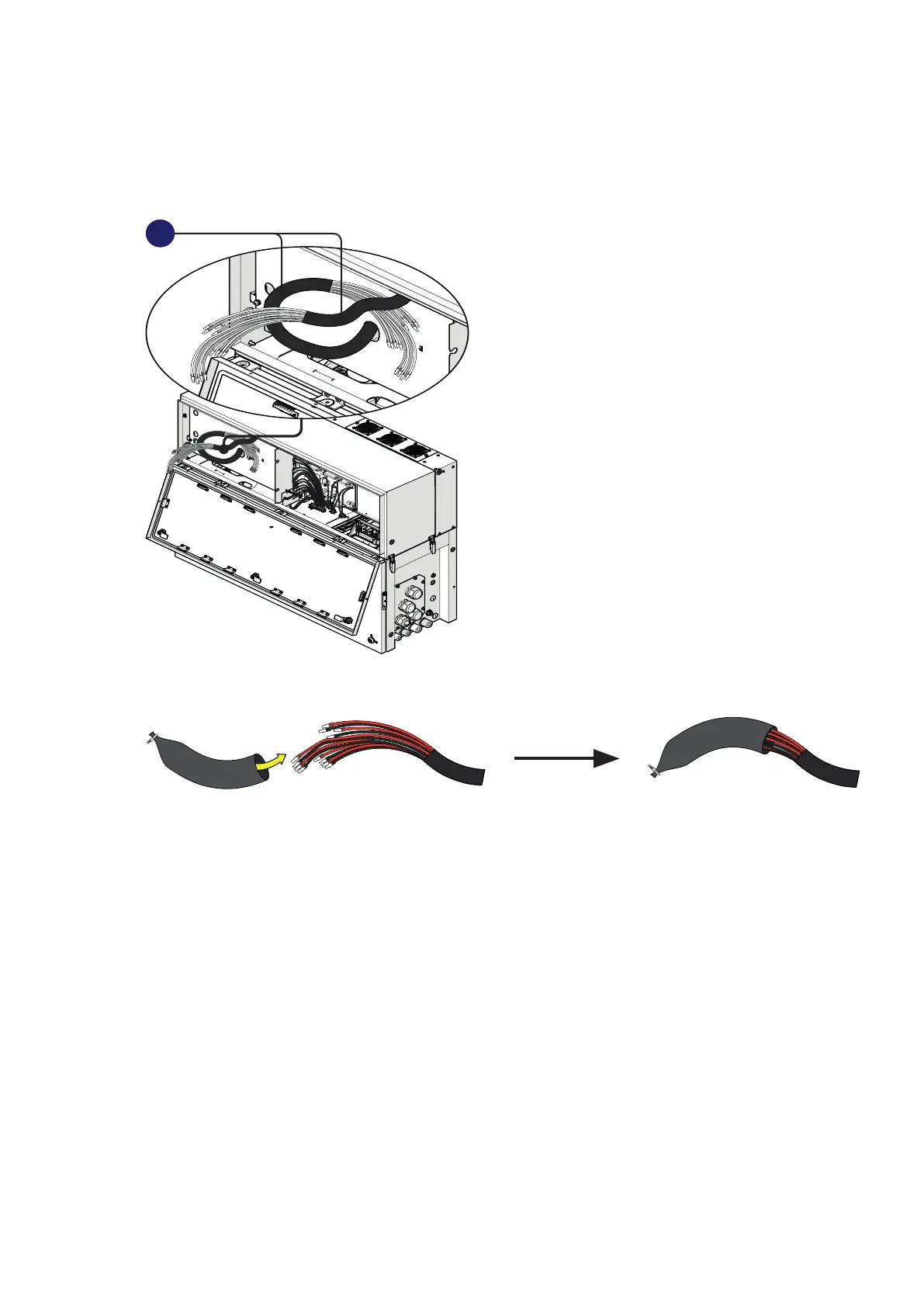
Connection of the DC interface cables
The DC interface cables (33) are situated into left side of Power module and they are divided in two
group.
33
• Wrap the DC interface cables (33) with the two cable sheaths supplied in the wiring box installation
kit.
• Pass the DC interface cables (33) into the wiring box using the dedicated opening for DC interface
cables (30) as shown in the picture.



 To Next Page