FIMER_PVS-175-TL A.1 Version_Product manual_EN_RevC-
F
20
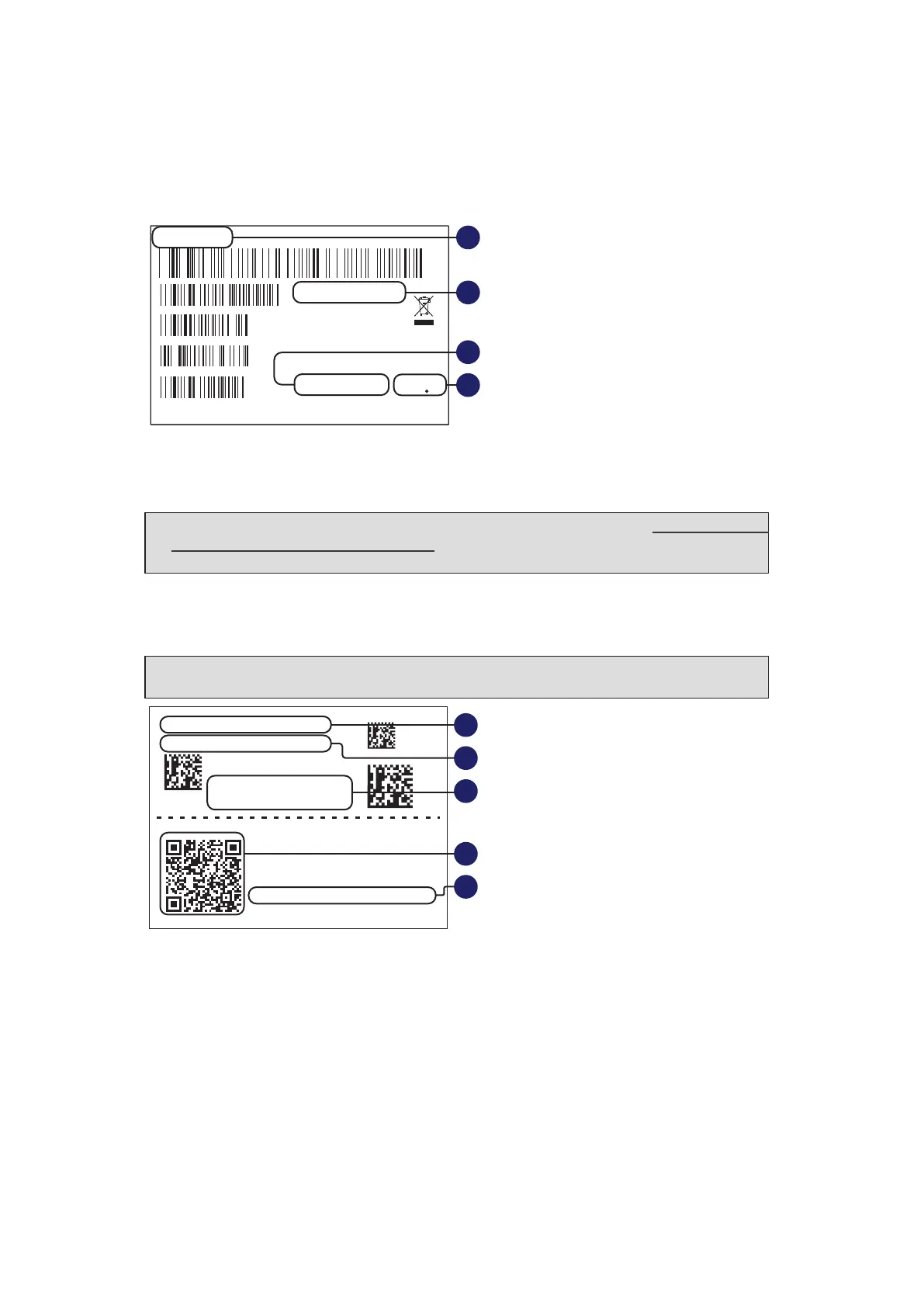
Inverter identification label
The identification label is an accessory label (applied on both the inverter (01) and the wiring
box (02)) which shows the information necessary for the identification and characterization
of the inverter.
MODEL NAME
POWER-ONE ITALY S.p.A
Via S.Giorgio 642, Terranuova Bracciolini (AR), 52028, Italia
P/N:PPPPPPPPPPP
WO:XXXXXXX
SO:SXXXXXXXX Q1
SN:YYWWSSSSSS WK:WWYY
E
F
G
H
E. Inverter/wiring box model
F. Inverter/wiring box Part Number
G. Inverter/wiring box Serial Number
H. Week/Year of manufacture
NOTE – D If the Admin Plus password is requested (referring to ““Registration
website” and “Admin Plus token”” paragraph), the information from identification
label are mandatory.
Communication Identification label
The “communication identification label” (applied on the wiring box) is divided in two separate
parts by a dashed line; take the bottom part and apply it on the plant documentation.
NOTE – D It’s recommend to create a plant map and apply the “communication
identification label” on it.
SN WLAN: SSSSSSSSSS
PN WLAN: .V2PVKA 53.1
Mac Address:
AA:BB:CC:DD:EE:FF
PK: 0000 - 0000 - 0000- 0000
SN WLAN: SSSSSSSSSS
SN Wiring Box: ZZZZZZZZZZ
Remove and apply on the plant documentation
MAC: AA:BB:CC:DD:EE:FF
I
K
L
M
J
I. WLAN embedded board Serial Number
J. WLAN embedded board Part Number
K. MAC address:
- To be used to obtain the SSID of the wireless access point created by the inverter:
ABB-XX-XX-XX-XX-XX-XX (where “X” is a hex digit of the MAC address).
- To be used to obtain the “Host Name”: http://ABB-XX-XX-XX-XX-XX-XX.local (where
“X” is a hex digit of the MAC address).
- To be used to register the inverter with Aurora Vision.
L. QR Code: To be used to commission inverter using FIMER Installer for Solar Inverters
APP for claiming process.
M. Product Key:
- To be used as wireless access point password, or to be used to access to the Web UI
as username and password in case of lost credentials.
- To be used to commission inverter using FIMER Installer for Solar Inverters APP.



 To Next Page