FIMER_PVS-175-TL A.1 Version_Product manual_EN_RevC-
F
66
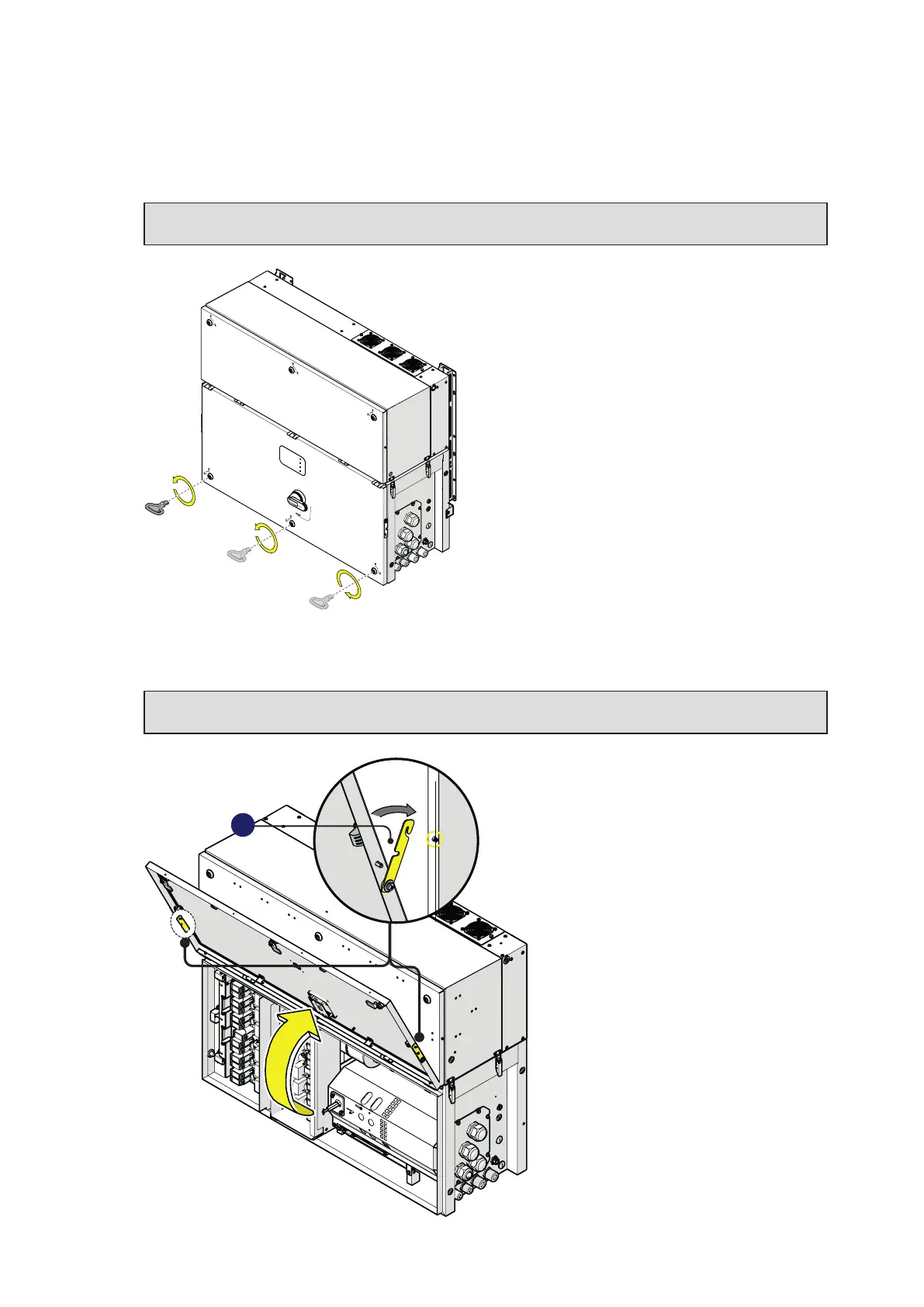
Opening the Wiring box cover
• Use the key tool (provided with the installation kit contained in the wiring box package) to open the
three cover quarter cam locks (05) following the proper rotation as shown in the related silkscreens
on the Wiring box cover (07).
NOTE – D Only for -S2, -SX2 versions: Set the wiring box AC disconnect switch (09) to OFF
position; otherwise it will not be possible to open the wiring box cover (07).
PVS
• Open the Wiring box cover (07) and use the cover support brackets (15) to lock the cover (07) in
open position.
ATTENTION – A Pay attention to properly secure the cover support brackets (15) in order to
avoid falling of the cover!
15



 To Next Page