Panda xControl
18.12.15 Kapitel/Chapter 11: Panda xControl - Seite/Page 227
11.5 The Menu
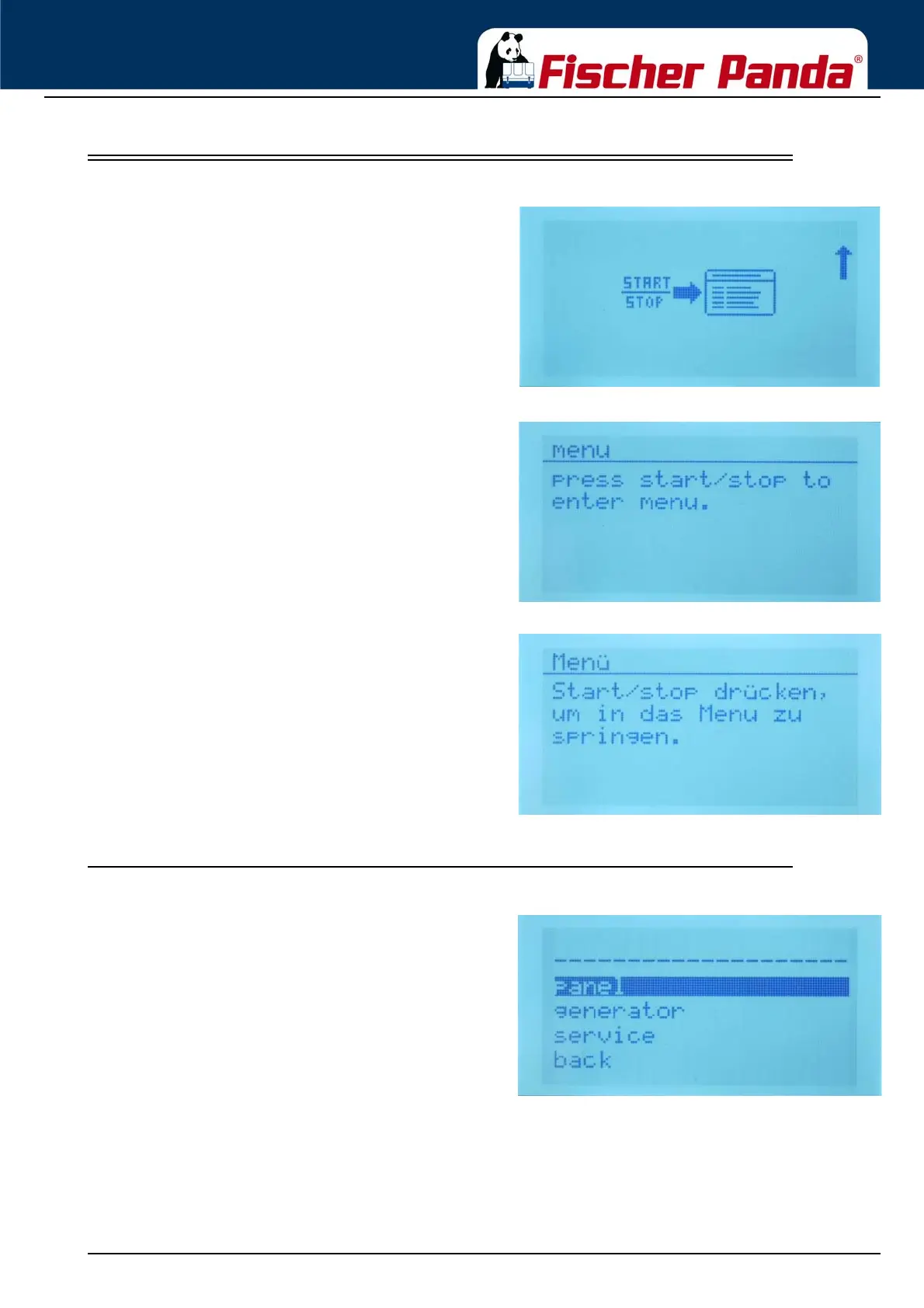
Fig. 11.5-1: Enter the menu screen symbolicThe Last screen of the overview is the „Enter the menu
screen“.
Switch the CP-G on and scroll down with the „step down“
button until you reach the „Enter the menu screen“
Fig. 11.5-2: Enter the menu screen englisch text
Fig. 11.5-3: Enter the menu screen german textPress the start/Stop - Enter button to enter the menu.
11.5.1 Main Menu
Fig. 11.5.1-1: Main MenuIn the „Main Menu“, you can choose between the
submenus:
1. Submenu „Panel“
in the submenu „Panel“ you can change all panel settings like „Brightness“, „Language“ etc.
2. Submenu „Generator“
in the submenu „Generator“ you can change the generator relevant settings. For example Switch on the fuel pump
for deaerating etc.




 To Next Page