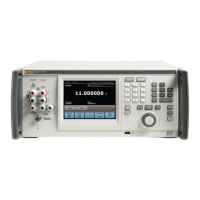
Multifunction Electrical Tester Calibrator
Calibrate Residual Current Device (RCD) in Installation Testers
189
Calibrate with 1 X I Multiplier
In the 1 x I Multiplier mode, the Product acts like a circuit breaker with a set
nominal trip current and trip time. To perform a calibration of RCD time:
1. Connect the DUT to the Product’s L, PE, and N terminals as shown in
Figure 49.
2. Push .
If RCD Trip Time does not already appear in the OUTPUT area of the
display, push the Mode softkey. Then, use the cursor keys or rotary knob to
highlight Trip Time and select it by pushing the Select softkey or pushing in
the rotary knob.
3. On the DUT, set these parameters:
I multiplier set to 1xI
Nominal trip current (I
TRIP
) set.
S or G type RCD not set
AC or dc sensitive testing not set
Phase polarity not set
Maximum touch voltage not set
Note
Not all parameters can be accessed on some DUTs. However,
nominal trip current must always be set or known.
4. On the Product, make these settings:
Nominal trip time in ms
Nominal trip current (I
TRIP
) set to the same value the RCD is set to.
I multiplier coefficient set to 1xI
I level coefficient. Default set to 90 %.
Touch voltage can be set using the Touch V softkeys.
5. Push .
The Product connects the L and N terminals directly to the mains voltage and
waits for an external load to be connected by the DUT. If the Product does
not sense a load within 10 seconds, the Product switches to STBY.
6. On the DUT, push Start.
The Product measures the current, after the nominal trip current is reached,
the Product starts a timer, and then disconnects the output terminals when
the nominal trip time has elapsed.
7. Compare the nominal trip time on the Product display with the trip time
displayed on the DUT.


 To Next Page