Multifunction Electrical Tester Calibrator
Use the RCD Test Functions
63
RCD Trip Time for Installation Testers
RCD Trip Time calibration is performed by the Product monitoring current from
the DUT and disconnecting the output terminals after the current reaches the trip
current level for the specified trip time. In addition to the measured DUT trip
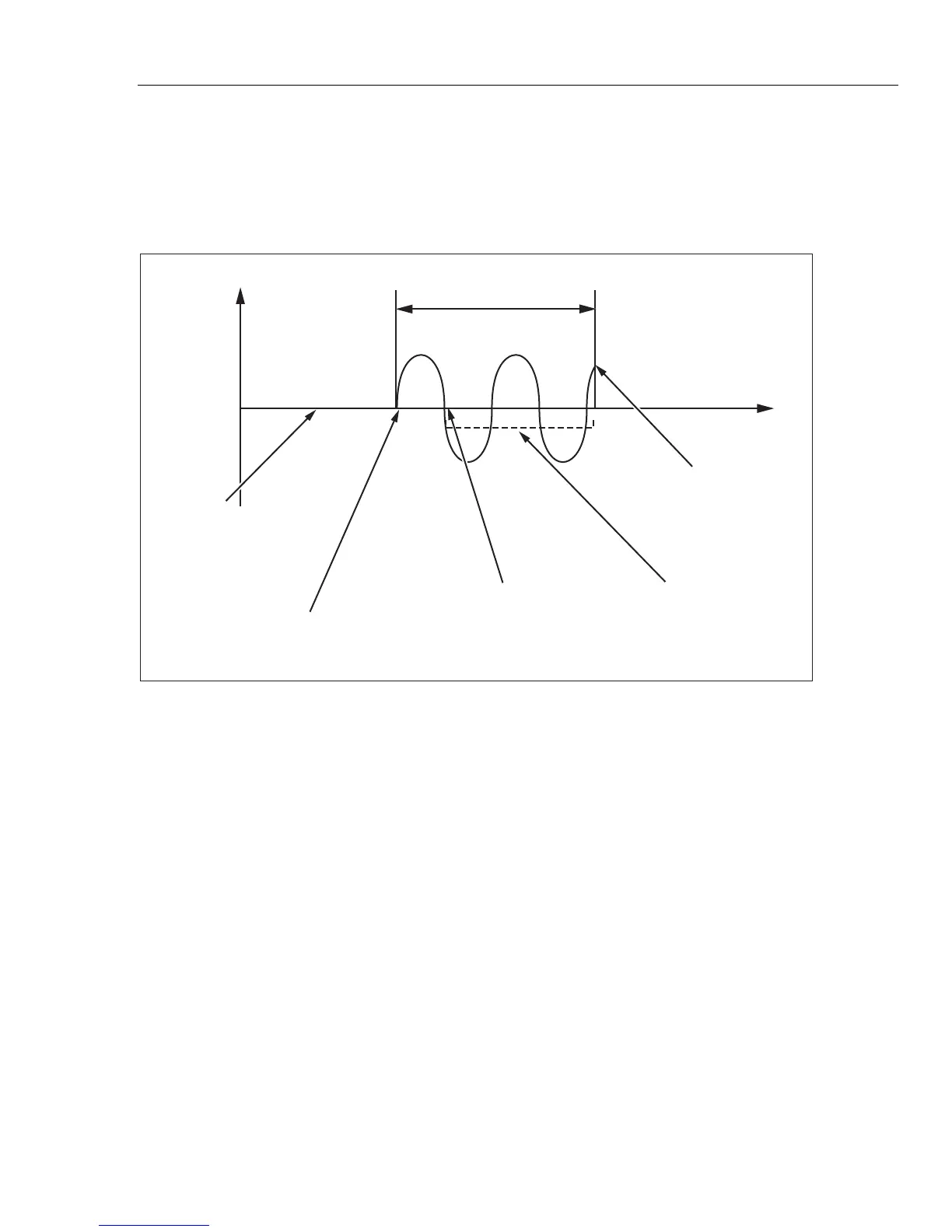
current, the Product shows the Power/Touch voltage. Figure 14 shows the RCD
trip time process.
RCD function is activated.
Full power line voltage is
presented on output terminals.
No current is flowing through
DUT.
Start point on DUT.
Test current starts to flow
through DUT.
Calibrator has recognized trip level
I level x I nominal level was reached.
Calibrator evaluates time point
where Trip period is ended.
Set trip time is
counted down.
End of trip time period.
Calibrator disconnects
output terminals.
Trip Time
Trip Current (mA)
Time (ms)
iep019.eps
Figure 14. RCD Trip Time Process
To perform an RCD Trip time calibration:
1. Push .
2. If RCD Trip Time is not already displayed, push the Mode softkey.
3. Using the cursor keys or rotary knob, highlight the Trip Time selection and
either push the Select softkey or push in the rotary knob.
Parameters which are set through the front panel are nominal trip current,
current multiplier (parameter I) multiplier, current level, (parameter I level),
and touch voltage. To set one of these parameters, see the appropriate
section below.
4. If the displayed trip time is not the desired time, use the cursor keys, keypad
or rotary knob to set the desired trip time. Trip time range is 10 ms to
5 seconds.



 To Next Page