5322A
Operators Manual
200
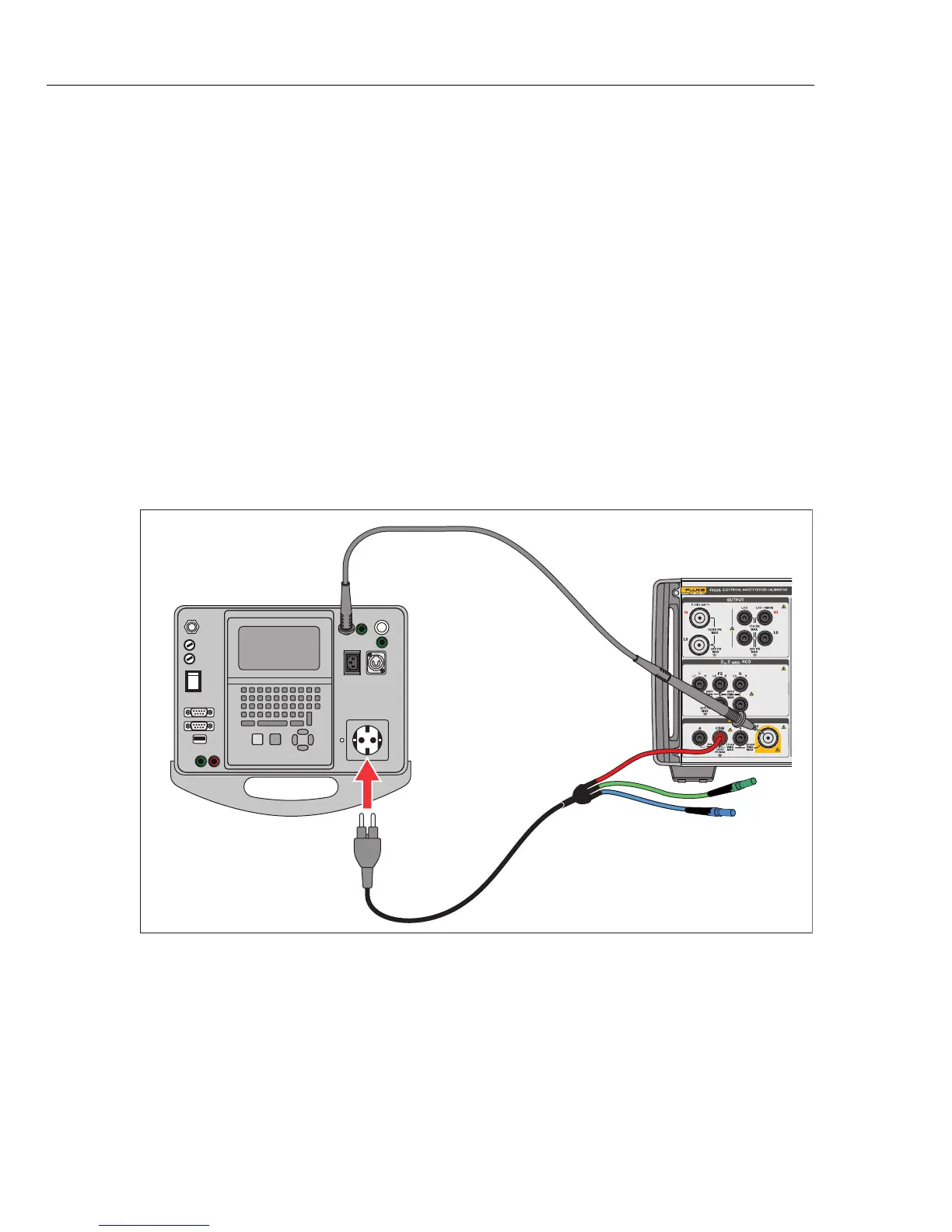
To perform a Flash Class II open circuit output voltage test:
1. Push .
2. Use the Mode softkey to select the Flash V Mode function.
3. Connect the Product and DUT as in Figure 58.
4. Select the function Flash Class II on the DUT.
5. Push the Test button on the DUT.
6. The DUT connects the test voltage between the Flash Probe and L+N
terminals.
7. The Product shows the reading of the DUT test voltage output
8. Compare the reading on the display with the DUT test voltage specification.
Note
In the Class II test, the voltage applied by the DUT to the Flash
Probe terminal is at approximately 1.5 kV relative to ground, in
antiphase to the voltage it applies between the shorted L and N
terminals and ground.
Fluke 5322A
DUT
iep189a.eps
Figure 58. Class II Flash Test Voltage Measurement using the Flash LC Mode



 To Next Page