5322A
Operators Manual
22
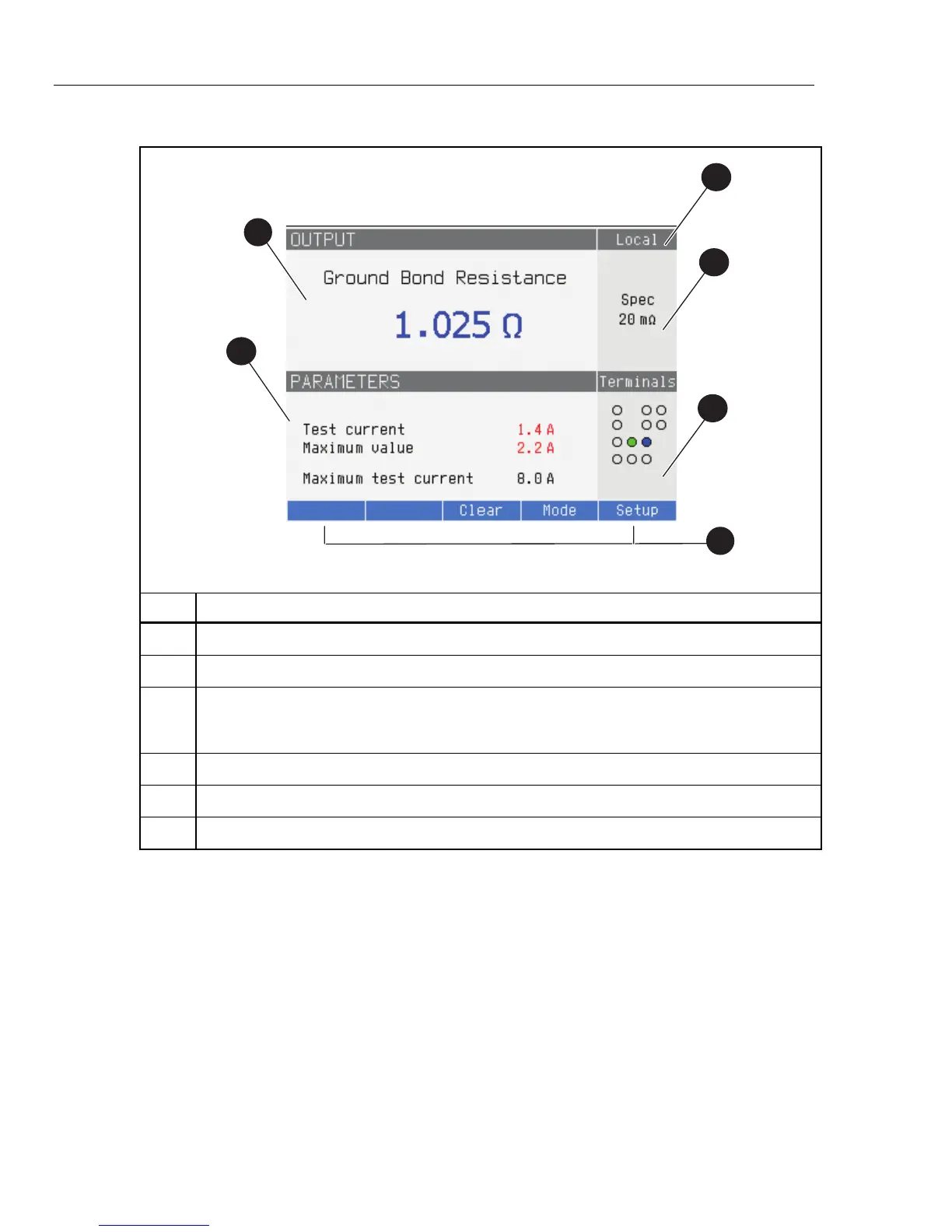
Table 7. Display Panel Features
1
2
3
5
4
6
iep102.eps
Item Description
Output - Shows the selected function and their parameters.
Local or Remote - Shows which of the two control modes is enabled.
Specifications - Shows the accuracy of the output signal or measured parameter. If the Product is
outputting two signals, two accuracy specifications are displayed here. If the Product is not within
specifications, BUSY is shown instead of the specification.
D Terminals - Shows the active terminals for the selected function.
E Softkey labels - Shows the labels for the five softkeys below the display.
F Parameters - Shows auxiliary measurements and parameters for the selected function.



 To Next Page