5322A
Operators Manual
66
To change nominal trip current:
1. Push the Trip I softkey.
2. Using the keypad, type in the desired nominal trip current value and push
or use the softkeys to select the appropriate units.
Note
The Product nominal trip current can be set between 3 mA and
3000 mA.
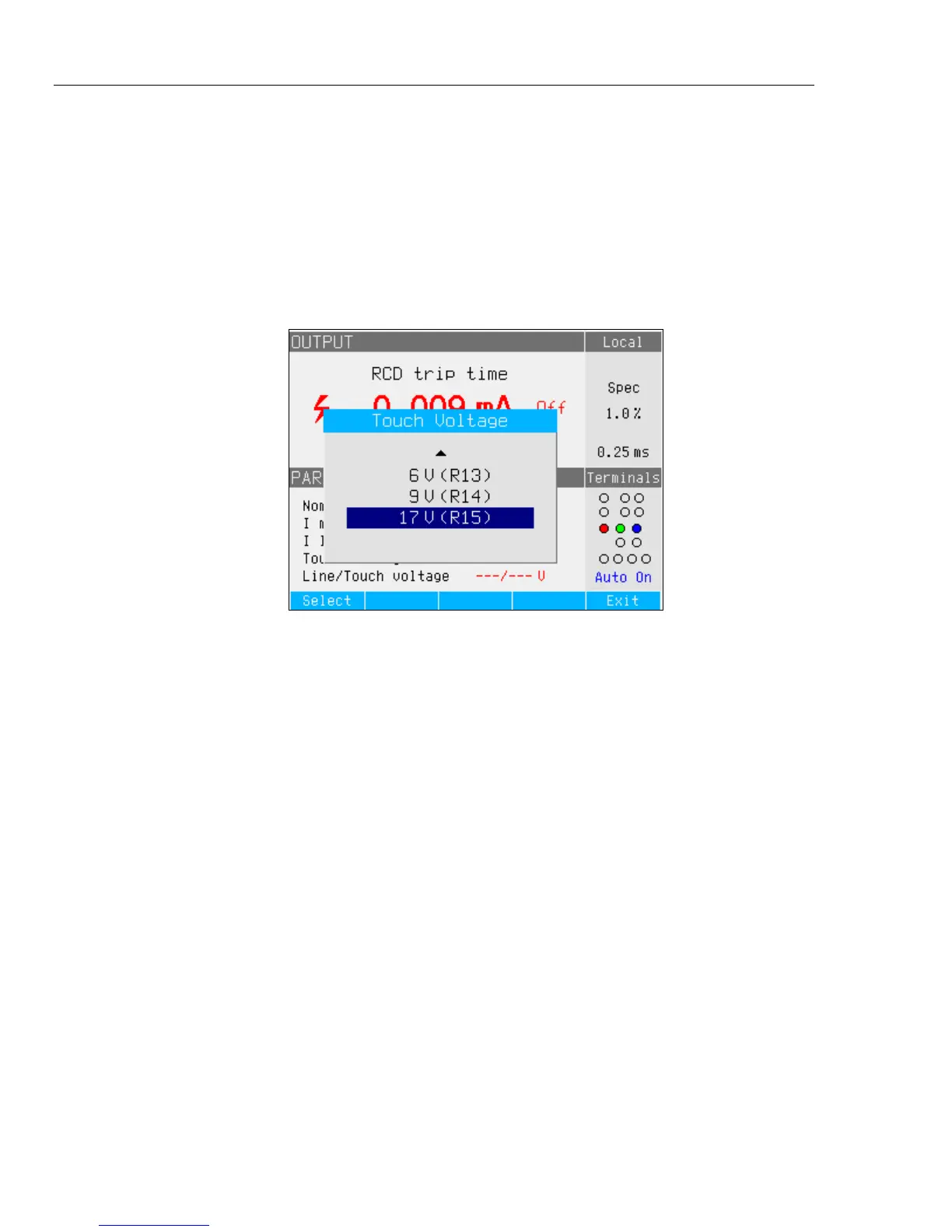
3. Push Exit to return to the RCD calibration main screen. See Figure 16.
iep195.bmp
Figure 16. Touch Voltage
The Product simulates touch voltage using 16 fixed-value resistors that range
from 25 mΩ to 1.7 kΩ. Depending on the set trip current, only a few nominal
touch voltage values are available. A list of available values can be displayed by
pushing the Touch V softkey. To change the nominal touch voltage:
1. Push the Touch V softkey.
2. A list of available series resistors for touch voltage simulation is displayed as
Rxx. The nominal values of the touch voltage related to the selected trip
current are displayed with each resistor. Resistors with a displayed nominal
voltage of --- have a touch voltage <1 V and cannot be used for touch voltage
verification for the selected trip current setting.
3. Select the resistor value with the rotary button or cursor key.
4. Push the Select softkey to confirm and return.
Note
Do not exceed maximum allowed current for the selected resistance.
Maximum current is displayed in brackets next to the series
resistance in the PARAMETERS area of the display.



 To Next Page