PostBase One Franking System
110
Caution! Do not touch the nozzle surface.
Always keep unprotected nozzles facing
down. Handle cartridges without nozzle
protection with extreme care.
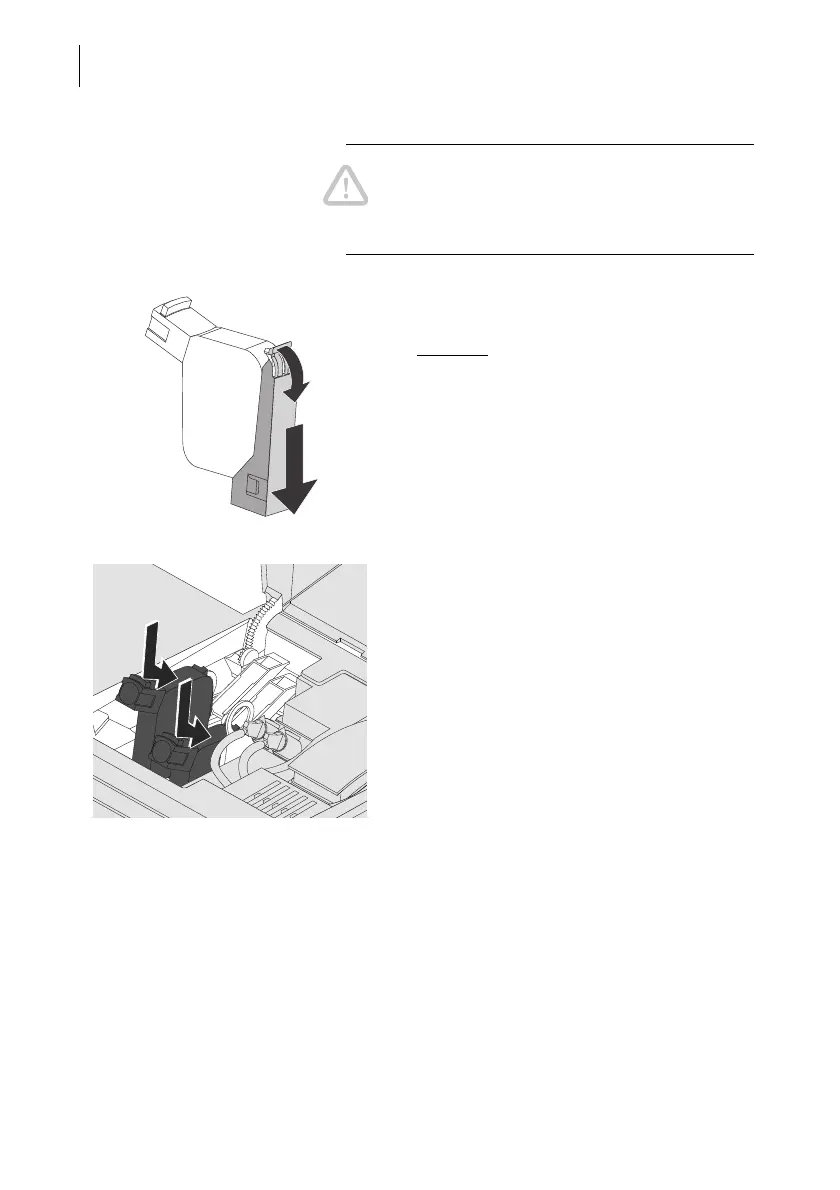
• Carefully remove the nozzle protection.
• Hold the print head with its connectors
facing backwards, i.e. towards the back of
the franking system.
• Insert the print head into its bracket.
• Push down the print head as far as it goes.
• Finally, push the print head back gently – it
will then tilt into the bracket.
• Insert the second print head in the same
way.



 To Next Page