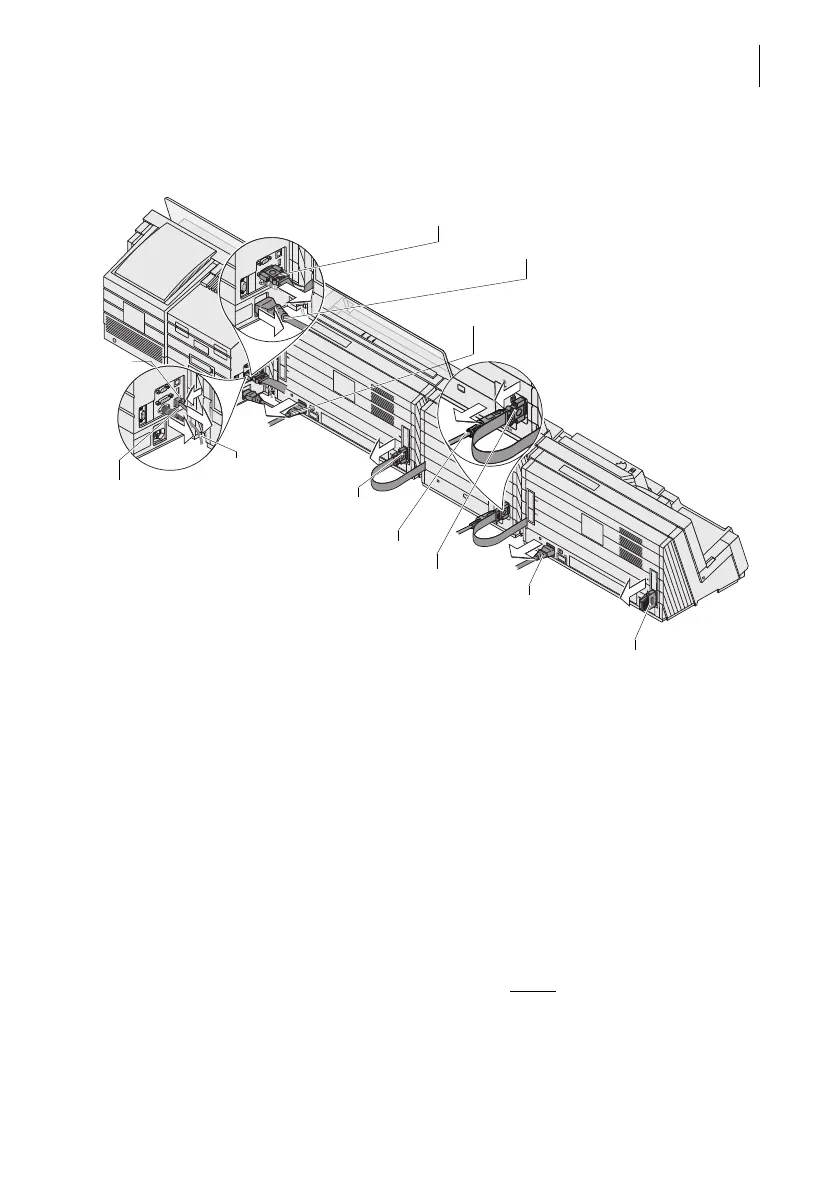
Appendix – Moving the PostBase One to another location
159
Remove cables
On the franking machine (left side of machine) • Remove all connection cables to optional
components and external devices (e.g.
PC): Unscrew and carefully pull off the
plug.
• Remove the connection cable of the static
scale.
• Remove the network cable: Press the
spring on the plug and pull the plug out of
the network socket.
• Pull out power cable.
• Remove termination plug
(PostBase One without
feeder):
Unscrew and carefully pull off the termina-
tion plug.
Connection cable
(franking machine – dynamic scale)
Power cable
Power cable
Power cable
Ethernet cable
Spring
Connection cable
(dynamic scale – sealer)
FSCP plug
(termination plug)
Power supply unit
Connection cable
(sealer – feeder)
Connection cable
dynamic scale



 To Next Page