OmniSTAR 8200HP User Manual
Issue 1.07, 10/2008
14
EHES (followed by a progress indicator bar on the second line of the
display)
Starting Up (followed by a progress indicator bar on the second line of
the display)
Launch[______GD]
Launch[______HP]
Launch[______CN]
Launch[______Go]
_____8200HP
(C)1997-2003_TNL
__ 8200HP
__P/N_55581-30
1
8200HP
Version:____3.57
The Receiver Home screen
Upon booting successfully, the receiver will show the Home screen. The top
row of the Home screen will show GPS status indicators, the bottom row of the
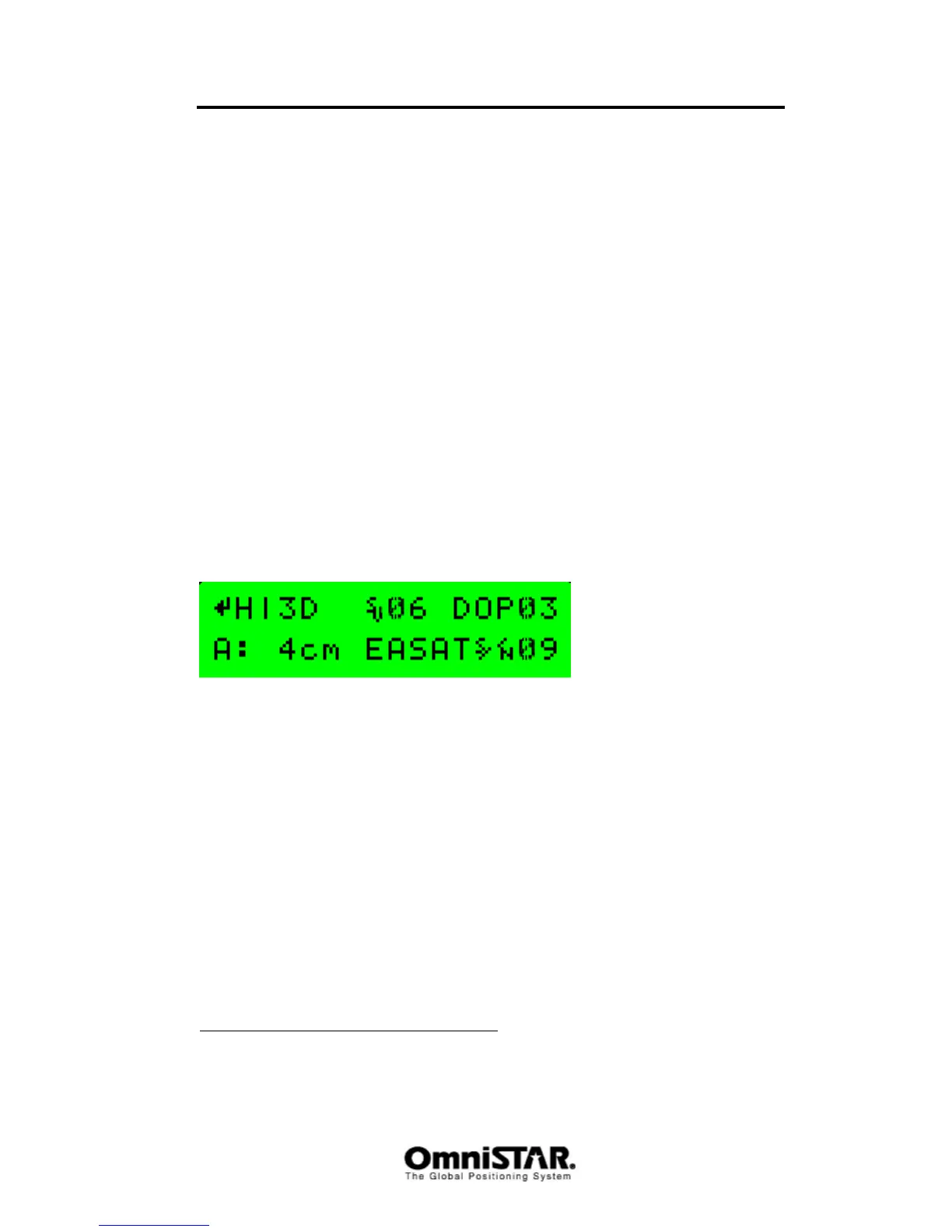
Home screen will show Satellite DGPS indicators. Figure 5 shows a possible
Home screen for a receiver with an activated OmniSTAR HP subscription.
Figure 5: Home screen when OmniSTAR HP corrections are received
The following information is shown:
H|3D: Position type. H|3D means the receiver is outputting a converged
OmniSTAR HP differential position. When the receiver is operating
correctly, the | symbol spins. Possible position types are listed in
Table 2.
S
V
06: Number of satellites the receiver is tracking (00 – 12). A minimum
of four satellites is required for a valid position calculation.
DOP03: The current Position Dilution of Precision value. The closer to 1,
the better, so 3 is fairly good. A DOP of 00 indicates the receiver
has no GPS position solution yet.
A: 4cm: Differential information. A: 4cm gives the estimated position error
(1 sigma) in HP/XP mode. Possible values for this field are shown
in Table 3.
1
The product number (P/N) indicated on the screen should correspond to the product
number found on the sticker on the bottom of the receiver housing.



 To Next Page