OmniSTAR 8200HP User Manual
Issue 1.07, 10/2008
51
In the CAN A Config menu, the following configuration items can be found.
Items are listed in order, cycling through items can be done by pressing the
or buttons. Selecting the item to change is done by pressing the
button (repeatedly, if necessary). To confirm changes, press once. All of
the configuration items are also valid for Port B and are therefore only
described once.
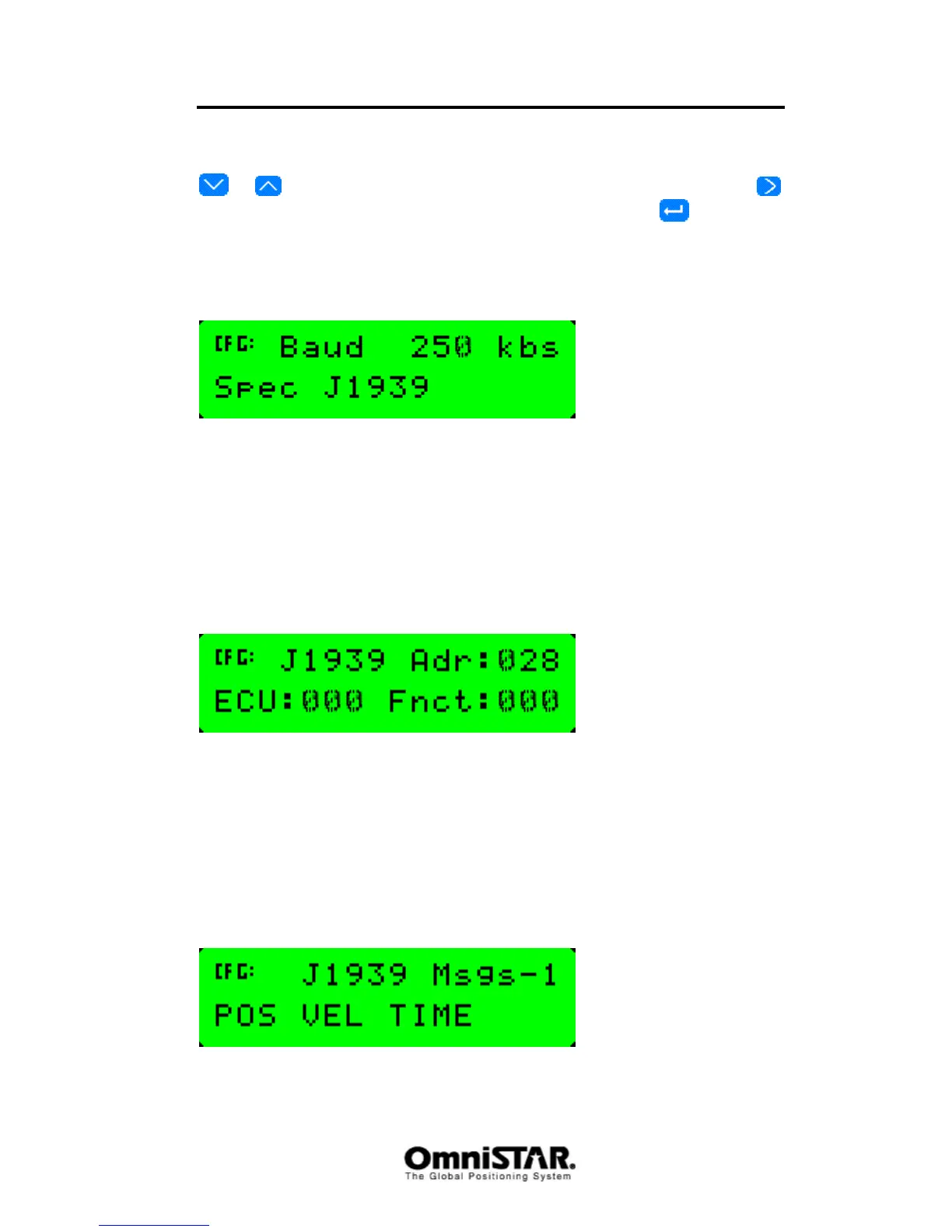
CAN Baud
Figure 97: CAN-bus baudrate setting
The maximum reliable communication speed over the CAN bus depends on
the length of the cable forming the bus. Using the CAN baud screen, the
communication speed over the CAN bus can be configured. Possible options
are 125, 250, 500 and 850 kbit/s, with a default value of 250 kbit/s. The J1939
(non-configurable item) indicates the CAN bus protocol variant being used: a
high-speed (up to 1 Mbit/s) protocol using extended length messages.
CAN Address
Figure 98: CAN-bus address setting
Because the CAN-bus allows multiple talkers and multiple listeners, each
separate unit must have a unique hardware address to be able to identify the
source of a message on the bus and to address a certain unit over the bus.
Using the CAN Address screen, the CAN address (Adr) can be set between
000 and 253 (default address is 028). Both the ECU and Fnct can be set
between 000 and 255 (default value for both is 000).
CAN Messages
Figure 99: CAN-bus messages



 To Next Page