OmniSTAR 8200HP User Manual
Issue 1.07, 10/2008
23
Channel Status
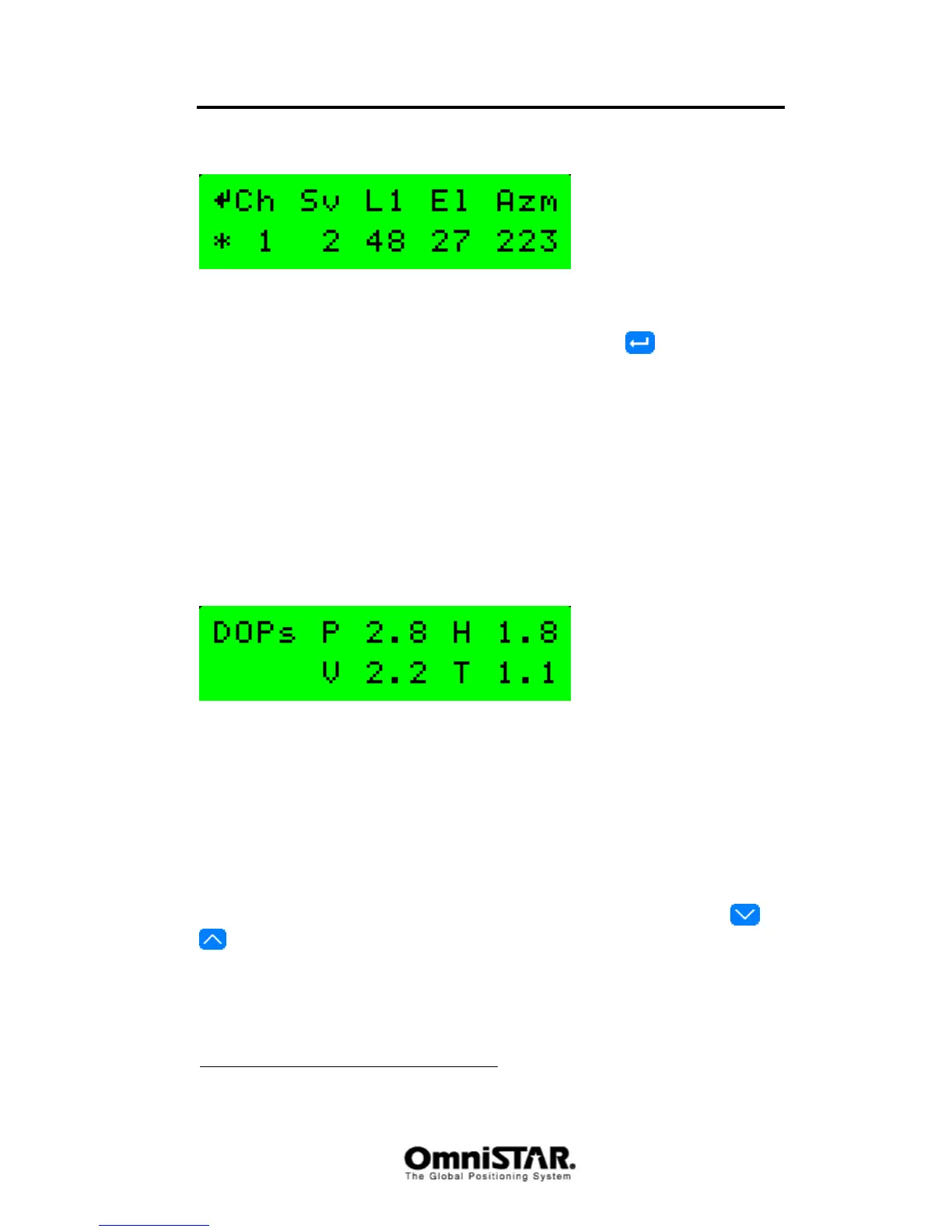
Figure 21: GPS Channel Status screen
The GPS Channel status screen shows the status of all 12 receive channels of
the 8200HP. The channels can be cycled by pressing repeatedly. The
information shown (from left to right) is the receiver channel number, the
satellite SV number tracked by this channel, the signal to noise ratio on the L1
and L2
1
frequency (the ‘L1’ text on the top row can also be ‘L2’ when a certain
satellite is tracked on the L2 frequency), the elevation of the satellite (angle
above the horizon) and the azimuth of the satellite tracked (‘compass angle’
from the user’s position towards the satellite). The asterisk in front of a
channel number indicates the satellite is being used to calculate the receiver’s
(D)GPS position. When a channel is not used for satellite tracking, instead of
signal to noise ratio, elevation and azimuth values, either ‘Searching’ or ‘Idle’ is
shown.
DOP values
Figure 22: GPS DOP values screen
The DOP values screen shows the four different DOP (Dilution of Precision)
values calculated by the GPS receiver: PDOP (position), HDOP (horizontal),
VDOP (vertical) and TDOP (time). DOP values are an indication for the quality
of the position solution. Ideally, each DOP value should be one. The closer to
one, the better.
Sub-menu: DGPS Status
In the DGPS Status menu, the following information items can be found. Items
are listed in order, cycling through items can be done by pressing the
or
buttons.
1
L2 tracking only in HP/XP mode



 To Next Page