OmniSTAR 8200HP User Manual
Issue 1.07, 10/2008
44
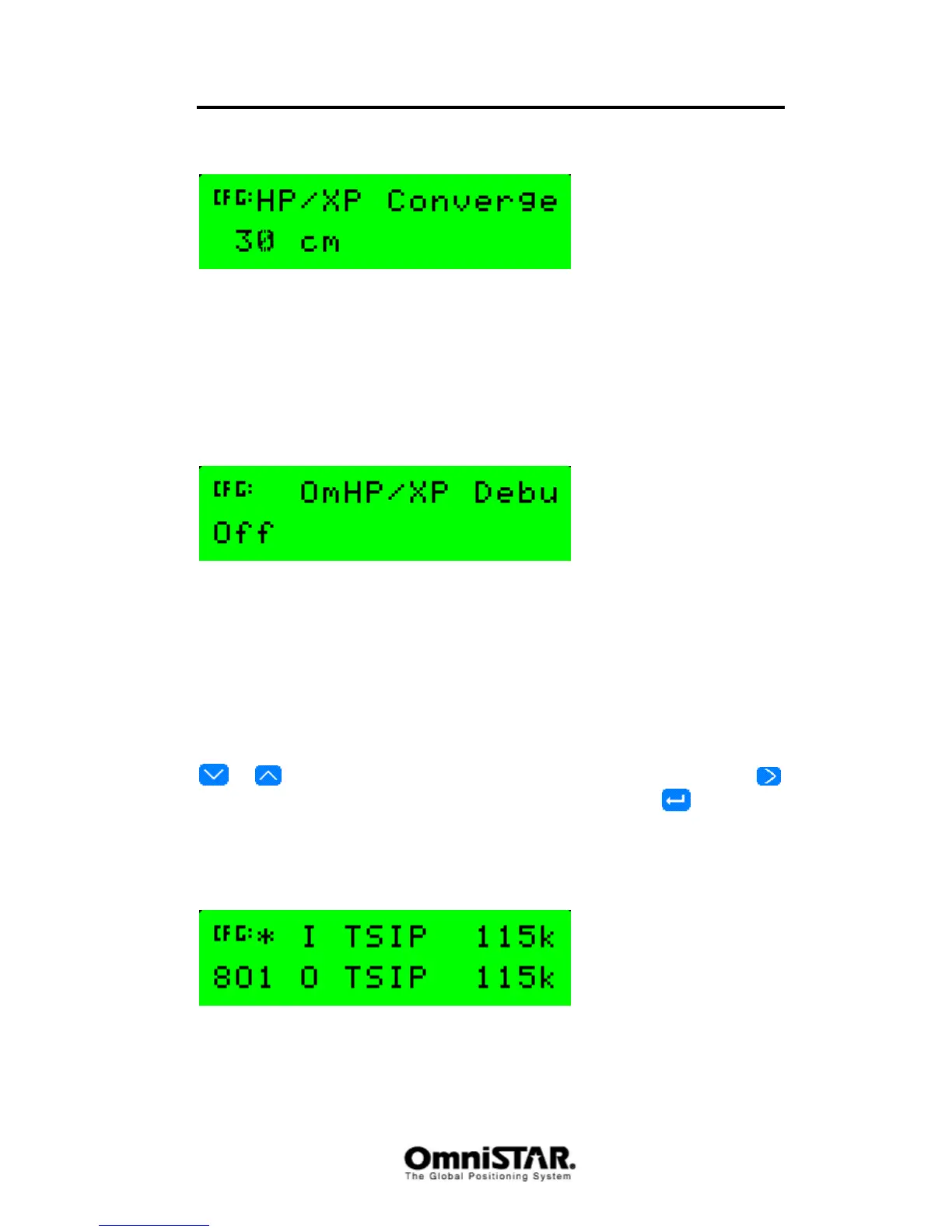
HP/XP Converge
Figure 85: HP/XP Convergence limit
Using the HP/XP Converge screen, the convergence limit for an HP/XP
solution can be set. The 8200HP will report a converged HP/XP position when
the estimated position error is less than the value set in this screen. Default
value is 30 cm / 12 inches. Possible values are 10 to 100 cm in 1 cm
increments / 4 to 40 inches in 1 inch increments.
HP/XP Debug
Figure 86: OmniSTAR HP/XP Debug Information screen
Using the HP/XP Debug screen, debug information can be output to one of the
communication ports. Default value is Off (no debug information). When debug
information is set to ‘On’, a second selection field appears in which the output
port can be selected. Possible options are ‘Port A’, ‘Port B’ and ‘Port C’.
Sub-menu: Port A Config
In the Port A Config menu, the following configuration items can be found.
Items are listed in order, cycling through items can be done by pressing the
or buttons. Selecting the item to change is done by pressing the
button (repeatedly, if necessary). To confirm changes, press once. Most
of the configuration items are also valid for Port B and Port C. These
overlapping configuration items are only described once.
Port A In/Out
Figure 87: Port A I/O configuration settings
Using the I/O configuration screen, the communication protocols, speeds and
settings can be configured. The 8200HP supports different input and output



 To Next Page