OmniSTAR 8200HP User Manual
Issue 1.07, 10/2008
31
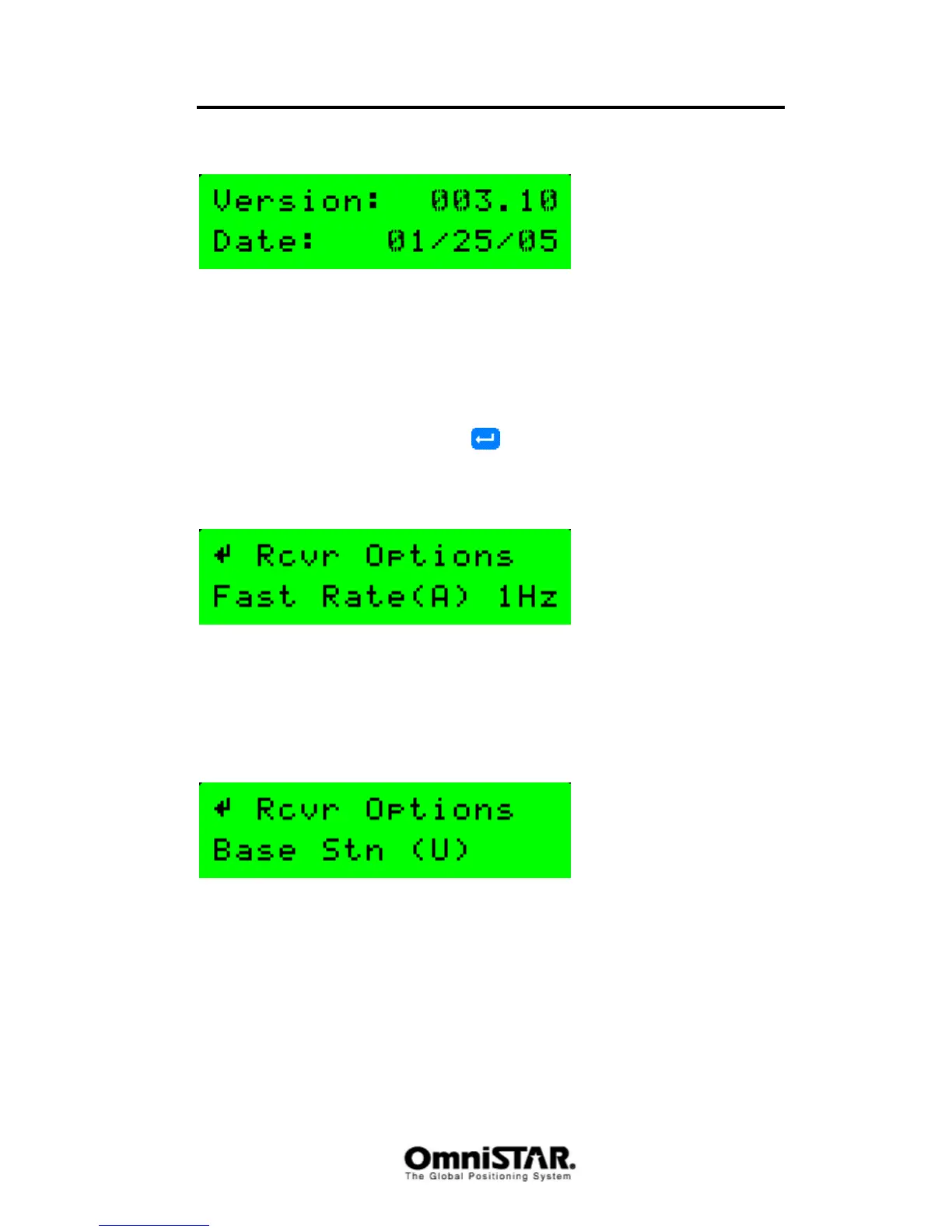
Firmware Version
Figure 46: Receiver firmware version
The Firmware version screen shows the receiver firmware currently loaded in
the receiver and the date this particular firmware version was released.
Receiver Options
The Receiver Options screen consists of 13 different information screens, that
can be cycled through by pressing
repeatedly. Each information screen
shows a certain option that can be either marked available (A) or unavailable
(U). Some information screens will also show the current setting of a certain
option.
Figure 47: Receiver Options: Fast Rate
The Fast Rate screen shows whether or not the receiver is capable of
outputting its position at a fast rate (up to 10 Hz) and the current setting of the
position output rate. Figure 47 indicates the receiver is capable of outputting
the position at a fast rate, while the current setting is 1Hz. Other possible
settings are 5Hz and 10Hz.
Figure 48: Receiver Options: Base Station
The Base Station screen shows whether or not the receiver is capable of
serving as an RTK base station.



 To Next Page