Fax/Internet Fax Options
279
Fax
4
Sending to Folder (DTMF Method)
To send a fax to a folder using the DTMF method, you need the folder number of the
remote folder. Two DTMF methods are available: Auto and Manual.
Sending to Folder (Fax Signal Method)
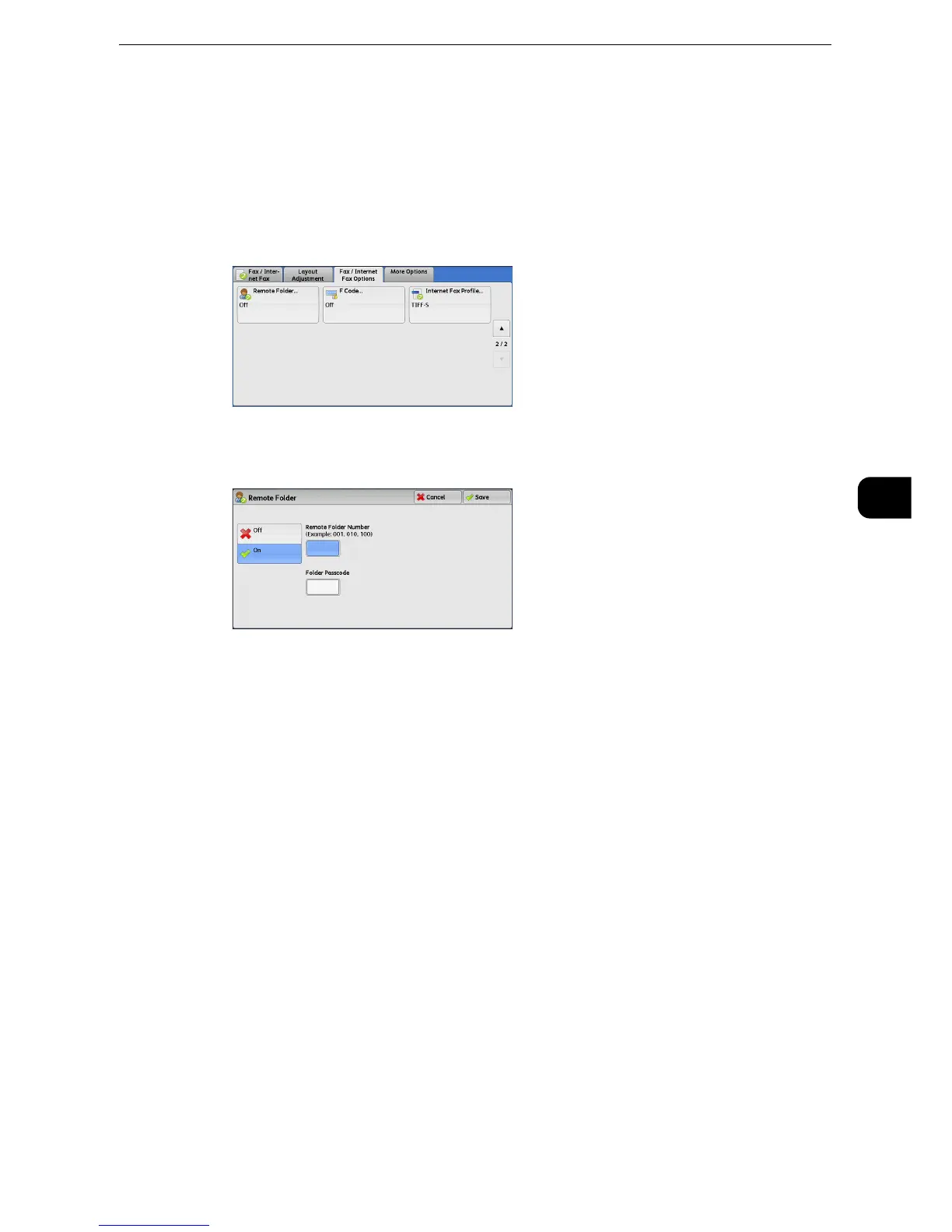
1 Select [Remote Folder].
2 Select [On].
Off
Disables the Remote Folder feature.
On
Enables the Remote Folder feature. Enter a folder number in [Remote Folder Number].
Remote Folder Number
Select the [Remote Folder Number] box, and enter a 3-digit folder number of the remote
machine using the numeric keypad.
Folder Passcode
Select the [Folder Passcode] box, and enter the 4-digit passcode of the remote folder using
the numeric keypad. If a passcode is not set, leave this box blank.



 To Next Page
 Loading...

