iRMC S2/S3 111
6Remote Storage
I A valid license key is required to use the Remote Storage function.
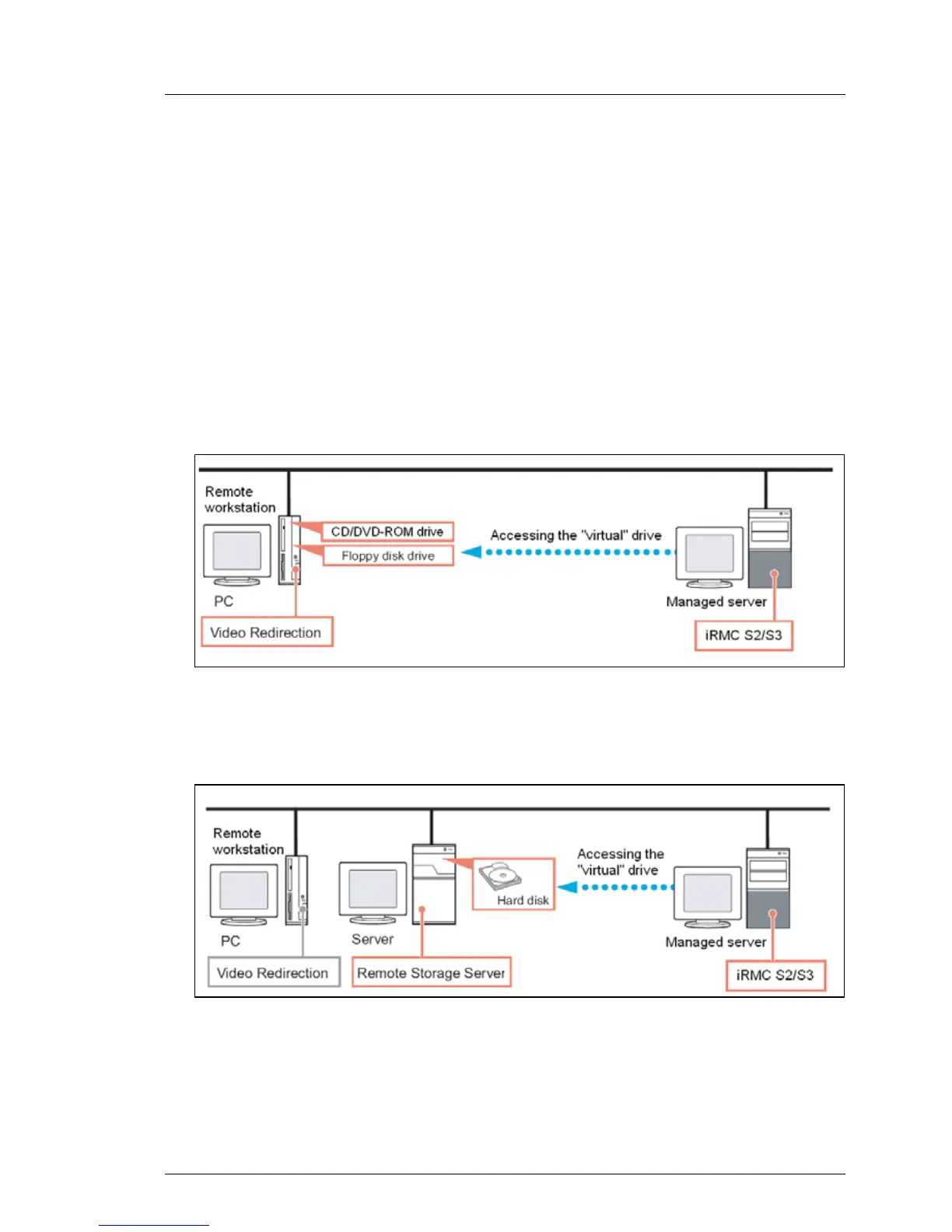
Remote Storage makes available to the managed server a “virtual” drive which
is located elsewhere in the network. Up to two media can be redirected.
You can provide the source for the virtual drive as follows:
– Via a remote storage connection as a physical drive or image file at the
remote workstation using the AVR Java applet (see page 113) via a remote
connection:
Figure 42: Remote storage via a remote connection
– As a CD/DVD ISO image file centrally in the network via a Remote Storage
server (see page 127):
Figure 43: Remote storage via a Remote Storage Server



 To Next Page