42 iRMC S2/S3
Configuring the LAN interface of the iRMC S2/S3
3.1.1 Prerequisites
Note the following requirements with respect to configuring the IP address:
– The LAN cable must be connected to the correct port. (see section
"Connected to the correct LAN port?" on page 42).
– Interaction between the IP addresses of the iRMC S2/S3 and the system
(see the section "Interaction between the IP addresses of the iRMC S2/S3
and the system" on page 43).
3.1.1.1 Connected to the correct LAN port?
The interface for a LAN connection is provided on an onboard LAN controller
assigned to the iRMC S2/S3 (see also figure 4 on page 27).
Depending on the server type, the system board of a PRIMERGY server
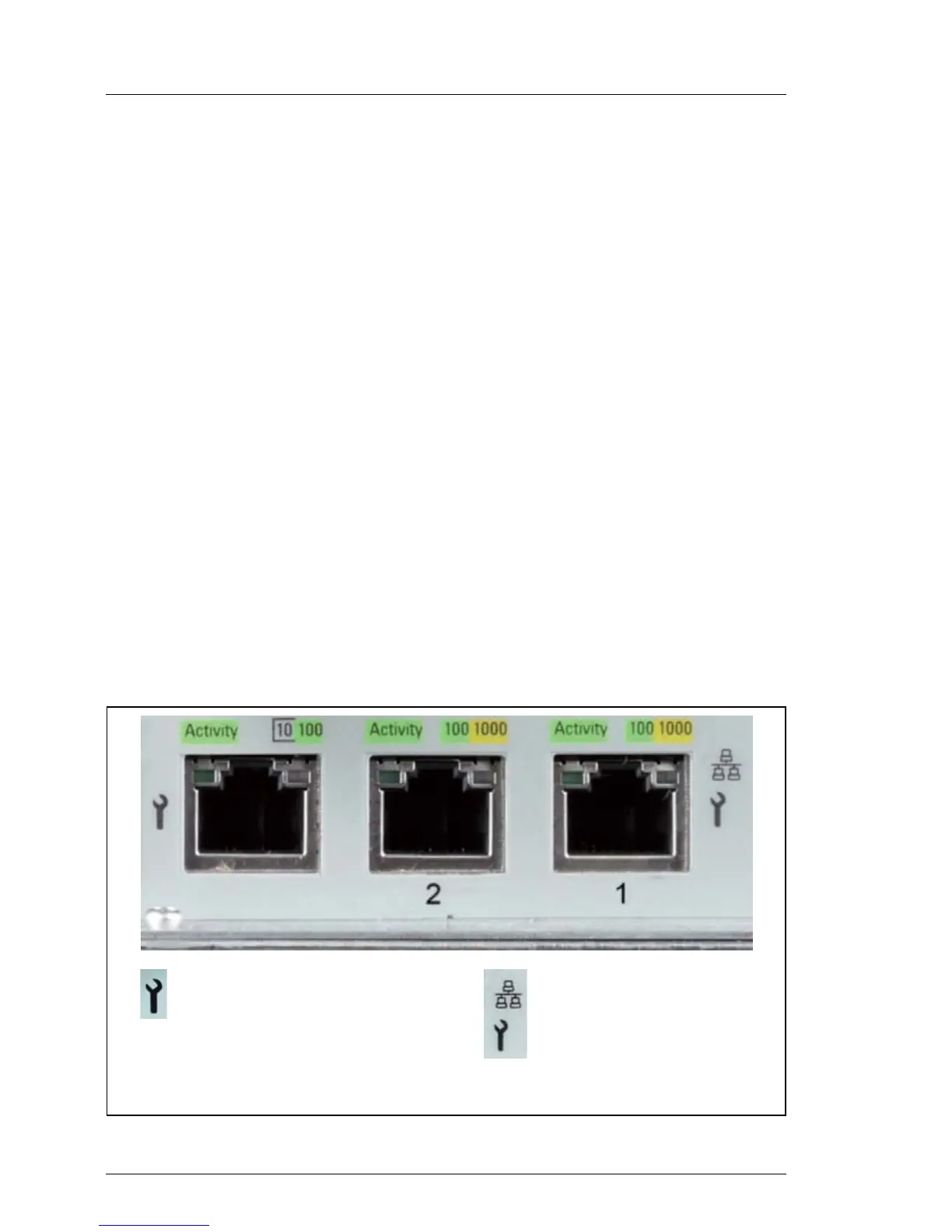
provides two or three LAN interfaces. The ports marked with a wrench symbol
are assigned to the iRMC S2/S3 (in figure 7, for example, these are port 1 and
the top left-hand port).
I Check that the LAN cable is connected to the correct port.
Depending on the type of PRIMERGY server, different ports may be
marked with the wrench symbol.
Figure 7: Ports for the iRMC S2/S3 (indicated by wrench symbol)
Shared LAN
(iRMC S2/S3 and system)
(port exclusively for the
iRMC S2/S3; with the iRMC S3
Dedicated Service / Management LAN
LAN (port exclusively
for the system)
(2)
(1)
a LAN speed up to 1000 MBit/s
is available, depending on the
server hardware.)



 To Next Page