286 iRMC S2/S3
User Management
7.14.3 Centralized Authentication Service (CAS)
Configuration - Configuring the CAS Service
I This view is not supported by all PRIMERGY servers with iRMC S2/S3.
SSO is only supported for accessing the iRMC S2/S3 via the web
interface. SSO is not supported for accessing the iRMC S2/S3 via the
Remote Manager (Telnet/SSH).
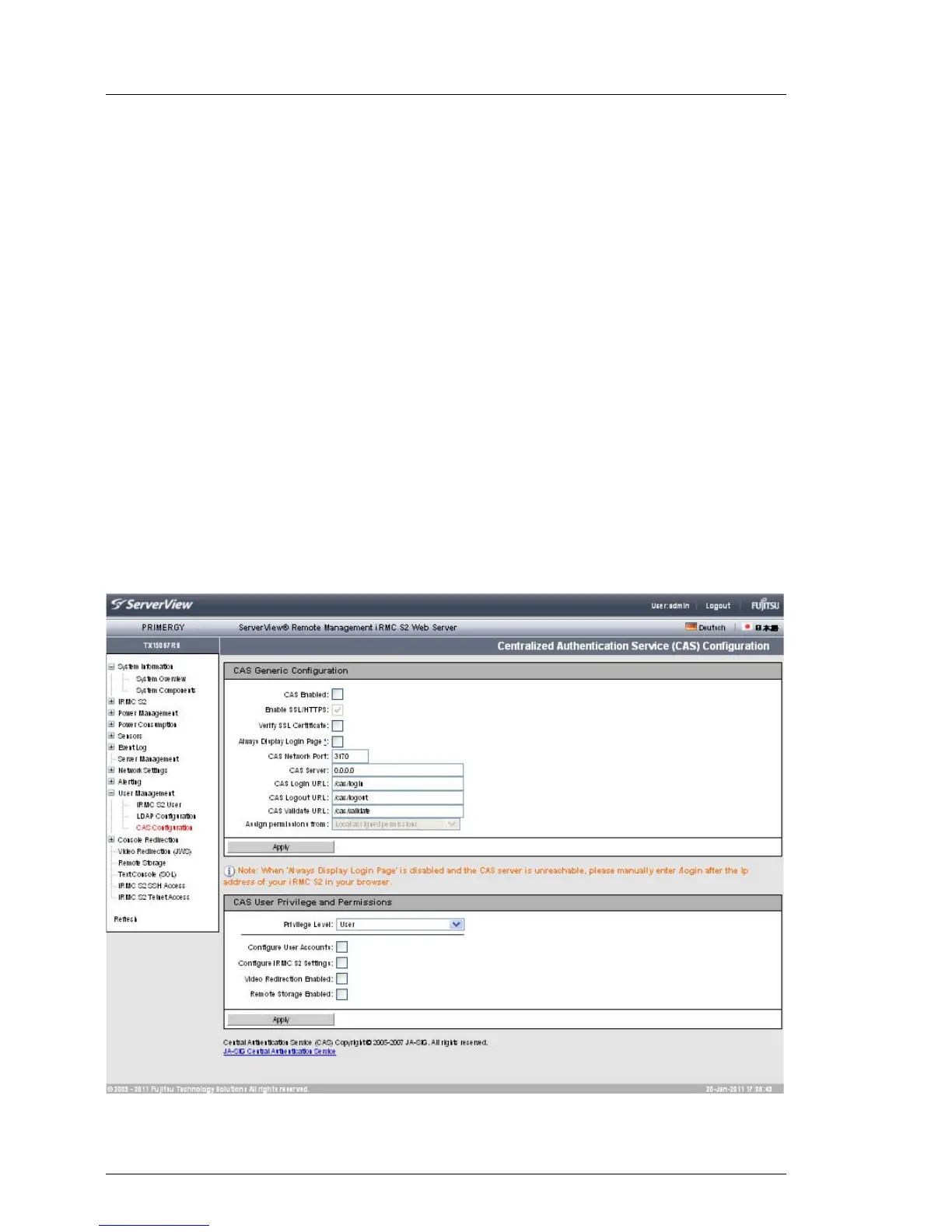
The Centralized Authentication Service (CAS) Configuration page allows you to
configure the iRMC S2/S3 web interface for CAS-based single sign-on (SSO)
authentication.
The first time a user logs in to an application within the SSO domain of the CAS
service, they are prompted for their credentials by the CAS-specific login
screen. Once they have been successfully authenticated by the CAS service,
the user is granted access to the iRMC S2/S3 web interface as well as to any
other service within the SSO domain without being prompted for login
credentials again.
Figure 170: Centralized Authentication Service (CAS) Configuration



 To Next Page