iRMC S2/S3 339
Service Processor
8.11 Service processor - IP parameters,
identification LED and iRMC S2/S3 reset
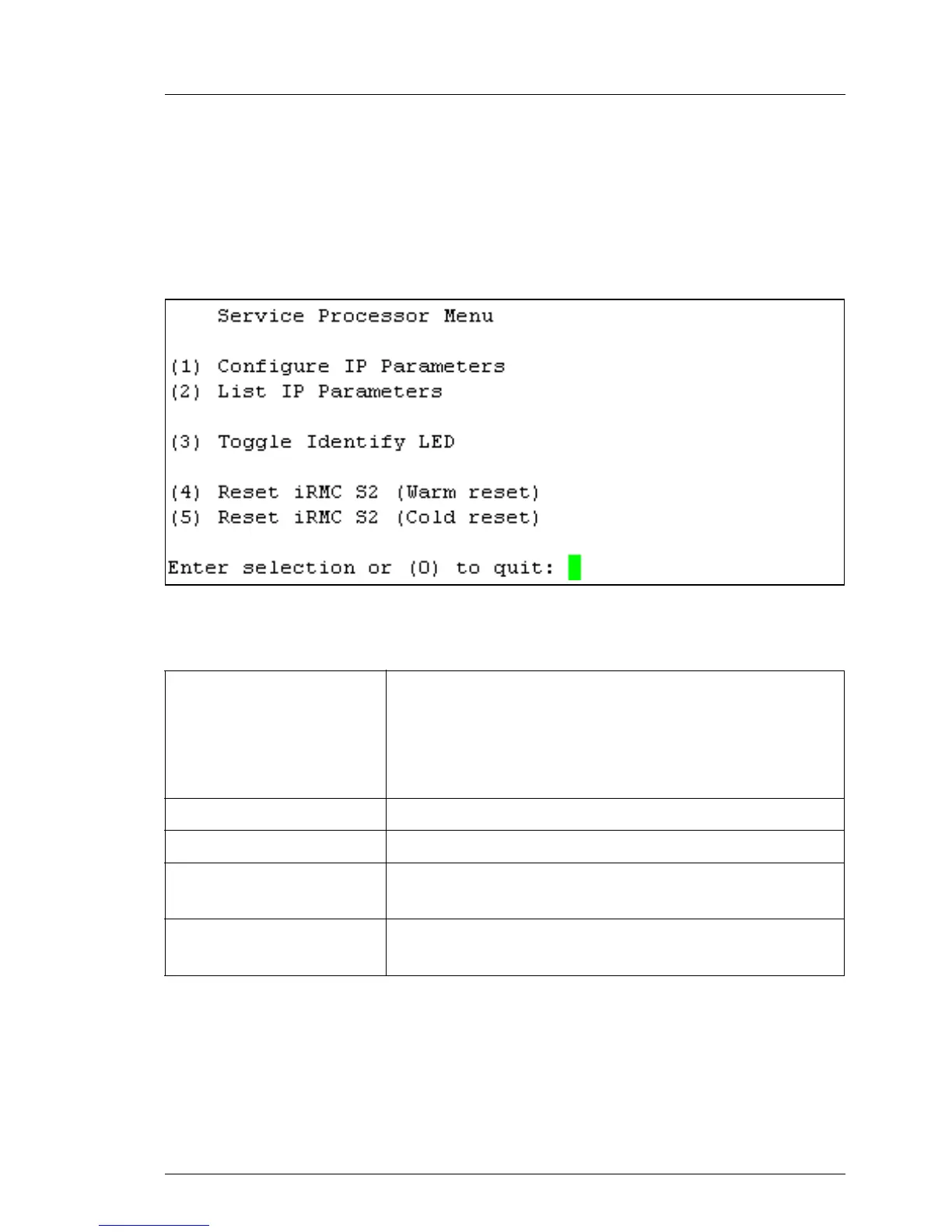
The following menu appears if you choose Service Processor... from the main
menu:
Figure 208: Remote Manager: Service Processor menu
The submenu contains the following functions:
I It is recommended that you reboot the server after a Reset iRMC S2/S3
(Cold Reset) or Reset iRMC S2/S3 (Warm Reset) (see page 189).
Configure IP Parameters Configure the IPv4 / IPv6 address settings of the
iRMC S2/S3 in a guided dialog. Please refer to
section "Network Interface Settings - Configure
Ethernet settings on the iRMC S2/S3" on page 239
for details in the individual settings.
List IP Parameters Display the IP settings.
Toggle Identify LED Switch the PRIMERGY identification LED on/off.
Reset iRMC S2/S3
(Warm reset)
Reset the iRMC S2/S3. The connection is closed.
Only the interfaces are re-initialized.
Reset iRMC S2/S3
(Cold reset)
Reset the iRMC S2/S3. The connection is closed.
The entire iRMC S2/S3 is re-initialized.
Table 15: Service Processor menu



 To Next Page