iRMC S2/S3 73
Local user management for the iRMC S2/S3
4.3.3.1 reating public and private SSHv2 keys
You can create public and private SSHv2 keys
– with the program PuTTYgen or
– with the OpenSSH client program ssh-keygen.
Creating the public and private SSHv2 keys with PuTTYgen
Proceed as follows:
Ê Start PuTTYgen on your Windows computer.
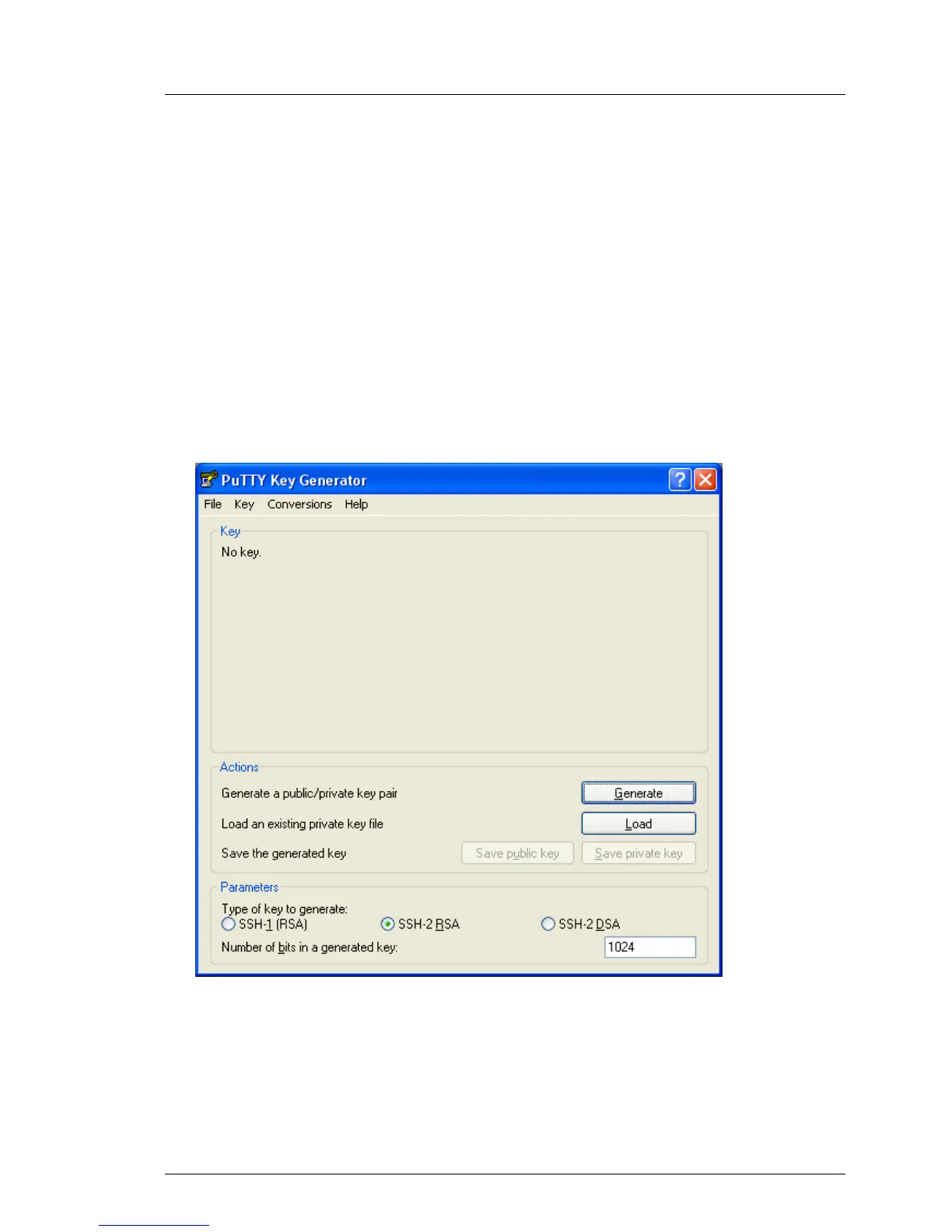
The following window appears when PuTTYgen is started:
Bild 20: PuTTYgen: Creating new private and public SSHv2 keys
Ê Under Parameters, select the key type SSH-2RSA and click Generate to start
generation of the keys.
The progress of the generation operation is then displayed under Key (see
figure 21 on page 74).



 To Next Page