178 iRMC S2/S3
iRMC S2/S3 - Information, firmware and certificates
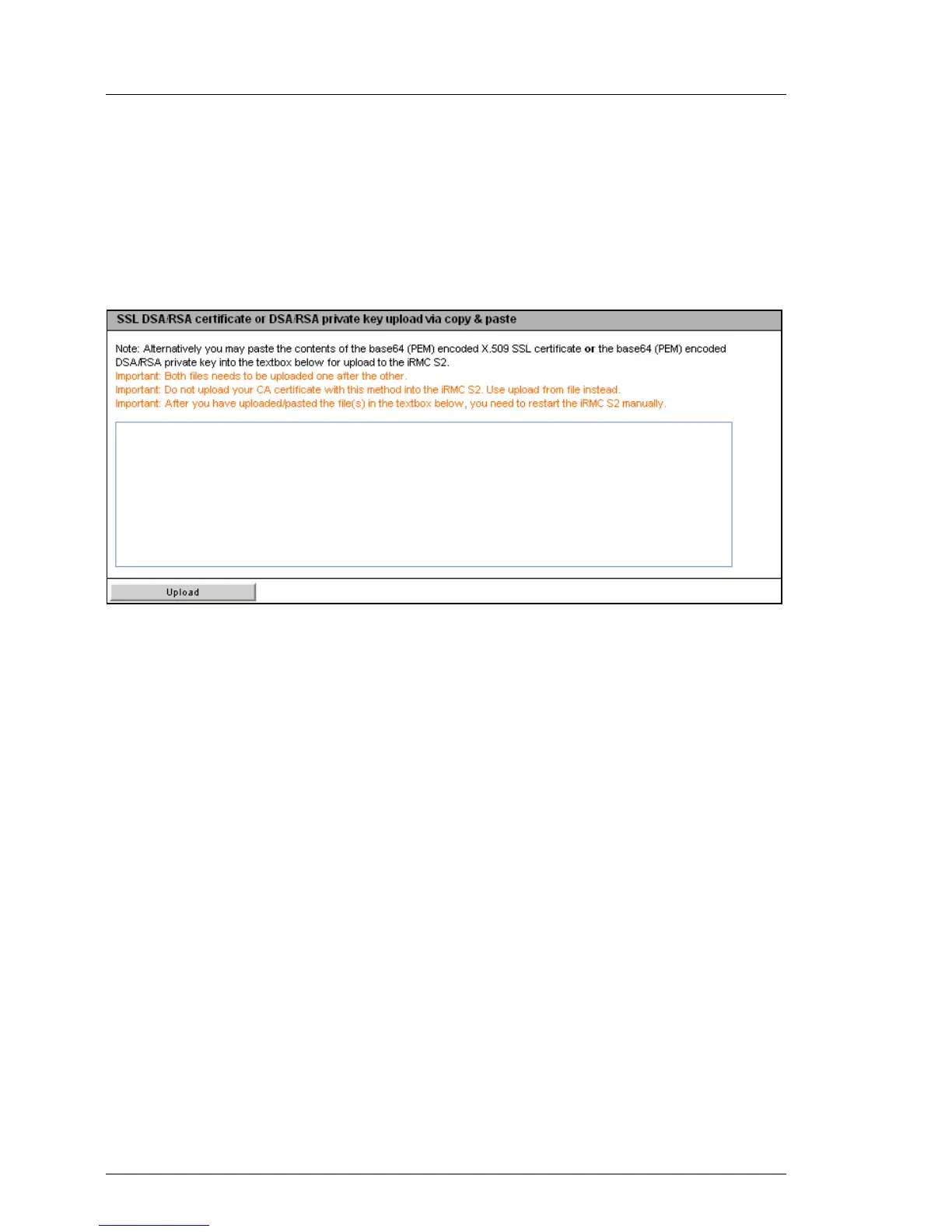
Entering the DSA/RSA certificate/private DSARSA key directly
You do this using the group SSL DSA/RSA certificate or DSA/RSA private upload via
copy & paste.
I Do not use this method to load a root certificate onto the iRMC S2/S3.
Always load a root certificate using a file (see page 177).
Figure 93: Entering the DSA/RSA certificate/private DSARSA key directly
Proceed as follows:
Ê Copy the X.509 DSA certificate or the private DSA key to the input area.
I You cannot simultaneously enter the certificate and key for the same
upload.
Ê Click Upload to load the certificate or the private key onto the iRMC S2/S3.
Ê Use the Remote Manager to reset the iRMC S2/S3 (see section "Service
processor - IP parameters, identification LED and iRMC S2/S3 reset" on
page 339).
I This is necessary in order to make a certificate or private key loaded
onto the iRMC S2/S3 valid.
Ê Click View Certificate to make sure that the certificate has been loaded
successfully.



 To Next Page