182 iRMC S2/S3
iRMC S2/S3 - Information, firmware and certificates
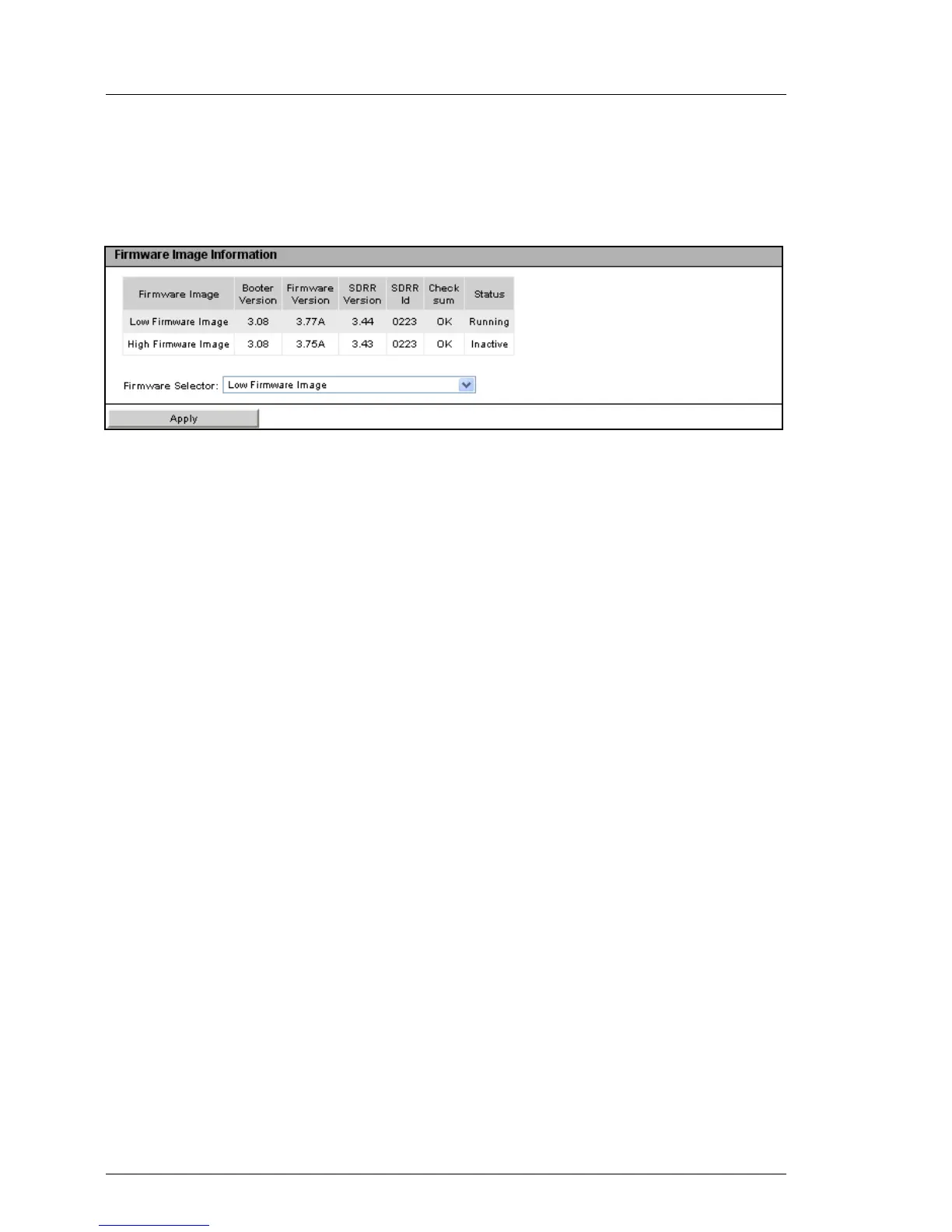
Firmware Image Information
Under Firmware Image Information, you can view information on the firmware
version and the SDRR version of the iRMC S2/S3 and set the firmware selector.
Figure 96: iRMC S2/S3 Firmware Update - Firmware Information
Firmware Selector
You use the firmware selector to specify which firmware image is to be
activated the next time the iRMC S2/S3 is rebooted.
You have the following options:
– Auto - FW Image with highest FW version
The firmware image with the most recent version is selected
automatically.
– Low FW Image
The low firmware image is selected.
– High FW Image
The high firmware image is selected.
– Select FW Image with oldest FW version
The firmware image with the oldest version is selected.
– Select most recently programmed FW
The most recently updated firmware image is selected.
– Select least recently programmed FW
The least recently updated firmware image is selected.
Apply
Click Apply to set the firmware selector to the option you have set under
Firmware Selector.



 To Next Page