184 iRMC S2/S3
iRMC S2/S3 - Information, firmware and certificates
Update file
File in which the firmware image is stored.
I The files listed below each allow you to update one component of
the iRMC S2/S3 firmware in every update run (runtime firmware
and SDR record).
The file rt_sdr_<D-number>_4_08g_00.bin is also available for
some PRIMERGY servers / blade servers. This allows you to
update all the components of the iRMC S2/S3 firmware in a single
operation.
dcod<FW-Version>.bin
Updates the runtime firmware.
<SDR-Version>.SDR
Updates the SDR record.
Browse...
Opens a file browser that allows you to navigate to the update file.
Ê Click Apply to activate your settings and to start updating the iRMC S2/S3
firmware.
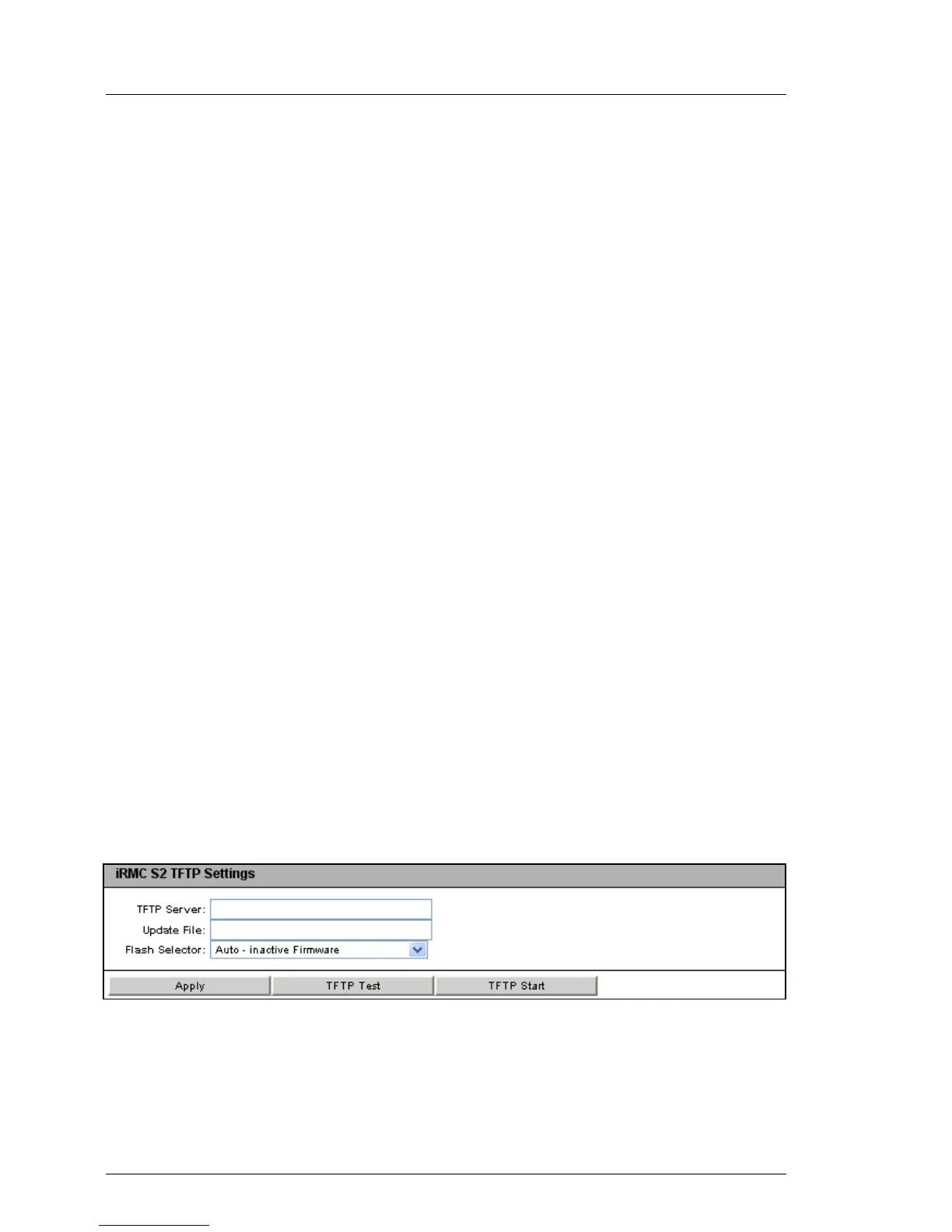
iRMC S2/S3 TFTP Settings
The iRMC S2/S3 TFTP Settings group allows you to update the iRMC S2/S3
firmware online. To do this, you must provide the current firmware image in a file
on a TFTP server.
You will find the appropriate firmware image for your PRIMERGY server on
ServerView Suite DVD 1 or you can download it under
http://support.ts.fujitsu.com/com/support/downloads.html.
Figure 98: iRMC S2/S3 Firmware Update page - iRMC S2/S3 TFTP Settings
TFTP Server
IP address or DNS name of the TFTP server on which the file with the
firmware image is stored.



 To Next Page