204 iRMC S2/S3
Power Consumption
Ê Click Apply to activate your settings.
I You can also configure scheduled power control using the Server
Configuration Manager (see chapter "Configuring iRMC S2/S3 using the
Server Configuration Manager" on page 347).
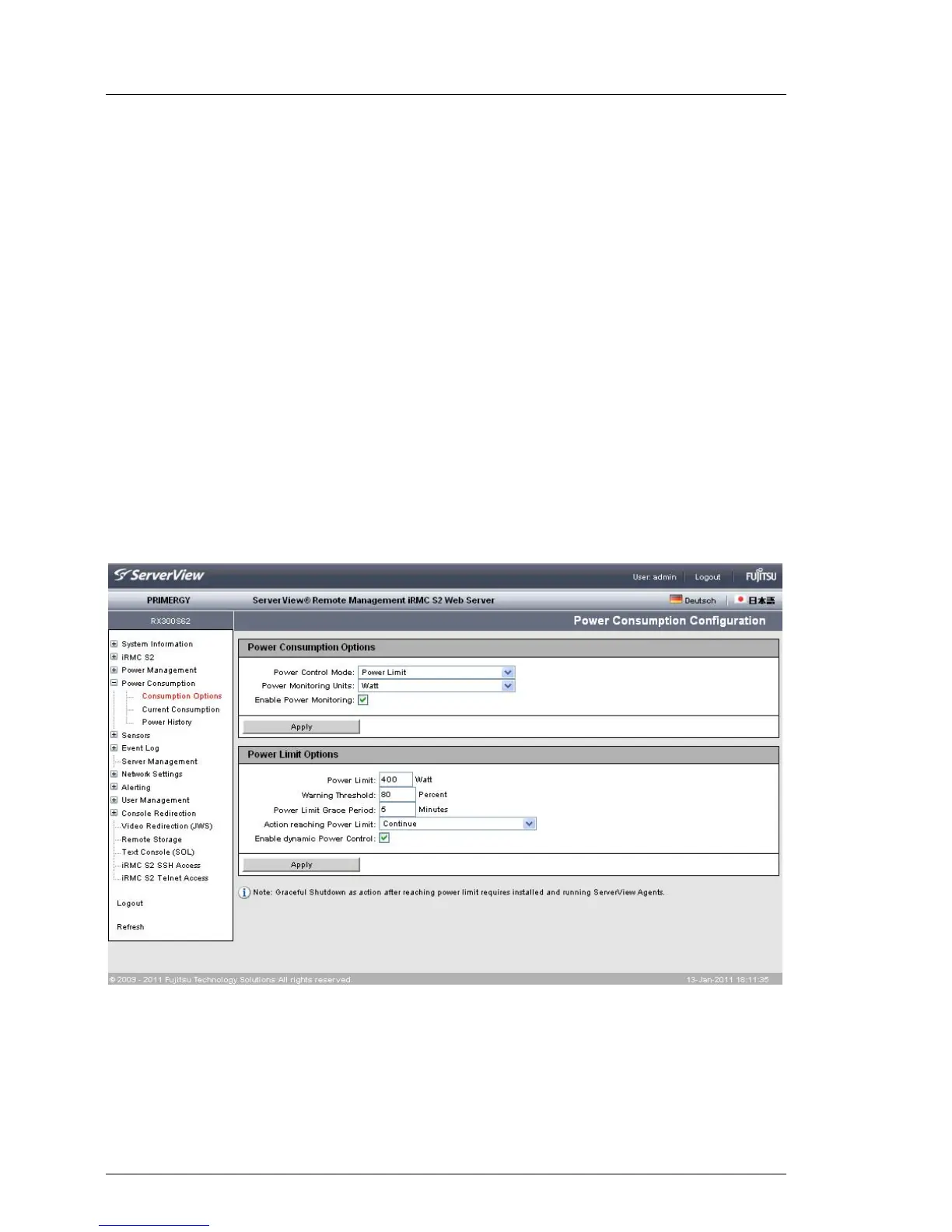
Power Limit Options
The Power Limit Options group is displayed under the following circumstances:
– The power control mode Power Limit is selected and enabled in the Power
Consumption Options group.
– The power control mode Scheduled is enabled in the Power Consumption
Options group and the power control mode Power Limit is enabled at least
once in the Scheduled Power Consumption Configuration group.
The power limit then applies to all periods for which this power control mode
is enabled in the Scheduled Power Consumption Configuration group.
Figure 112: Power Consumption Configuration page (scheduled)
Power Limit
Maximum power consumption (in Watts).



 To Next Page