234 iRMC S2/S3
Server Management Information - Configuring the server settings
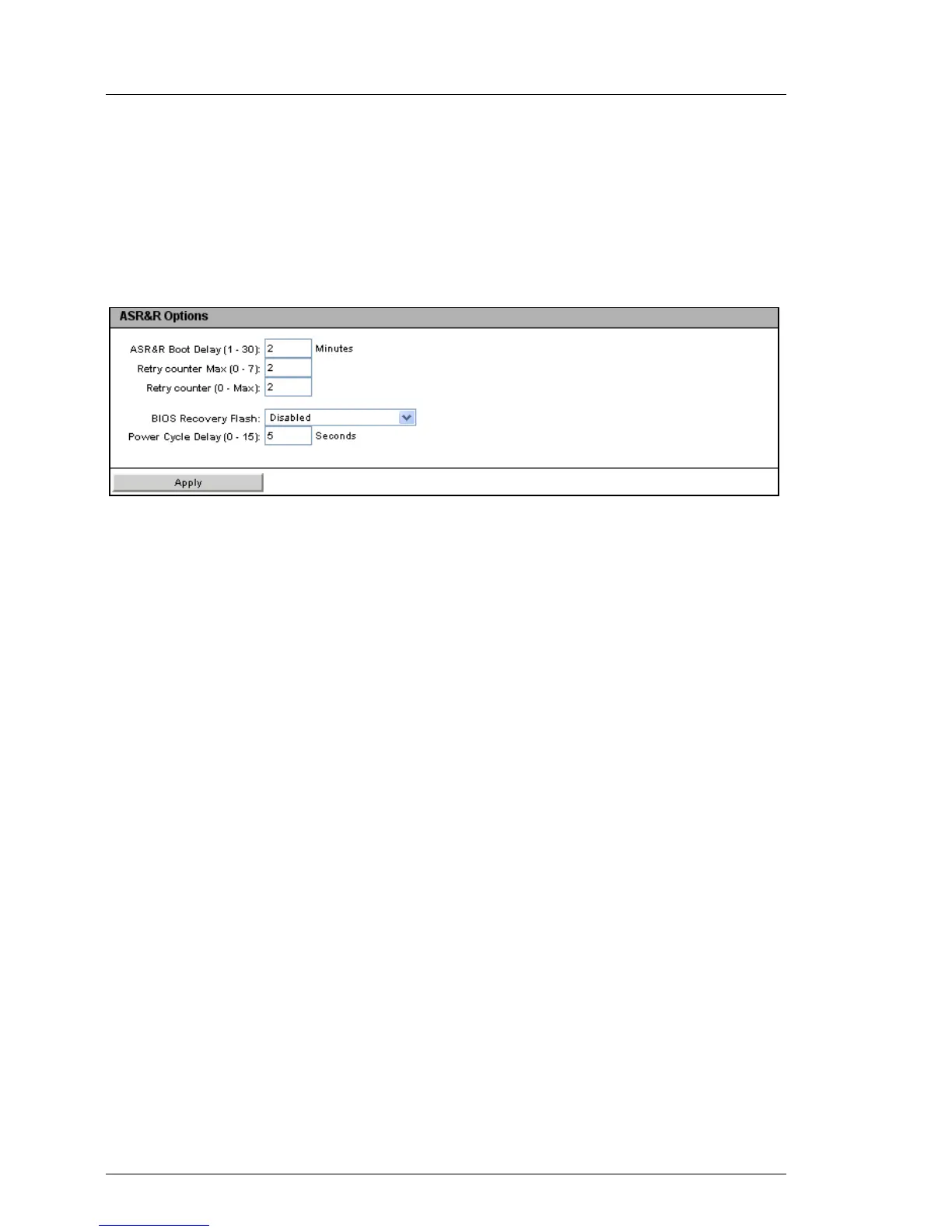
ASR&R Options - Configure ASR&R settings
The ASR&R Options group allows you to configure the ASR&R (automatic server
reconfiguration and restart) settings for the server.
I The settings made on the ASR&R Options group become active the next
time the managed server is started.
Figure 133: Server Management Information page, ASR&R Options
Retry counter Max (0 - 7)
Maximum number of restart attempts that should be permitted for the
server after a critical error (up to 7).
Retry counter (0 - Max)
Number of restart attempts that a server should attempt after a critical
error (maximum value is the value set under Retry counter Max).
BIOS recovery flash bit
Enables/disables the BIOS recovery flash bit:
– Enabled
The next time the system is booted, the BIOS is automatically
flashed.
– Disabled
The next time the system is booted, the BIOS is not automatically
flashed.
I The Enabled setting is of value if the operating system no longer
boots after the firmware has been updated. A BIOS recovery flash
is then performed automatically the next time the system is booted
from the DOS floppy (or a DOS floppy image).
After a BIOS recovery flash has been performed successfully,
reset the BIOS Recovery Flash bit to disabled.



 To Next Page