iRMC S2/S3 251
Network Settings - Configure the LAN parameters
DNS Name
The DNS Name group allows you to configure a host name for the iRMC S2/S3
and thus use “dynamic DNS”. Dynamic DNS allows DHCP servers to
autonomously pass on the IP address and system name of a network
component to DNS servers to facilitate identification.
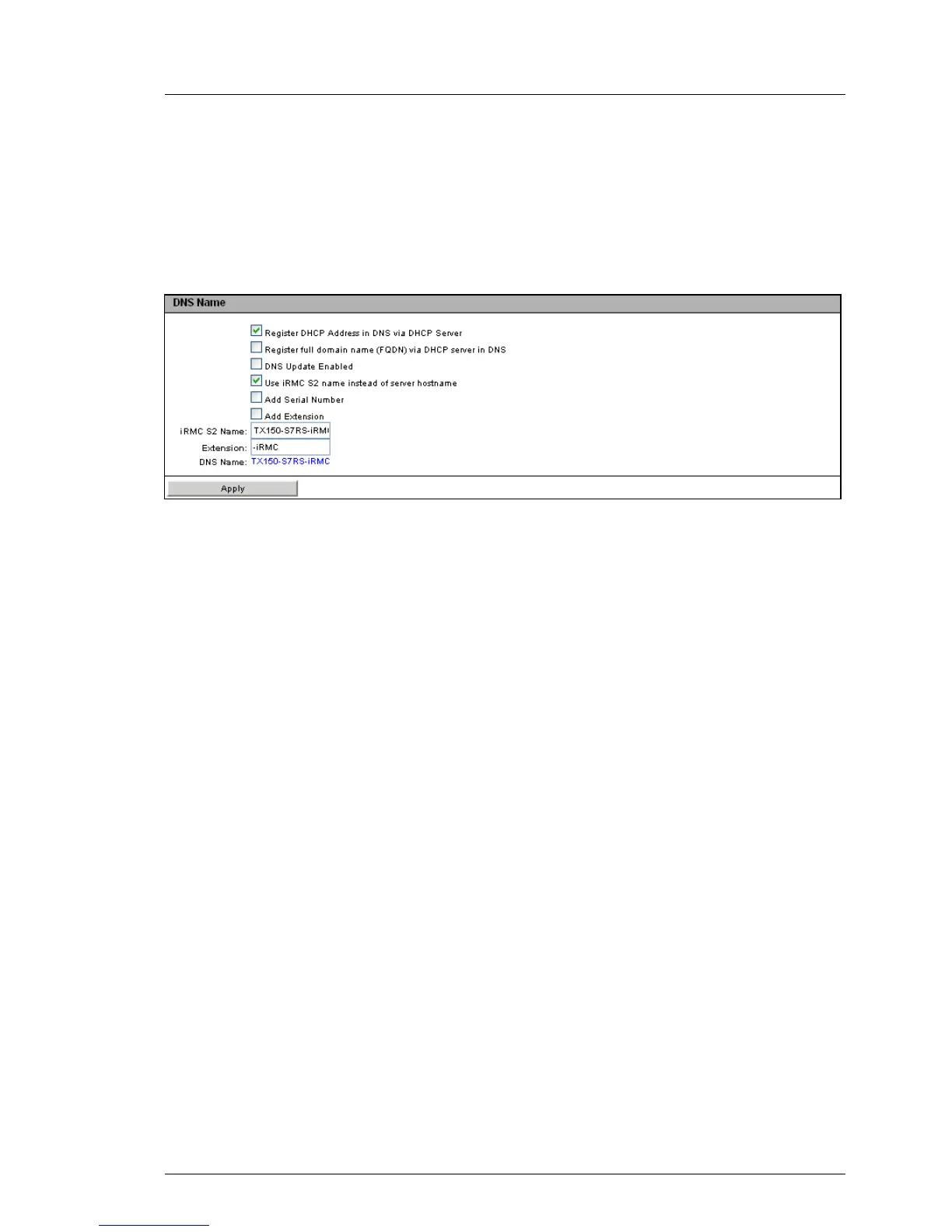
Figure 142: DNS Configuration page - DNS Name
Register DHCP Address in DNS via DHCP Server
This option is disabled if IPv6 addressing is used.
Enables/disables the transfer of the DHCP name to the DHCP server for
the iRMC S2/S3 and the DNS registration via DHCP server.
Register full domain name (FQDN) via DHCP server in DNS
This option is disabled if IPv6 addressing is used.
Enables/disables the transfer of the FQDN (Fully Qualified Domain
Name) to the DHCP server for the iRMC S2/S3 and the DNS registration
via DHCP server.
DNS Update Enabled
Enables/disables update of DNS records via Dynamic DNS.
Use iRMC S2/S3 name instead of server hostname
The iRMC S2/S3 name specified in the iRMC S2/S3 Name entry field is
used for the iRMC S2/S3 instead of the server name.
Add Serial Number
The last 3 bytes of the MAC address of the iRMC S2/S3 are appended
to the DHCP name of the iRMC S2/S3.
Add Extension
The extension specified in the Extension entry field is appended to the
DHCP name of the iRMC S2/S3.



 To Next Page