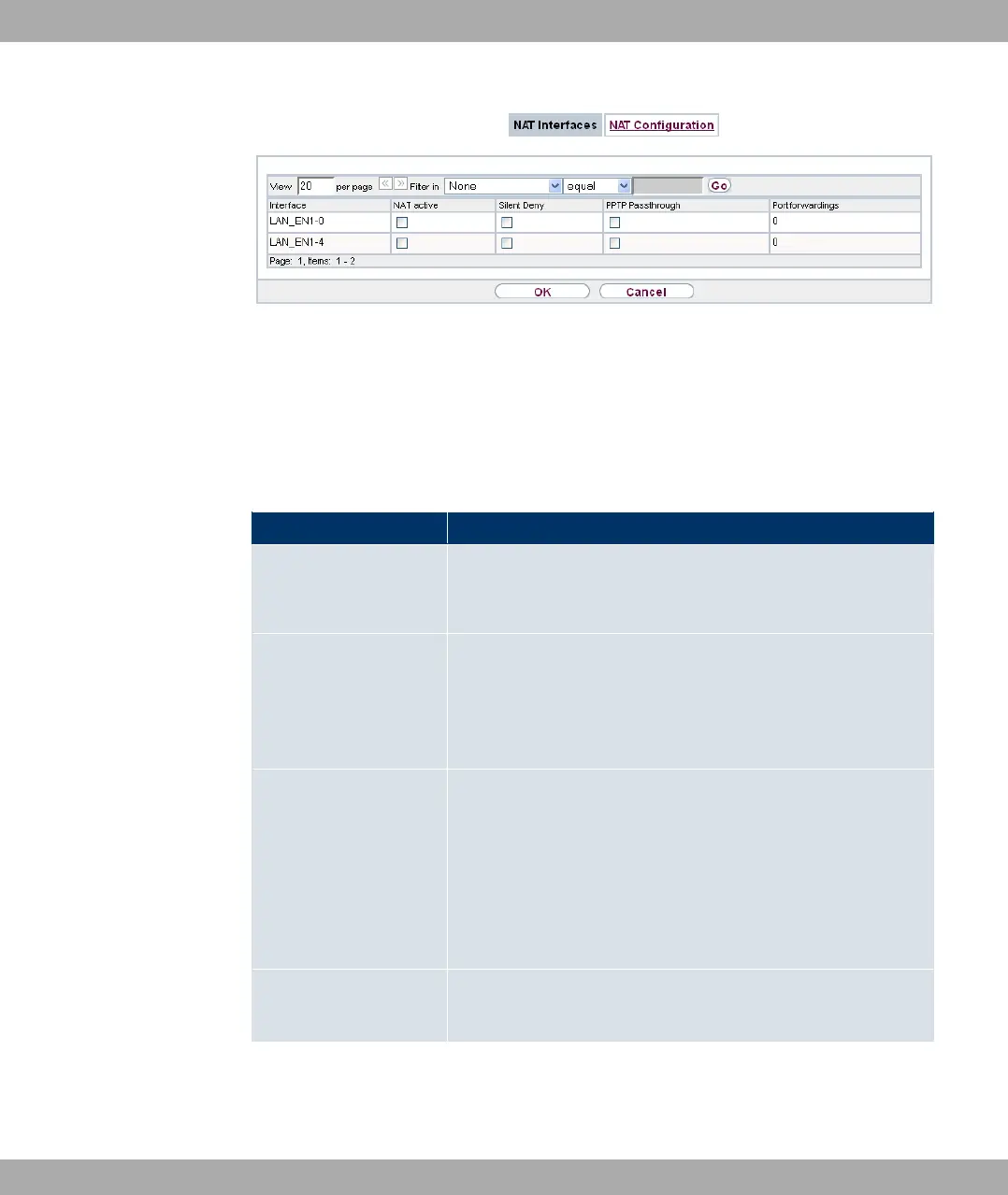
Fig. 75: Networking->NAT->NAT Interfaces
For every NAT interface, the *0+ %, -/ 1) and + &&$ op-
tions can be selected .
In addition, $& displays how many port forwarding rules were configured
for this interface.
Options in the menu NAT Interfaces
Field Description
NAT active Select whether NAT is to be activated for the interface.
The function is disabled by default.
Silent Deny Select whether IP packets are to be silently denied by NAT. If
this function is deactivated, the sender of the denied IP packet
is informed by means of an ICMP or TCP RST message.
The function is disabled by default.
PPTP Passthrough Select whether the setup and operation of several simultan-
eous, outgoing PPTP connections from hosts in the network are
also to be permitted if NAT is activated.
The function is disabled by default.
If PPTP Passthrough is enabled, the device itself cannot be
configured as a tunnel endpoint.
Port Shows the number of portforwarding rules configured in Net-
working->NAT->NAT Configuration.
14 Networking Funkwerk Enterprise Communications GmbH
192 bintec Rxxx2/RTxxx2



 To Next Page