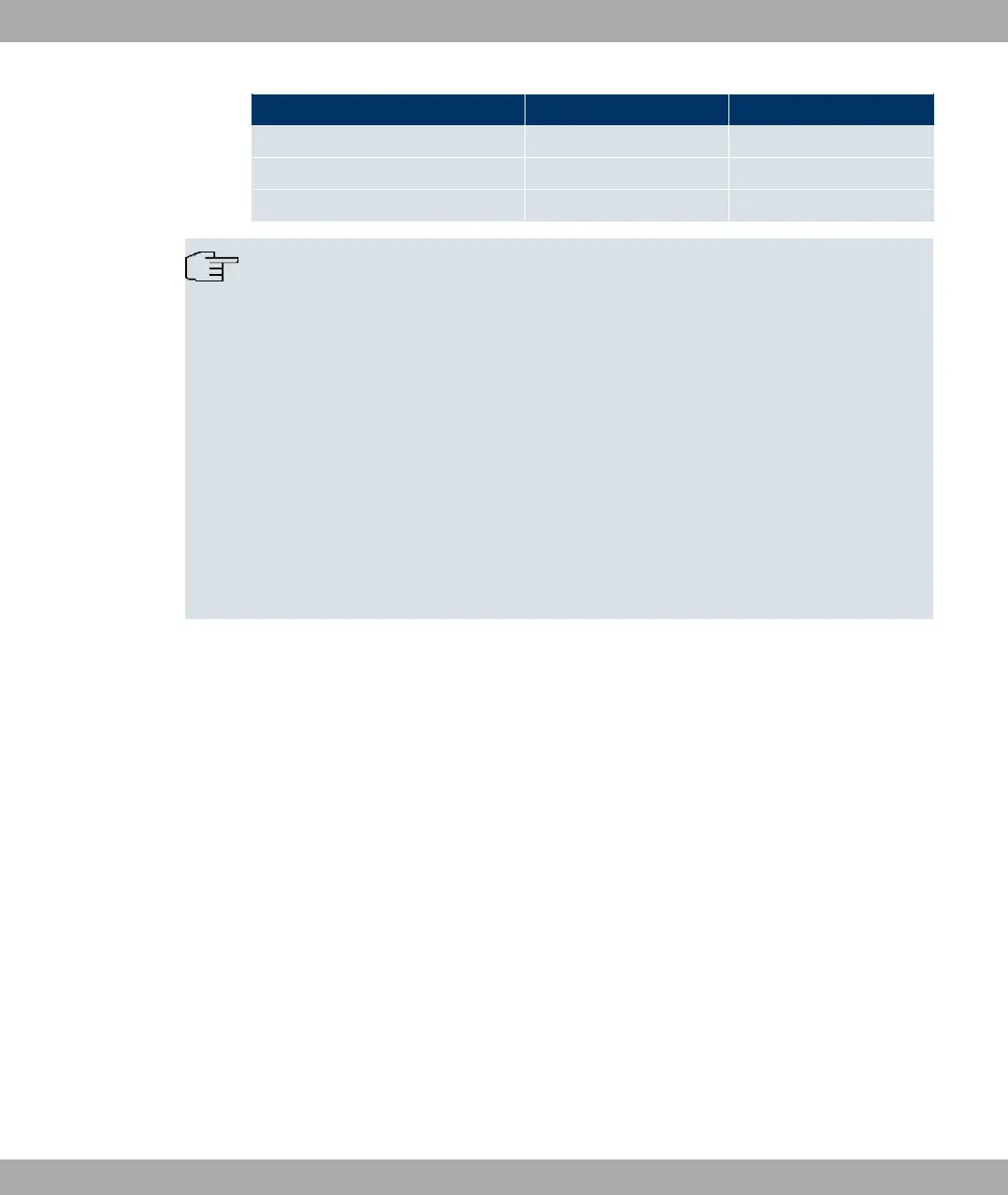
Access data Example value Your values
User account (12 digits) '.
T-Online number (usually 12 digits) '.
Joint user account
Note
To configure T-Online Internet access, in the User Name field, enter the following suc-
cession of numbers without intervening spaces:
User account (12 digits) + T-Online number (usually 12 digits) + co-user number (for
the main user, always 0001).
If your T-Online number is less than 12 digits long, a "#" character is required between
the T-Online number and the co-user number.
If you use T-DSL, you must add the character string "@t-online.de" at the end of this
string of numbers.
You username could, for example, look like this:
00012345678906112345678#0001@t-online.de
4.3.2 Configuring a PC
In order to reach your device via the Funkwerk Configuration Interface and to be able to
carry out configuration, the PC used for the configuration has to satisfy some prerequisites.
• Make sure that the TCP/IP protocol is installed on the PC.
• Assign fixed IP address to your PC.
Checking the TCP/IP protocol
Proceed as follows to check whether you have installed the protocol:
(1) Click the Windows Start button and then Settings -> Control Panel -> Network Con-
nections (Windows XP) or Control Panel -> Network and Sharing Center->
Change Adapter Settings (Windows 7).
(2) Click on LAN Connection.
(3) Click on Properties in the status window.
(4) Look for the Internet Protocol (TCP/IP) entry in the list of network components.
Installing the TCP/IP protocol
Funkwerk Enterprise Communications GmbH
4 Basic configuration
bintec Rxxx2/RTxxx2 13



 To Next Page