21.8.3 Ping Generator
In the Local Services->Surveillance->Ping Generator menu, a list of all configured, auto-
matically generated pings is displayed.
21.8.3.1 Edit or New
Choose the icon to edit existing entries. Choose the New button to create additional
pings.
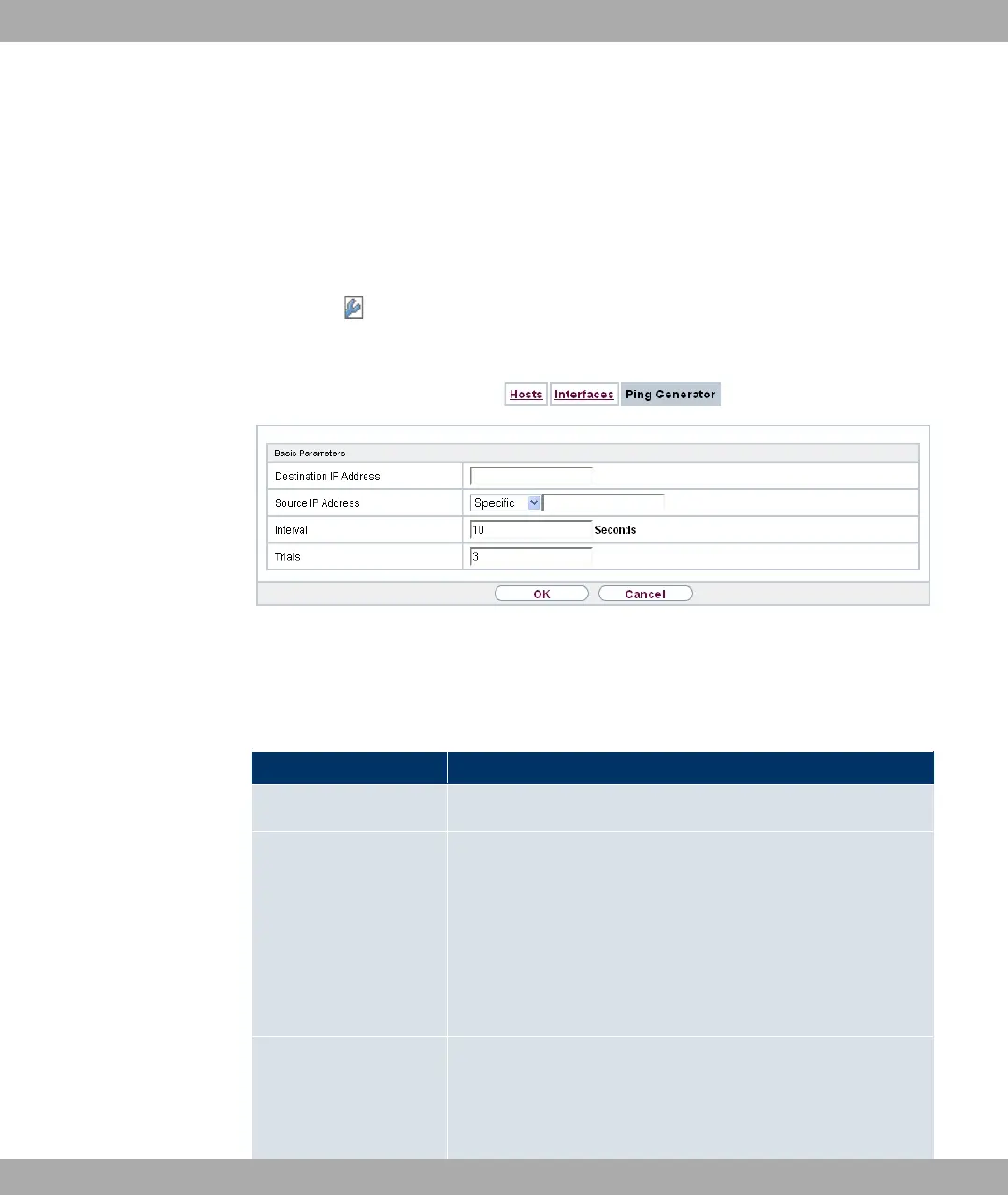
Fig. 181: Local Services->Surveillance->Ping Generator->New
The menu Local Services->Surveillance->Ping Generator->New consists of the follow-
ing fields:
Fields in the Basic Parameters menu
Field Description
Destination IP Address Enter the IP address to which the ping is automatically sent.
Source IP Address Enter the source IP address of the outgoing ICMP echo request
packets.
Possible values:
• 0%: The IP address is determined automatically.
• -,%% (default value): Enter the IP address in the adja-
cent input field e.g. to test a particular extended route.
Interval Enter the interval in seconds during which the ping is sent to the
address specified in Remote IP Address.
Possible values are to '.
Funkwerk Enterprise Communications GmbH
21 Local Services
bintec Rxxx2/RTxxx2 463



 To Next Page