Property bintec R4402 bintec RT4202
SAFERNET TM Security
Technology
Community passwords, PAP,
CHAP, MS-CHAP, MS-CHAP v.2,
PPTP, PPPoE, PPPoA, Callback,
Access Control Lists, CLID, NAT,
SIF, MPPE Encryption, PPTP En-
cryption, VPN with PPTP or IPSec
Community passwords, PAP,
CHAP, MS-CHAP, MS-CHAP v.2,
PPTP, PPPoE, PPPoA, Callback,
Access Control Lists, CLID, NAT,
SIF, MPPE Encryption, PPTP En-
cryption, VPN with PPTP or IPSec
Software supplied Dime Manager on DVD Dime Manager on DVD
Documentation included Quick Install Guide and safety no-
tices
funkwerk Dime Manager User's
Guide (on DVD)
Installation poster
Quick Install Guide and safety no-
tices
funkwerk Dime Manager User's
Guide (on DVD)
Installation poster
Online documentation User's Guide
Workshops
Release Notes, if required
User's Guide
Workshops
Release Notes, if required
6.3 LEDs
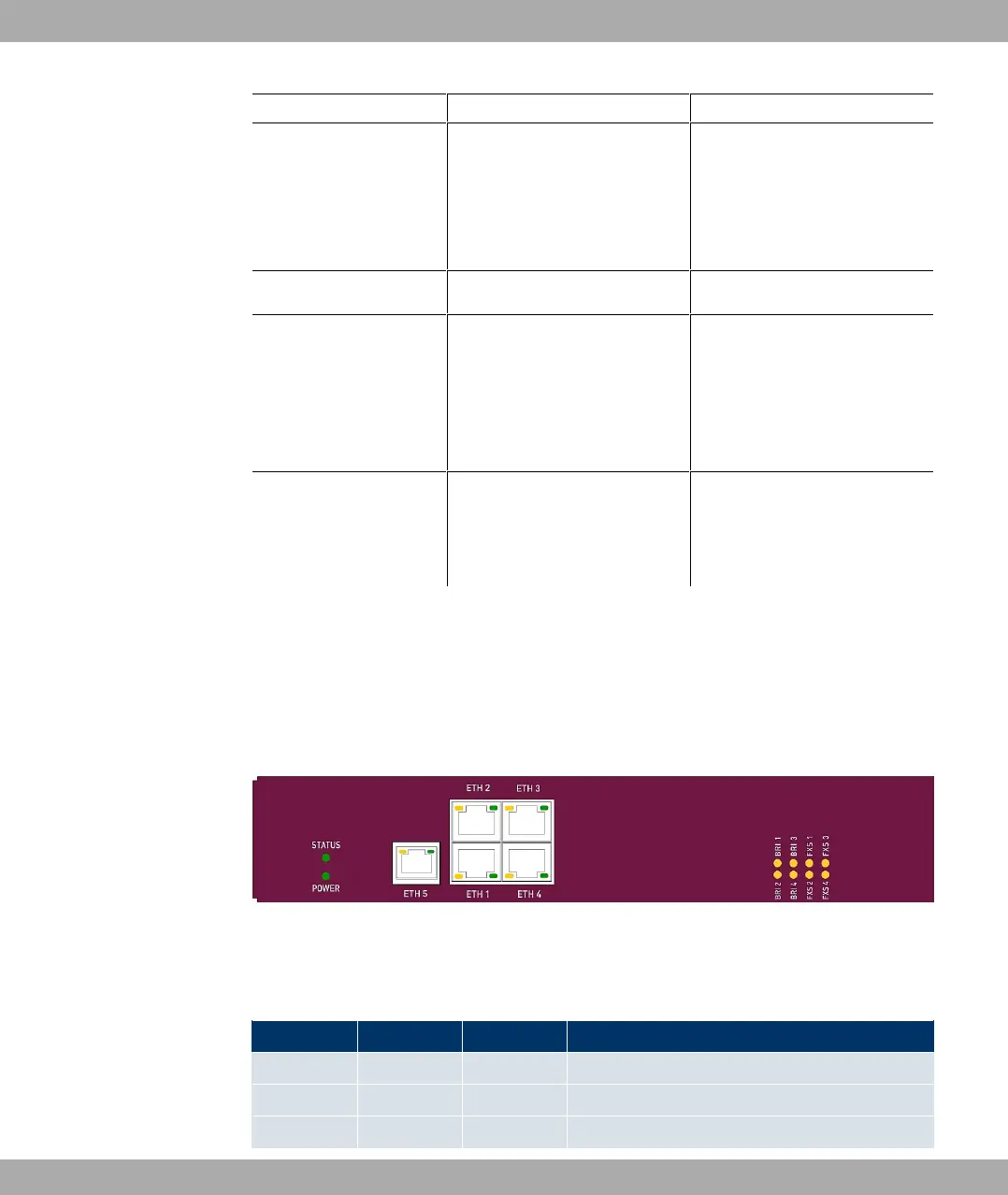
The device LEDs provide information on certain activities and statuses of the device.
The LEDs are arranged as follows:
Fig. 3: Arrangement of LEDs
In operation mode, the LEDs display the following status information for your device:
LED status display
LED Colour Status Information
POWER green on The power supply is connected.
off No power supply.
STATUS green on After switching on: The device has started. Dur-
Funkwerk Enterprise Communications GmbH
6 Technical data
bintec Rxxx2/RTxxx2 31



 To Next Page