21.4.1.1 New
Choose the New button to set up new IP address pools. Choose the icon to edit exist-
ing entries.
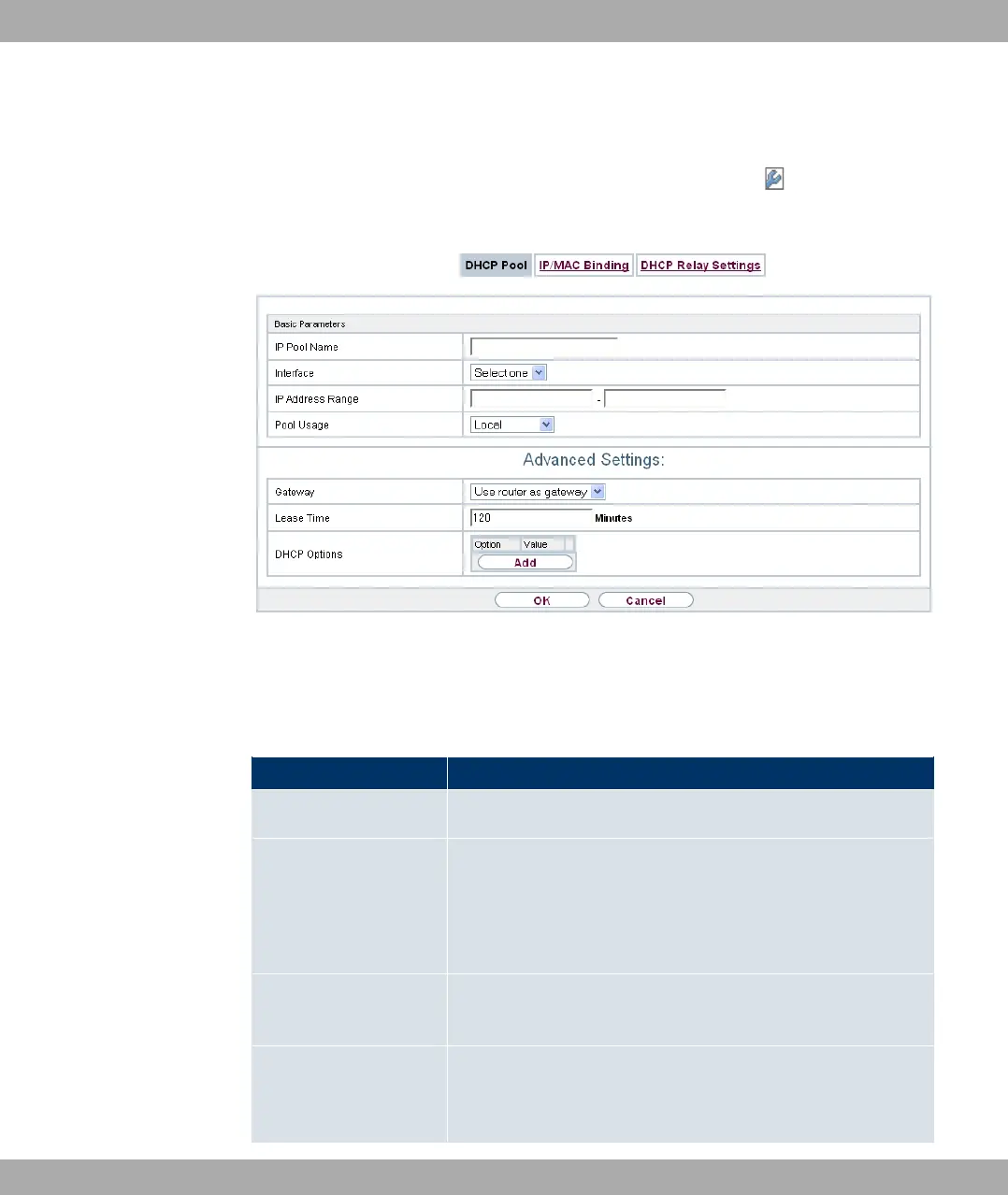
Fig. 167: Local Services->DHCP Server->DHCP Pool->New
The menu Local Services->DHCP Server->DHCP Pool->New consists of the following
fields:
Fields in the Basic Parameters menu
Field Description
IP Pool Name Enter any description to uniquely identify the IP pool.
Interface Select the interface over which the addresses defined in IP Ad-
dress Range are to be assigned to DHCP clients.
When a DHCP request is received over this Interface, one of
the addresses from the address pool is assigned.
IP Address Range Enter the first (first field) and last (second field) IP address of
the IP address pool.
Pool Usage Specify whether the IP pool is used for DHCP requests in the
same subnet or for DHCP requests that have been forwarded to
your device from another subnet. In this case it is possible to
Funkwerk Enterprise Communications GmbH
21 Local Services
bintec Rxxx2/RTxxx2 429



 To Next Page