3. SYSTEM INITIALIZATION
3-12
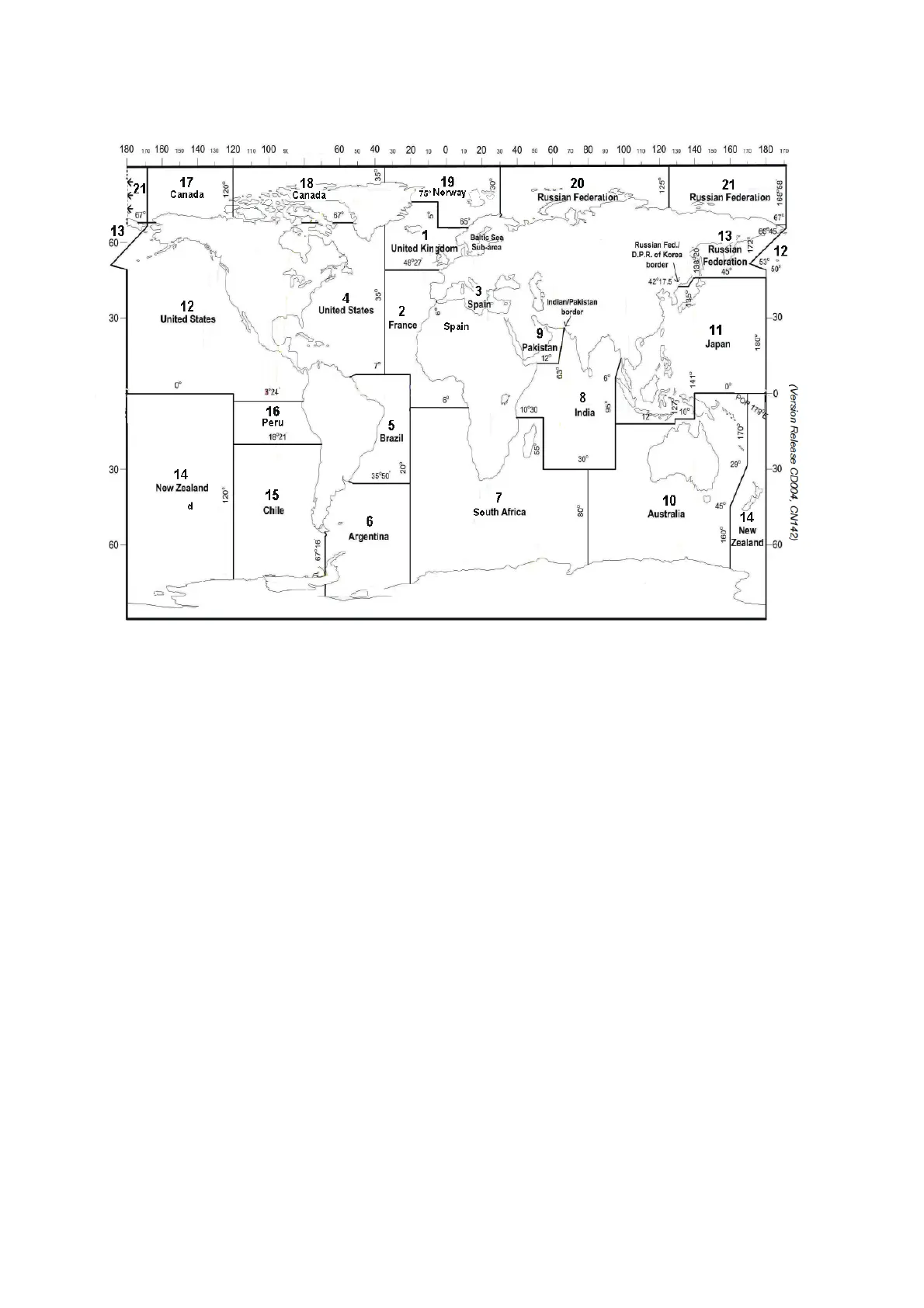
6. Enter additional Navarea(s) (I-XXI, max. of nine) in two digits, referring to the illus-
tration below for code number.
7. Press the Enter key to close the window.
Note: [Fixed Area] is where you enter fixed areas (max. 3) for chart correction ser-
vice. However, this service is not yet available; enter no data.
8. Select [Waypoint] then press the Enter key.
9. Choose [ON] to receive broadcasts for the area which contains the destination
waypoint set on the navigator. Press the Enter key to close the window.
10. Select [Station Code] then press the Enter key.
11. Enter the Navtex station code (A-Z) of the navarea, in upper case alphabet. For
details about Navtex stations, consult the operator’s manual of the Navtex receiv-
er. Press the Enter key to close the window.
12. Select the message type to receive: Use the arrow keys to select message type,
press the Enter key, select [ON] or [OFF] as appropriate then press the Enter key.
Note: The Navtex messages “Coastal navigational information,” “Meteorological
warning” and “Search and rescue alert” (they do not appear on the [EGC Setup]
menu) must always be received.
13. Press the Esc key to show the [Update] window.
14. [Yes] is selected; press the Enter key.
15. Long-press the Esc key to return to the standby display.



 To Next Page
 Loading...







