3. SYSTEM INITIALIZATION
3-21
3.9 How to Create a Directory
You can create and specify the directory where to save incoming and outgoing mes-
sages, to an SD card or the internal memory. The directory lets you save and organize
your messages conveniently.
3.9.1 How to create a directory for message storage
1. To make a directory in an SD card, insert an SD card in the SD card slot.
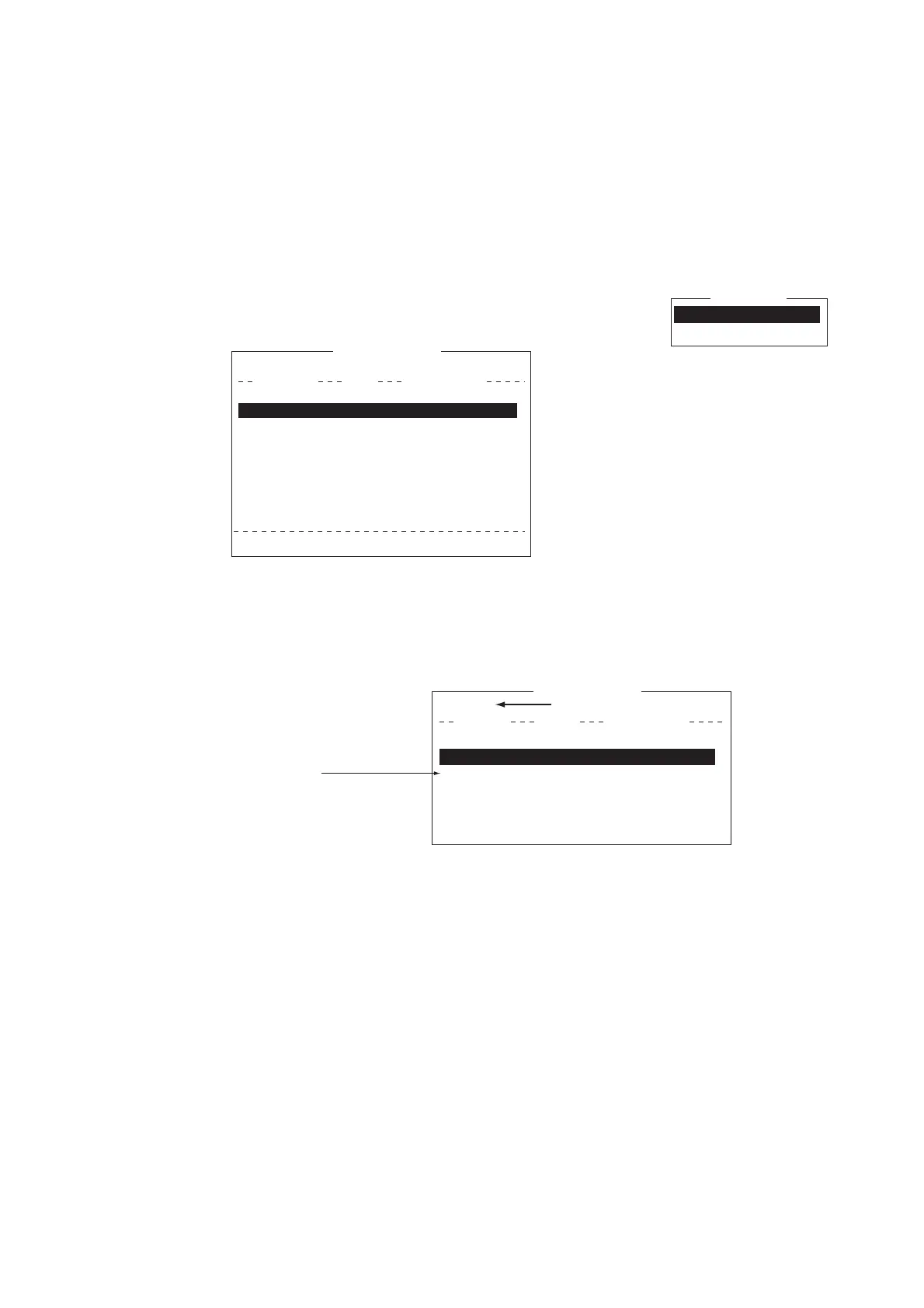
2. Press the F8 and 7 keys to open the [Directories] menu.
3. Select [Message Directory] then press the Enter key.
Note: The drive for an SD card is “C” and the drive for the internal memory is “A”.
To switch between the drives, select the <DRIVE> line then press the Enter key.
4. Press the Insert key to show the [Make Directory] window.
5. Enter directory name then press the Enter key.
Note 1: To create a directory within a directory (at step 5), repeat steps 4 and 5.
Note 2: To return to the root directory, place the cursor on [. .] then press the En-
ter key.
6. Press the ↑ key.
7. Press the Esc key to show the [Update] window.
8. [Yes] is selected; press the Enter key.
9. Long-press the Esc key to return to the standby display.
Received messages are saved to the directory created here.
A directory for EGC message storage can also be made. Select [EGC Message Di-
rectory] at step 3.
Directories
Message Directory
EGC Message Directory
5. EGC Setup
6. Auto Mode Setup
7. E-Mail Setup
8. Directories
9. Configuration
Directories
Message Directory
EGC M<DIR><essag>456ABC <DIR>
e <DIDirectory
Message Directory
To View: SPACE Make Dir: INS Remove Dir: DEL
[C:\ ]
Filename Size Date & Time
<No Files>
0 Files exist 1456640 bytes free
Internal Memory <DRIVE>
123 <DIR> 2012-03-15 10:54
5. EGC Setup
6. Auto Mode Setup
7. E-Mail Setup
8. Directories
9. Configuration
Directories
Message Directory
EGC M<DIR><essa>456ABC <DIR>
e
<D
IDirectory
Message Directory
[C:\ ABC\ ]
Filename Size Date & Time
Root directory
(Top of SD card hierarchy)
Internal Memory <DRIVE>
. <DIR> 2012-03-15 10:54
.. <DIR> 2012-03-14 11:44
Directory name



 To Next Page
 Loading...







