GPSMAP
®
700 Series Owner’s Manual 19
Charts and 3D Chart Views
2. Complete an action:
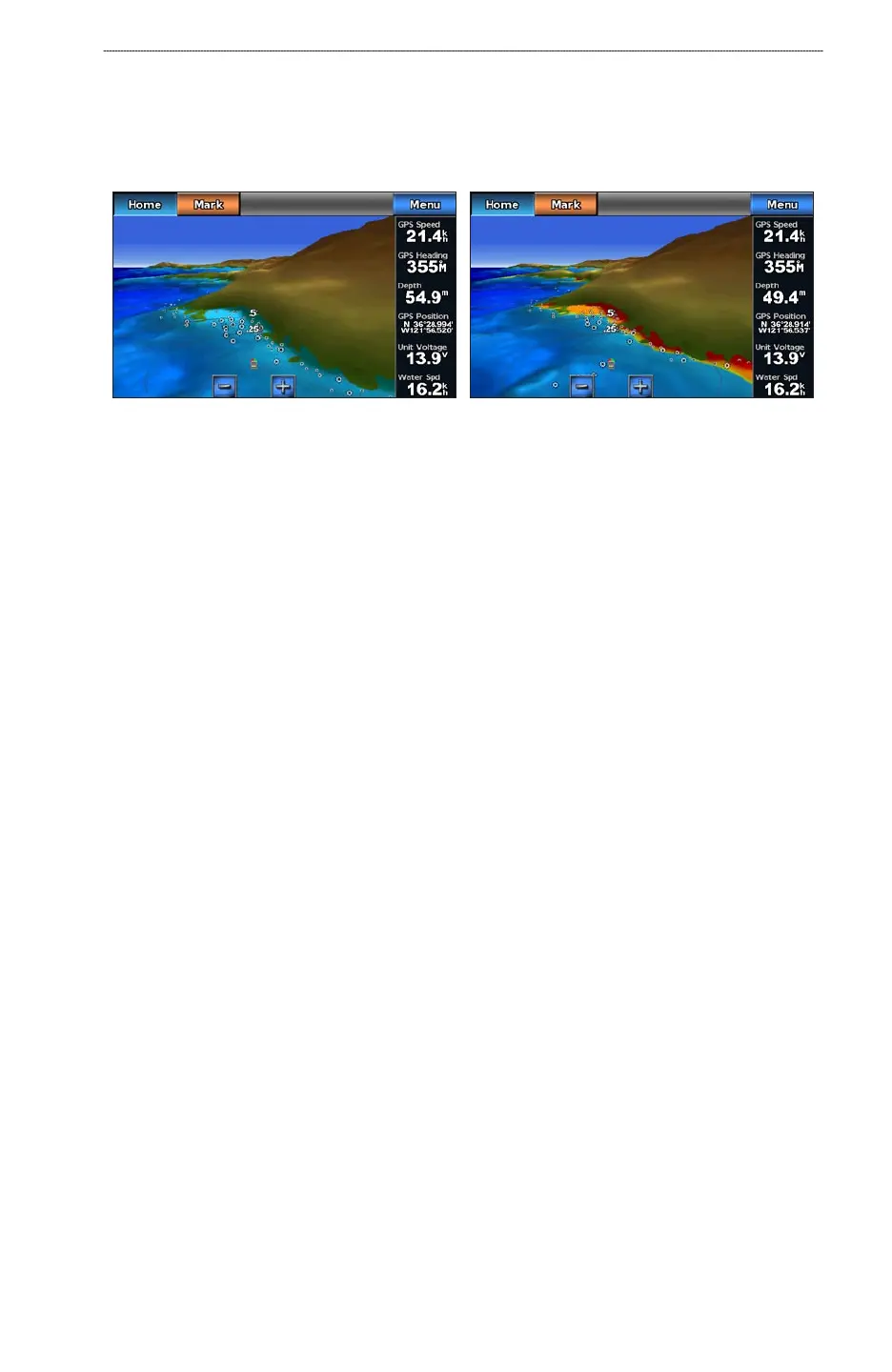
Select On to view shallow water and land with a color scale. Blue indicates deep water,
yellow is shallow water, and red is very shallow water.
Select Off to view the land as seen from the water.
Mariner’s Eye 3D, Hazard Colors Off Mariner’s Eye 3D, Hazard Colors On
Showing Range Rings
See “Showing Range Rings” (page 16).
Selecting a Safe Depth
You can set the appearance of a safe depth for Mariner’s Eye 3D.
NOTE
: This setting affects only the appearance of hazard colors in Mariner’s Eye 3D. It does not
affect the safe water depth Auto Guidance setting (page 50) or the sonar shallow water alarm setting
(page 82).
1. From the Home screen, select
Charts > Mariner’s Eye 3D > Menu > Chart Appearance >
Safe Depth.
2. Enter the depth.
3. Select
Done.
Selecting a Lane Width
See “Selecting a Lane Width” (page 17).
Showing Other Vessels
See “Conguring the Appearance of Other Vessels” (page 55).
Showing and Conguring Overlay Numbers
See “Overlay Numbers” (page 53).
Using Waypoints and Tracks
See “Waypoints” (page 29) or “Tracks” (page 33).
•
•













 To Next Page