SpectroEye™14
1
1.2.3 SpectroEye connection options
The SpectroEye connection socket is multi-functional, meaning
that the power supply, serial communications and the Ethernet
are built into one socket. It is possible to connect single devices
directly to the SpectroEye, or various devices simultaneously
by means of the communications adapter.
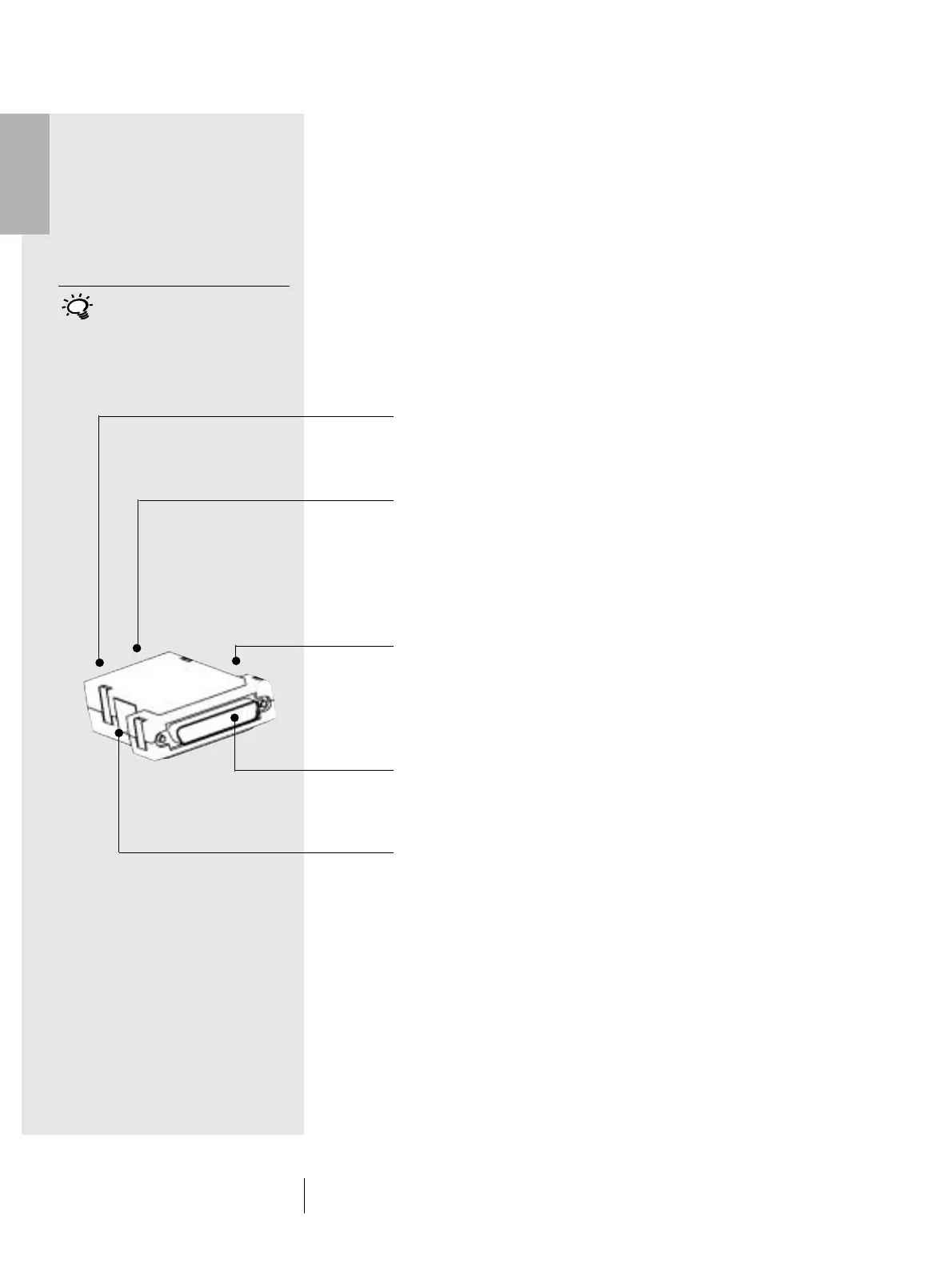
1.2.3.1 Communications adapter
This adapter connects the SpectroEye to all the possible
accessories: computer (PC or Macintosh), network, printer
or battery charger. Various connections can be made
simultaneously through the adapter, with only one cable
connected to the instrument itself.
GretagMacbeth Instrument
The SpectroEye is connected to the connector cable through
this socket.
Ethernet = / Power
Ethernet or the battery charger can be connected to this socket.
This Ethernet connection is not crossed and can be used when
the SpectroEye is connected to the network via a Hub. If the
socket is not used for Ethernet, the battery charger can be
connected here.
Ethernet X / Power
Ethernet or the battery charger can be connected to this socket.
This Ethernet connection is crossed, and is used when the
SpectroEye is connected directly to a PC. If the socket is not
used for Ethernet, the battery charger can be connected here.
Serial 1
This socket is used for serial communications if a Mini DIN
shaped plug is not available.
Serial 2
This socket is used for serial communications if a Mini DIN
shaped plug is available.
If the SpectroEye does not require
connection to any other instrument,
the battery charger can also be
connected directly.
1 • Set-up



 To Next Page