SpectroEye™ 49
2
2 • Use
○○○○○○○○○○○○○○○○○○○○○○○○○○○○
○○○ ○○ ○○○○○○○○○○○○○○○○○○○○○○○○○○○○○○○○○
Whether these values are taken without changes or they are
modified, the settings are always saved together with the
corresponding reference. The default settings are then kept
unchanged and they will be reproposed as standard settings
for each new reference.
Input your own settings and leave the reference windows
using Continue. The measured values now appear inside
the References menu and you are requested to define
another original using New reference. Repeat the described
operation for all the references.
• Additional processing and deleting of references
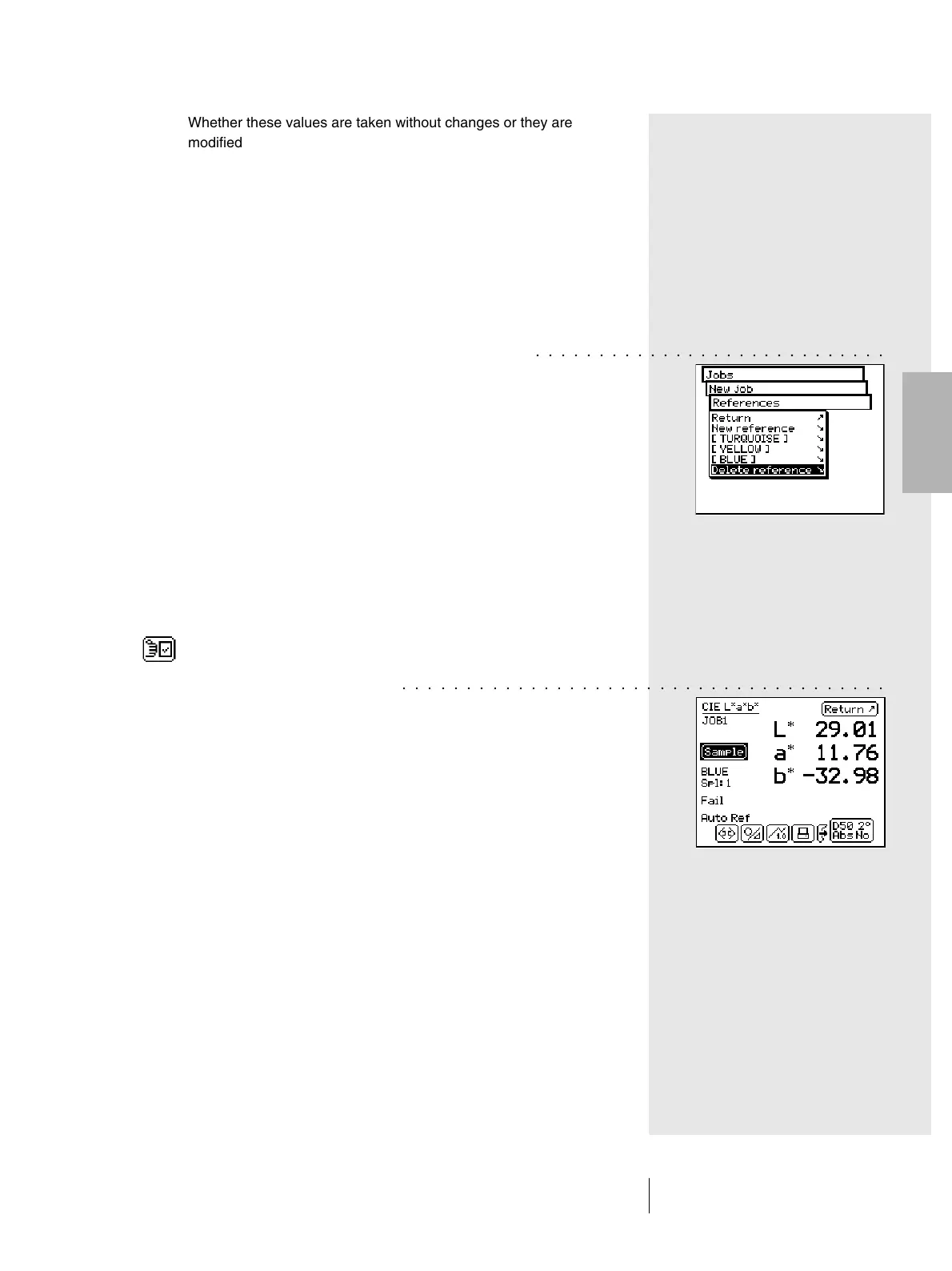
After the definition of the last reference, a list of all available
references appears in the References menu. If, during
a reference definition, you forgot to enter the tolerance
values, you wish to repeat the measurement or you wish
to change the name again, just select the corresponding
reference menu item. Then the reference window is selected,
where you may perform the changes.
To delete a reference from the memory, select Delete
Reference from the Reference menu, then select the
reference name and confirm with Yes.
Both the additional processing and reference cancellation
may also be performed inside the measurement window.
You may switch to this window, to perform changes, using
the Modify reference icon inside the reference window.
2.4.3.2 Measurement of samples
To measure samples, select the Continue item within the
New job menu. The measurement window will appear.
The measurement window is used mainly to measure
and analyse samples.
Measure a sample. As soon as the measurement value is taken,
this is automatically assigned to a defined reference, the
reference name is displayed and a Pass/Fail evaluation is
performed. The measured samples are numbered with a
progressive number, which may be read on the display under
the reference name. With the measurement of a new sample,
the previous value is saved to the jobs database. The new
measurement value replaces the previous one on the display.
The assignment of the new sample to a reference,
the Pass/Fail evaluation and the sample numbering are then
performed.



 To Next Page