1
SpectroEye™ 15
1.2.3.2 Connecting the battery charger
1. Insert connecting cable 36.64.31 into the SpectroEye
data port.
2. Insert the other end of the connecting cable into the
GretagMacbeth instrument socket of the communications
adapter.
3. Insert the battery charger plug into a free Power socket
on the communications adapter. The battery charger is
connected to the mains electricity supply by means of
the power cord supplied.
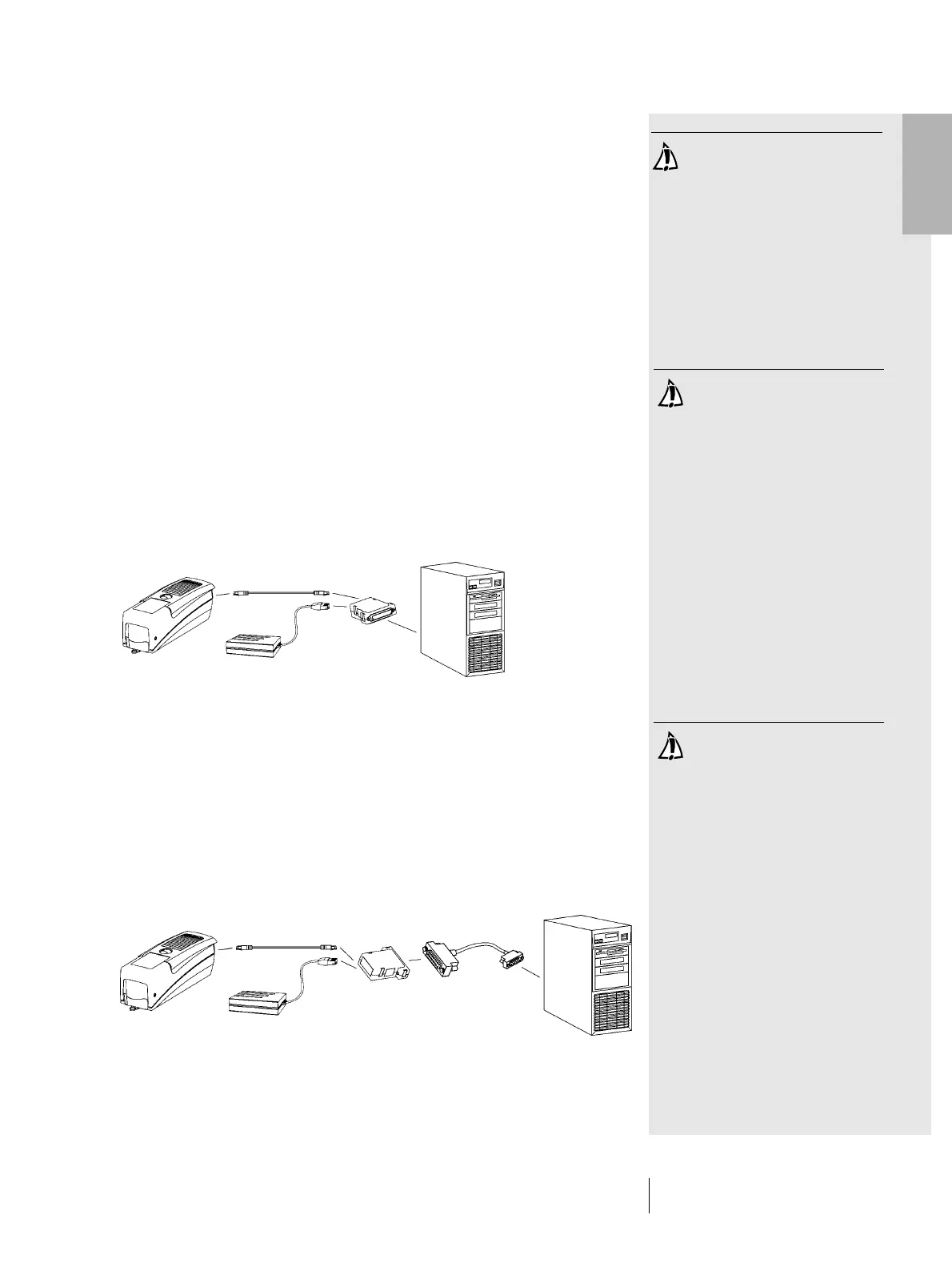
1.2.3.3 Connecting to a PC
Connecting to a PC with 25 pin serial interface port
1. Insert connecting cable 36.64.31 into the SpectroEye
data port.
2. Insert the other end of the connecting cable into the
GretagMacbeth instrument socket of the communications
adapter.
3. Connect the Serial socket on the communications adapter
to the PC port.
Connecting to a PC with 9 pin serial interface port
1. Insert connecting cable 36.64.31 into the SpectroEye
data port.
2. Insert the other end of the connecting cable into the
GretagMacbeth instrument socket of the communications
adapter.
3. Insert the intermediate cable 36.50.55 between the Serial
socket on the communications adapter and the PC port.
Take care to use the right
connecting cable!
Take care to use the right
connecting cable!
Take care to use the right
connecting cable!
1 • Set-up
36.64.31
36.64.95
36.64.64
36.64.31
36.64.95
36.64.64
36.50.55



 To Next Page