1
SpectroEye™ 17
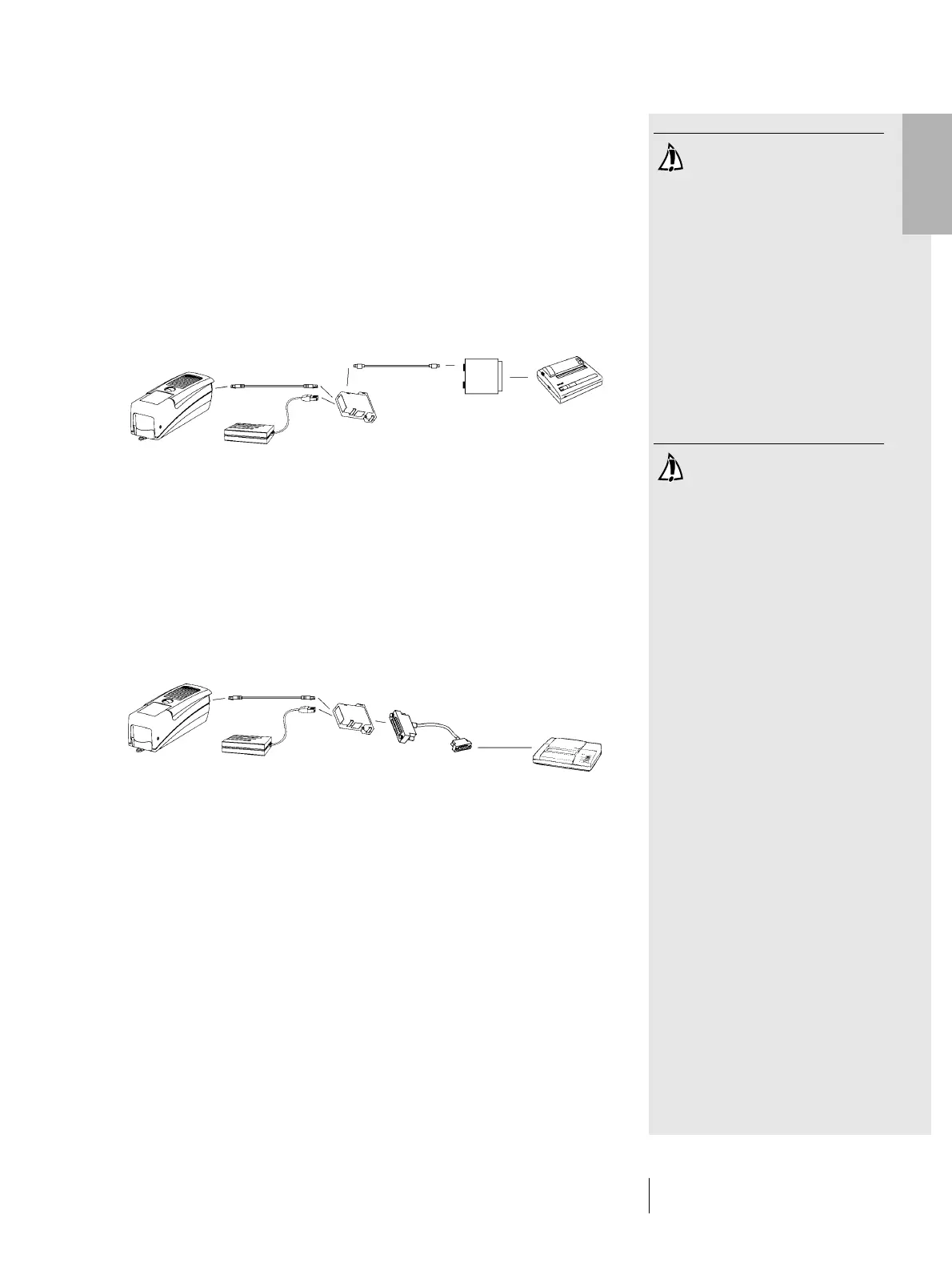
1.2.3.6 Connecting to a Seiko printer
Connecting to a Seiko model DPU 411 printer
1. Insert connecting cable 36.64.31 into the SpectroEye
data port.
2. Insert the other end of the connecting cable into the
GretagMacbeth instrument socket of the communications
adapter.
3. Insert Seiko adapter 36.51.37 into the printer interface port.
4. Insert the intermediate cable 36.50.54 between the commu-
nications adapter Serial port and the printer interface port.
Connecting to a Seiko model DPU 414 printer
1. Insert connecting cable 36.64.31 into the SpectroEye
data port.
2. Insert the other end of the connecting cable into the
GretagMacbeth instrument socket of the communications
adapter.
3. Insert the intermediate cable 36.65.04 between the commu-
nications adapter Serial port and the printer interface port.
Take care to use the right
connecting cable!
1 • Set-up
Take care to use the right
connecting cable!
36.64.31
36.64.95
36.64.64
36.50.54
36.51.37
36.64.31
36.64.95
36.64.64
36.65.04



 To Next Page