SpectroEye™ 39
2
2 • Use
2.4 Working with the SpectroEye
This section gives a detailed description of the different
SpectroEye measurement procedures, i.e. the single measure-
ment, the series measurement and the jobs creation. In addition,
it provides information about data management, data base
allocation and explains which settings are to be performed.
2.4.1 Single measurement
With Single measurement you can measure a single sample or
you can compare a sample with a reference without saving the
measurement results in the instrument.
Each new measurement overwrites the previous one. Two
examples are used, the spectral measurement of color with
CIELAB and the simple density measurement.They will show
how the measurement and reference sample comparisons are
performed. It is suggested the operator follow the procedures
step-by-step.
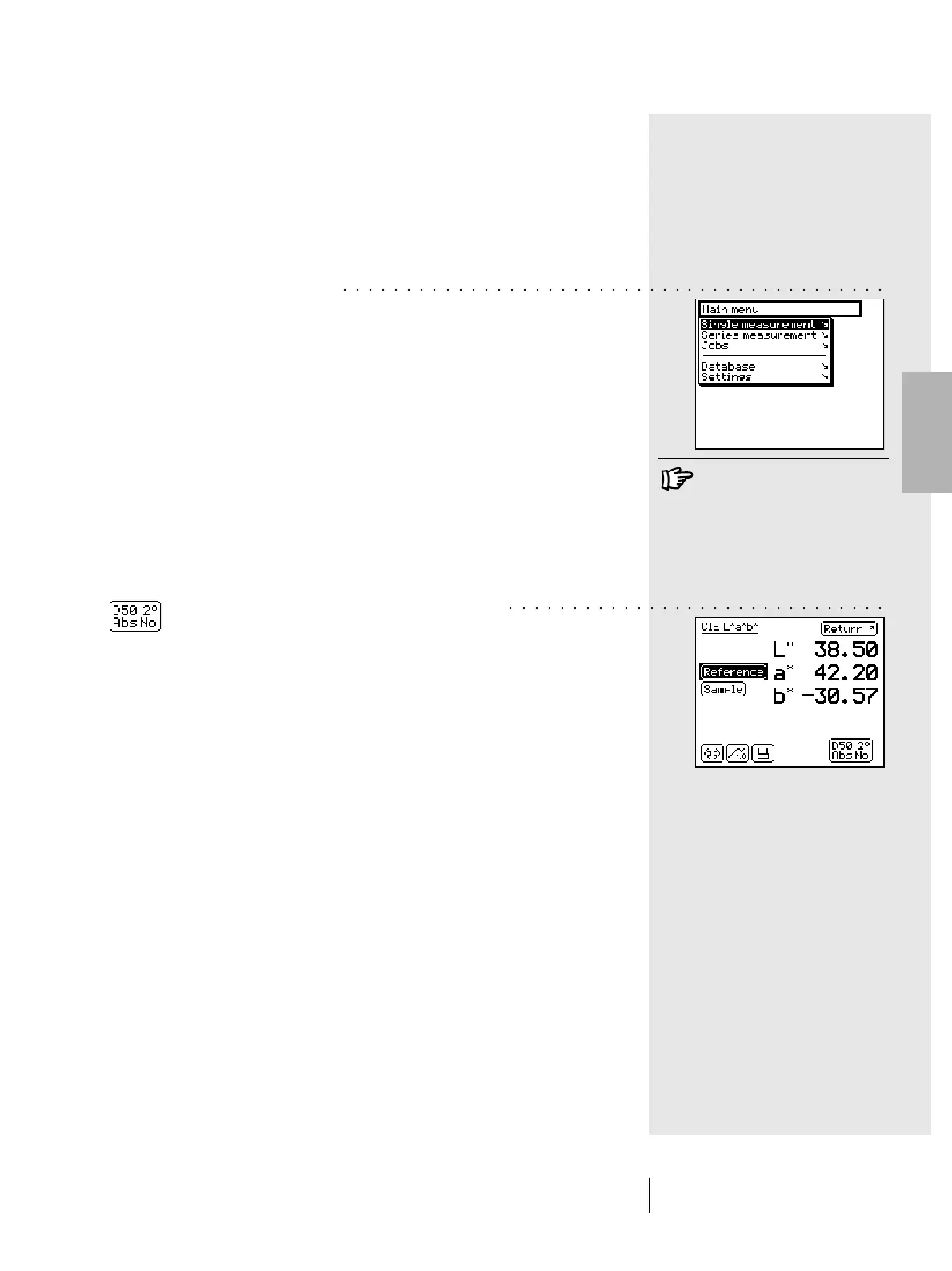
By selecting the Single measurement item from the main menu,
you immediately get the measurement window
2.4.1.1 Checking the measurement conditions
The special icon at the end of the symbol bar of the
measurement window shows the active measurement conditions.
Ensure that settings are still matching your needs. At delivery
time the SpectroEye is configured in such a way that the
measurement conditions cannot be directly changed using the
special icon. As these settings greatly affect the measurement
results they must be kept constant, especially during the
comparisons between measured values.
If for technical reasons related to the application you wish to use
this icon to change settings, you can make it available through
the settings.
If SpectroEye is not in CIELAB
mode, first read section 2.4.1.6
to see how to define the
measurement functions and
set-up the CIELAB mode.
○○○○○○○○○○○○○○○○○○○○○○○○○○○○○○○○○○○○○○○○○○○
○○○○○○○○○○○○○○○○○○○○○○○○○○○○○○



 To Next Page