SpectroEye™70
2
○○○○○○○○○○○○○○○○○○○○○○○○
○○○○○○○○○○○○○○○○○○○○○○○○
If this list does not include your
printer, check the printer manual to
see if this is compatible with one of
the listed models. Otherwise select
the No Formatter option.
• Canon BJ10vCustom
• EPSON LX800
• HP DeskJet
• HP LaserJet
• HP ThinkJet
• CBM510
2. If you require the date and time to be entered automatically
with the print-outs, select Date and time menu option and
set the displayed value to On.
3. The printer protocol heading can be defined by selecting
the Header menu item. Enter the text which is to appear
in the printer protocol; 5 lines are available.
4. Save settings using Accept data.
2.6.2.4 Turn display
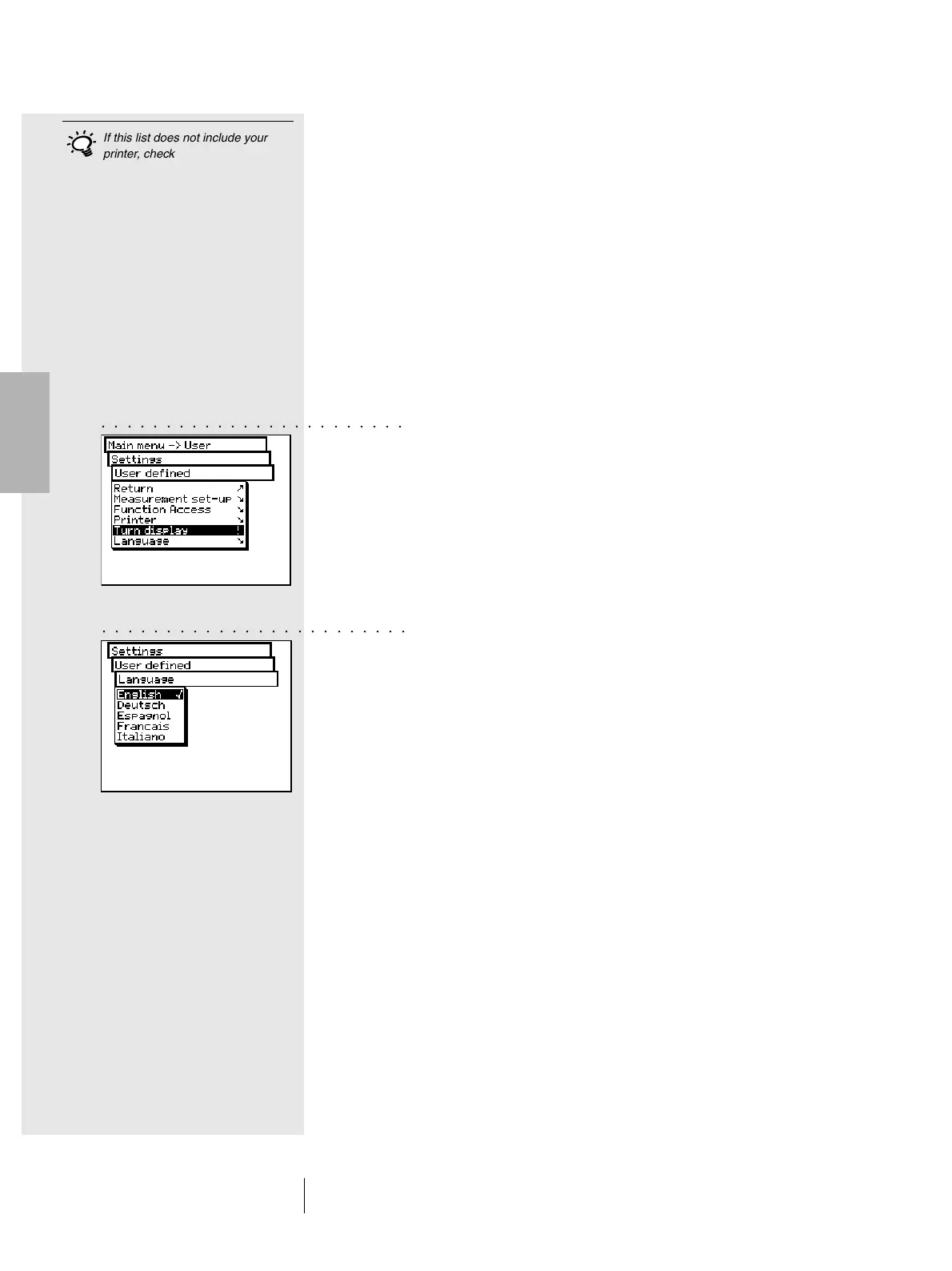
The SpectroEye is designed to be used with one hand.
On delivery from the factory, it is set for use with the right hand.
So that left-handed people may also use the SpectroEye with
ease, the displayed data can be rotated.
From the main menu, select
Settings > User defined > Turn display
The display on the LCD is immediately rotated.
2.6.2.5 Language
The SpectroEye software is available in several languages.
To change the language, select the following from main menu:
Settings > User defined > Language
The display changes as soon as you select the requested
language.
If you press and hold down the measurement key for about
15 seconds, the program immediately selects the language
menu. In this way you can easily switch from an unknown
language to a known one.
2 • Use



 To Next Page