SpectroEye™58
2
2 • Use
○○○○○○○○○○○○○○○○○○○○○○○○○
○○○ ○○○○○○○○○○○○○○○○○○○○○○
○○○○○○○○○○○○○○○○○○○○○○○○○
To find out whether settings other
than the default values are required,
contact your system administrator.
These settings must match those
of the connected device.
Please check the corresponding
instructions in the manual provided
by the device or software supplier.
The default settings are: Baud rate
= 9600 and Handshake = Xon/Xoff.
○○○○○○○○○○○○○○○○○○○○○○○○○
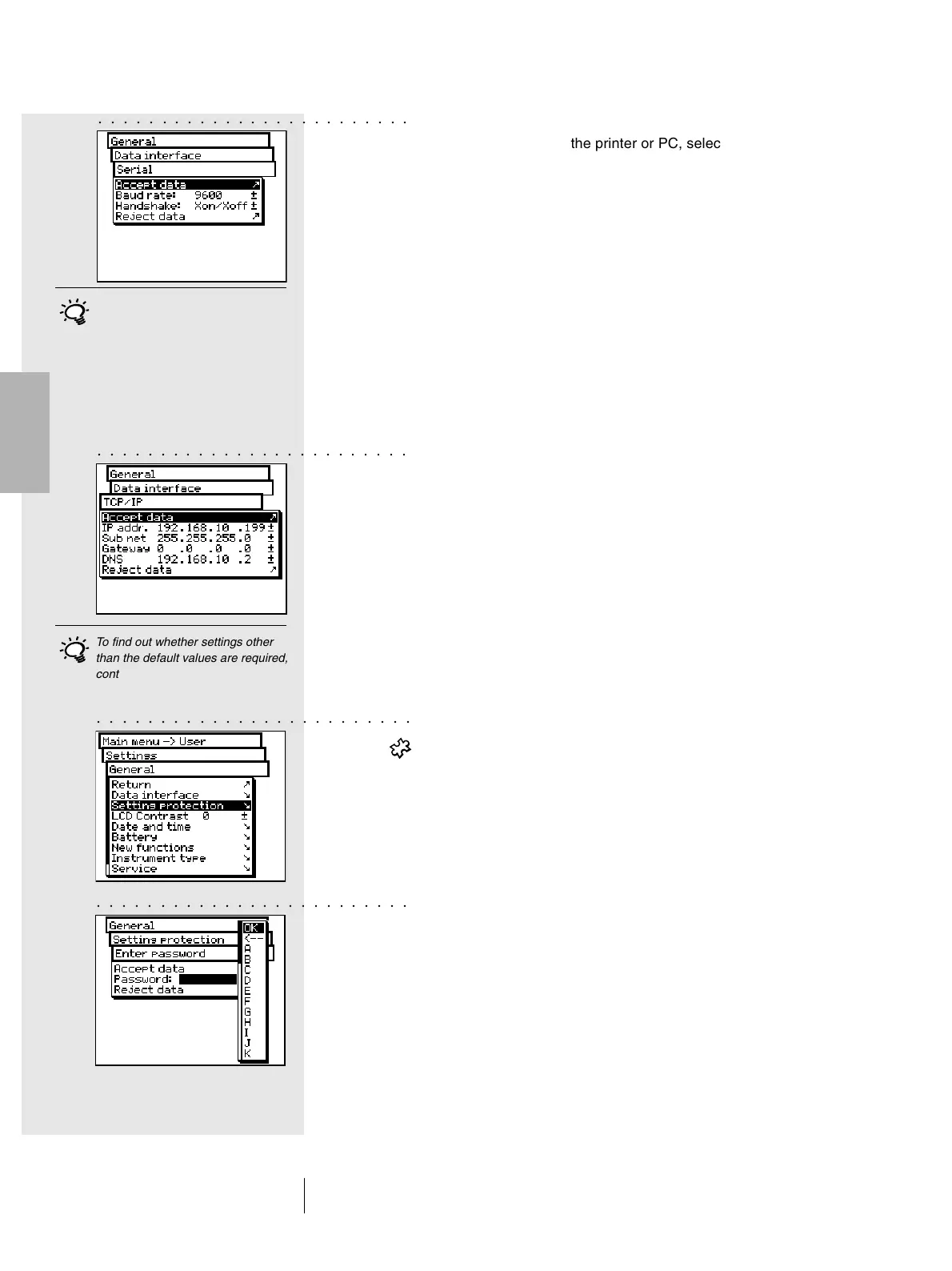
• To define the parameters for serial transmission between
the SpectroEye and the printer or PC, select the Serial option
and proceed as follows:
1. First set the correct transmission speed using the
Baud rate option.
2. Then under Handshake, select
- No
- Xon/Xoff
- Hardware
3. Save settings with Accept data.
• To connect the SpectroEye through an Ethernet interface
to the Internet or a company Intranet, select the TCP/IP
option and configure it as follows:
1. Set the sequence of correct addresses for:
- IP addr.
- Sub net
- Gateway
- DNS
2. Save settings using Accept data.
2.6.1.2 Setting protection
This menu item is available only if you have purchased the
Setting protection function package.
The following settings can be password protected against
unauthorised changes:
• Settings inside the Database > Users menu
• Settings inside the Settings menu
To enter a password, select the following from the main menu:
Settings > General > Setting protection >
New password
In the Password: menu item, indicate your password and
confirm with Accept data.
If a password was defined, when you try to access this menu,
you will be prompted to enter this password. Only when you
enter the password can you proceed with the setting phase.



 To Next Page