SpectroEye™72
3. Functions
In this chapter we will take a detailed look at selected functions
which highlight the high standard of the SpectroEye unit.
3.1 Best Match
3.1.1 General
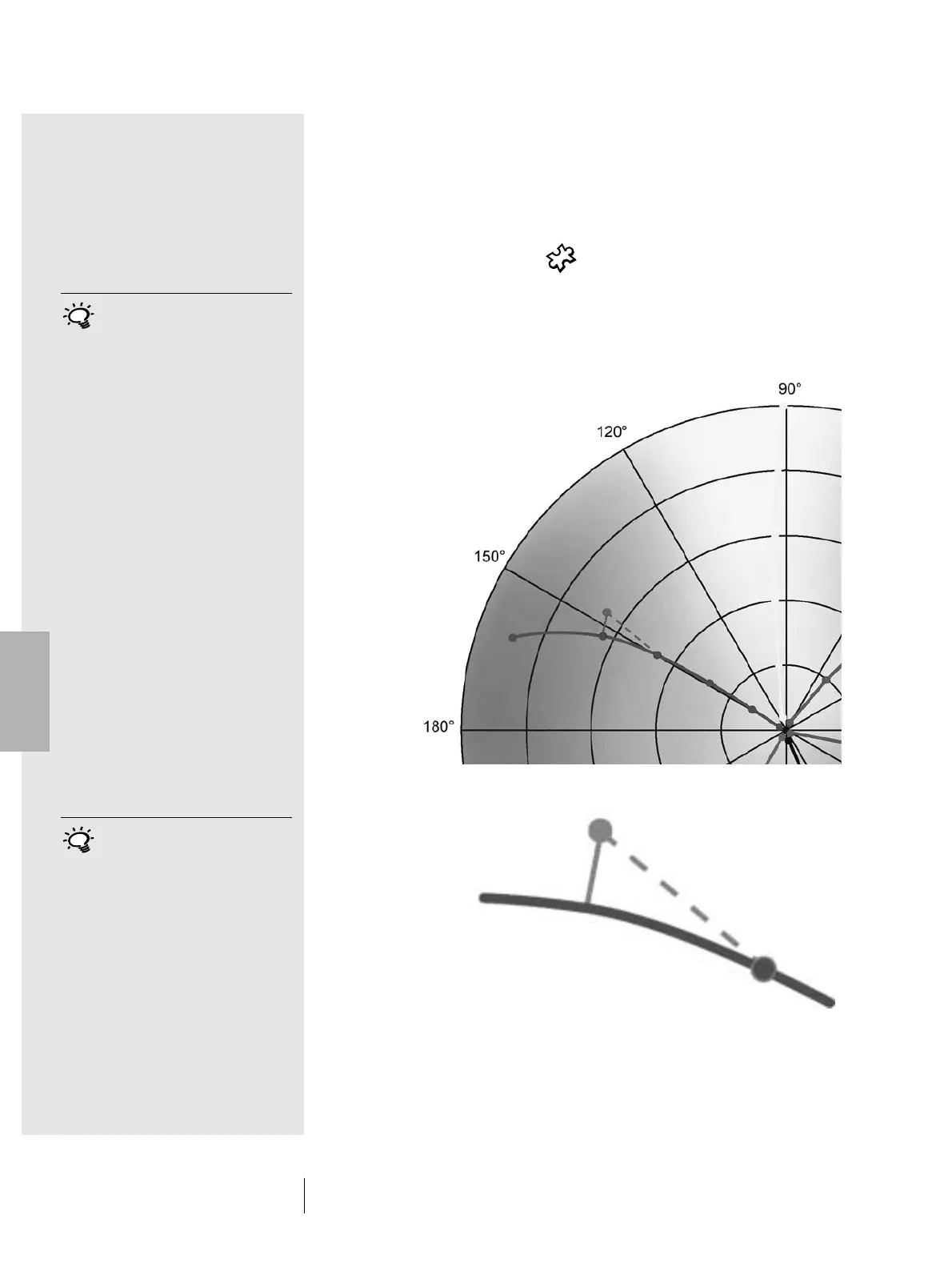
The illustration below shows the Best Match function with
the aid of the CIELAB color space using an example of two
different shades of green:
3 • Functions
3
The SpectroEye Best Match
function allows you to quickly and
easily establish if a mixed color
matches a specified target color or
whether you will need to mix a new
batch. The deviation is calculated
on the basis of colormetric and
densitometric differences between
the reference and the sample colors.
The colormetric deviations are
provided as
∆
E (color difference)
and the densitometric differences
as D (density difference).
The densitometric measurement
also helps when printing special
colors and checking screen colors
by indicating the required layer
thickness (in offset printing) and
concentration (in flexo and gravure
printing) with which a color must be
printed to achieve the most accurate
reproduction of the target color.
You can use the Best Match
function when formulating
and mixing colors and to check
the color during printing. This
function detects the slightest
deviations from the target
color immediately, saving you
time and money throughout
the print run.
∆E akt
∆E Best Match
The curve describes the hue shift when changing the ink
thickness in relation to ink concentration. The length of the
line forming a perpendicular connection between the reference
point and the curve corresponds to the Best Match for the
nominal value.
Reference
∆E Best Match
Best Match Point
Sample



 To Next Page